
Learn how to easily add your email signature image to Outlook online.
Download Your Signature Image
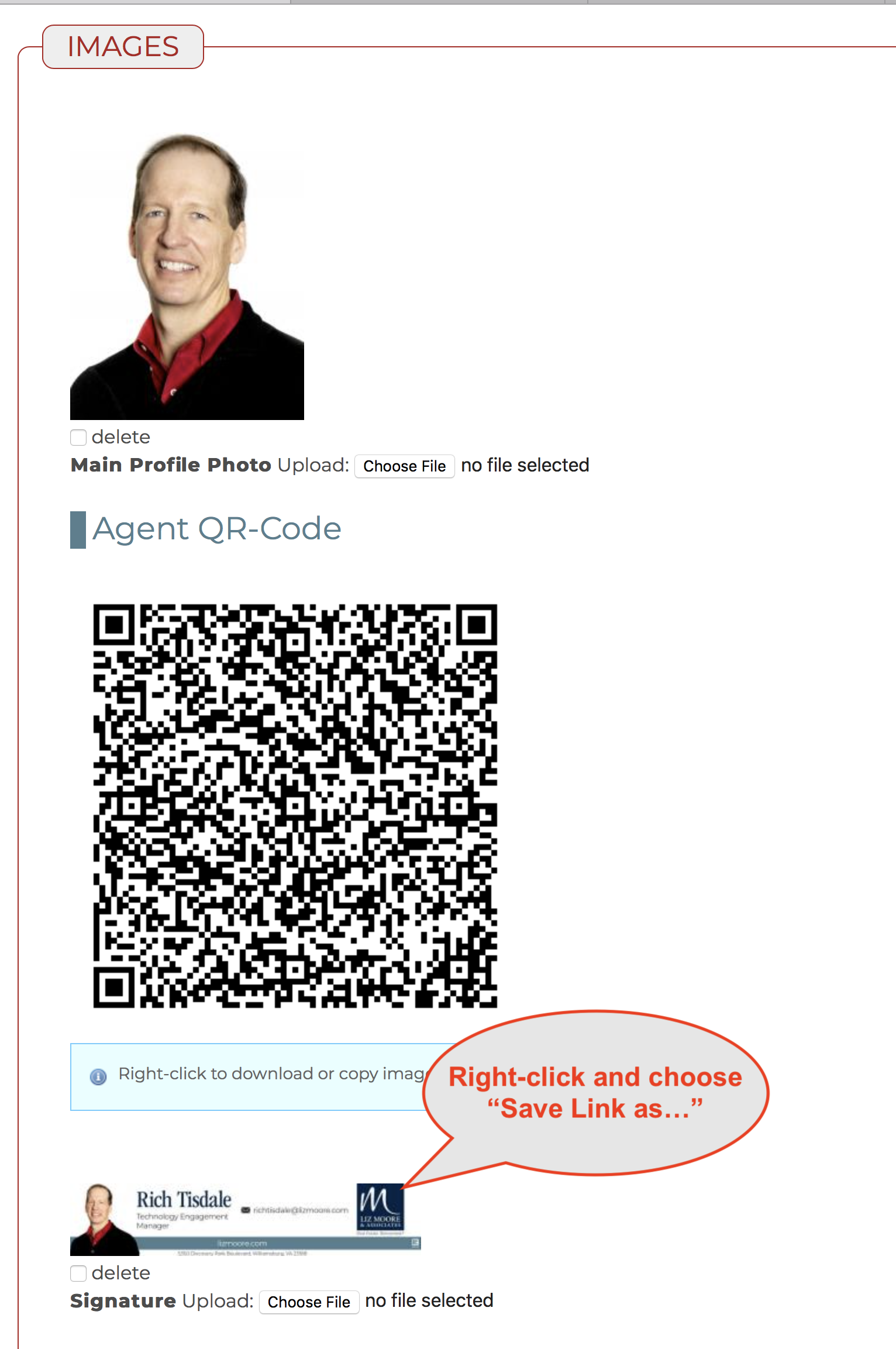
- Go to your eLMO Profile and scroll to IMAGES section.
- Right-click on your signature image and download it to your computer.
Add Signature to Outlook Online
- Login to http://lizmoore.com/mail or click "Email" while in eLMO.
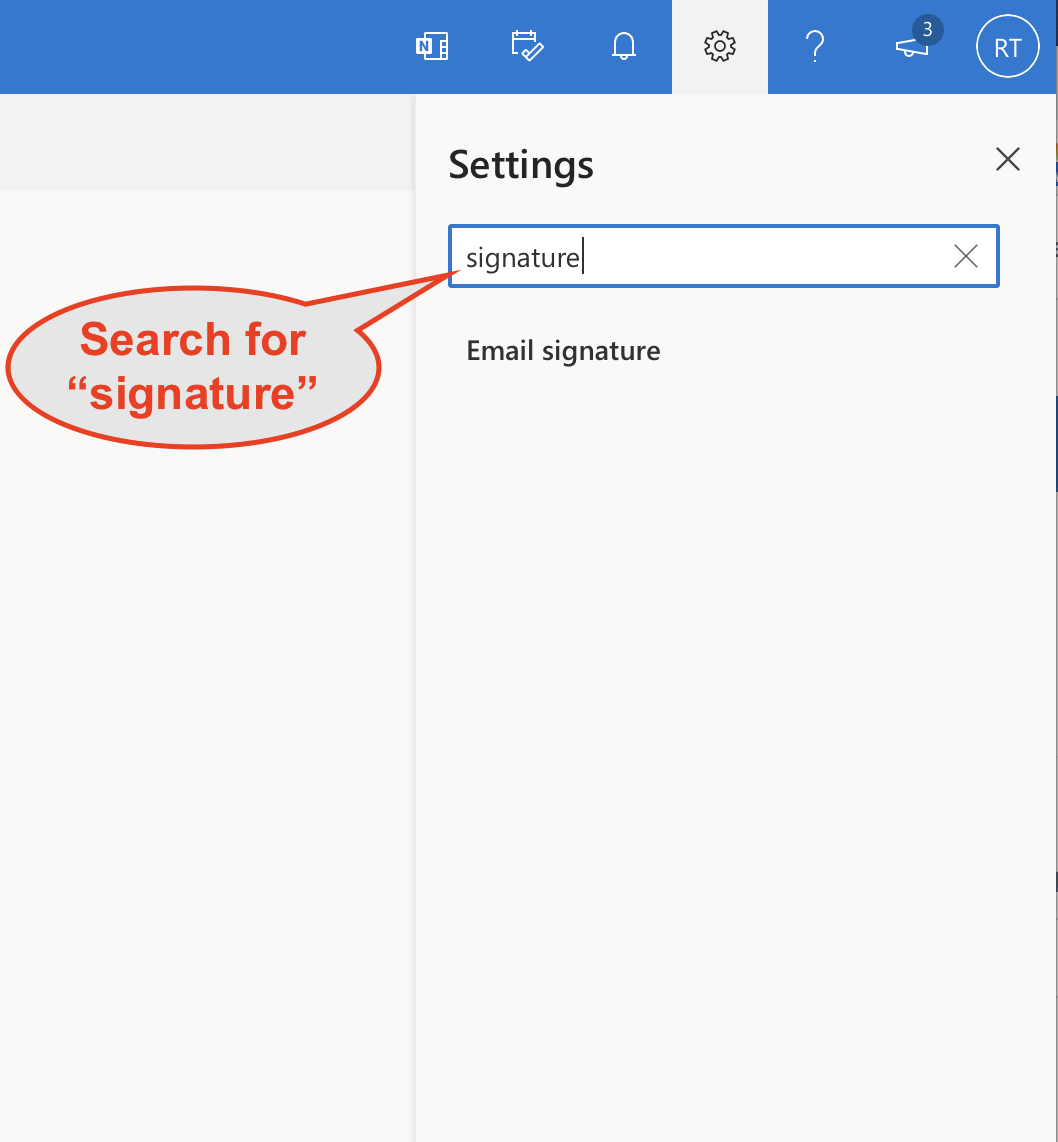
- Click the gear icon in the upper right.
- Type "signature" in the search bar.
- Click on "Email signature".
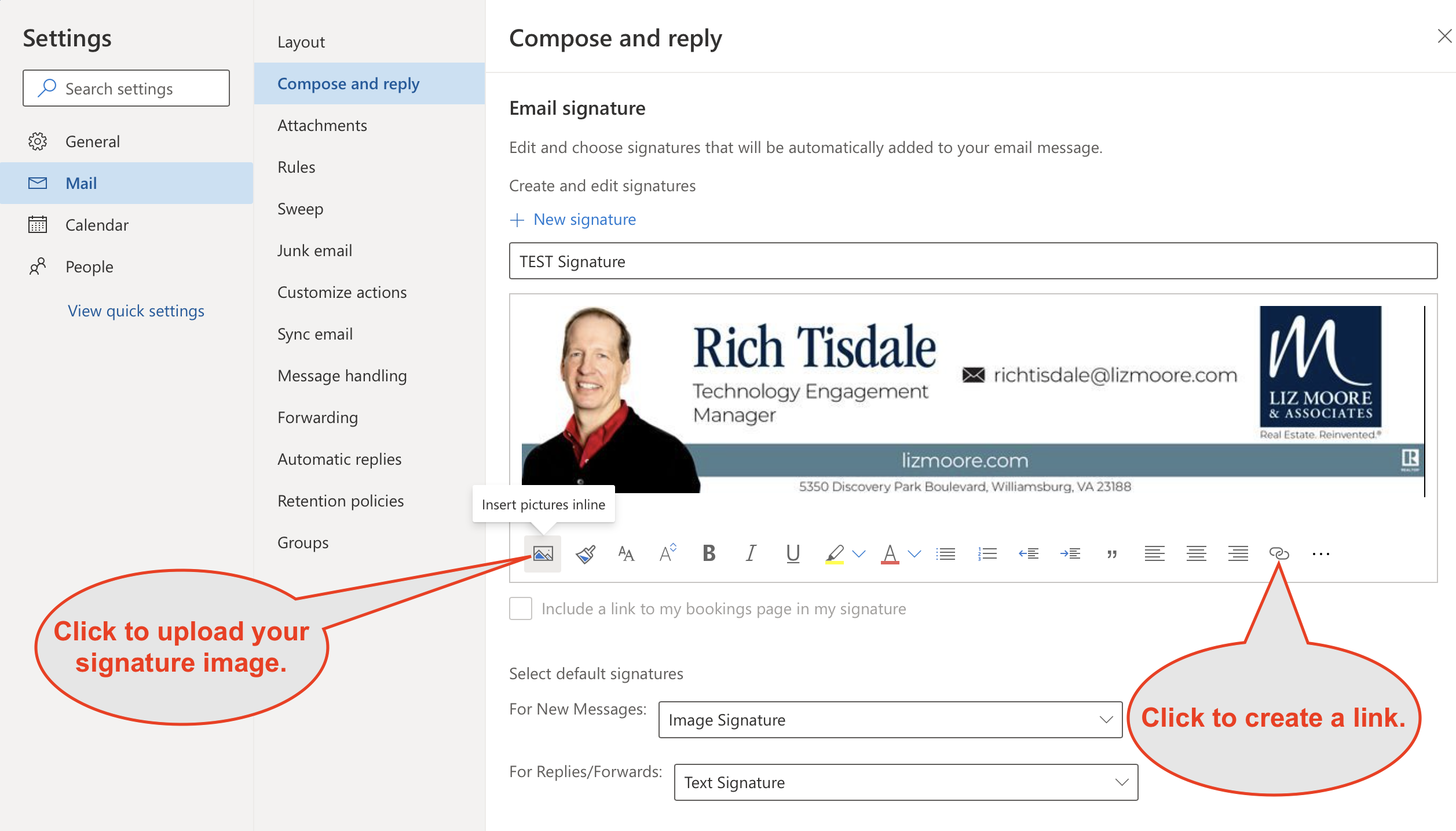
5. Click "New signature" and give it a name.
6. Click the image icon in the toolbar to upload your signature image you downloaded.
7. Optionally click the link icon to make your signature image a link to your Agent page at lizmoore.com!
Comments
0 comments
Please sign in to leave a comment.