
Learn how to prevent email from going into your Junk Email folder by using Safe Senders and Domain in Outlook.
1. Login to eLMO
2. Click on Email (or just go to lizmoore.com/mail)
3. Click on the "gear" icon in the upper right to access Outlook Settings.
4. Scroll to the bottom and click on "View all Outlook settings".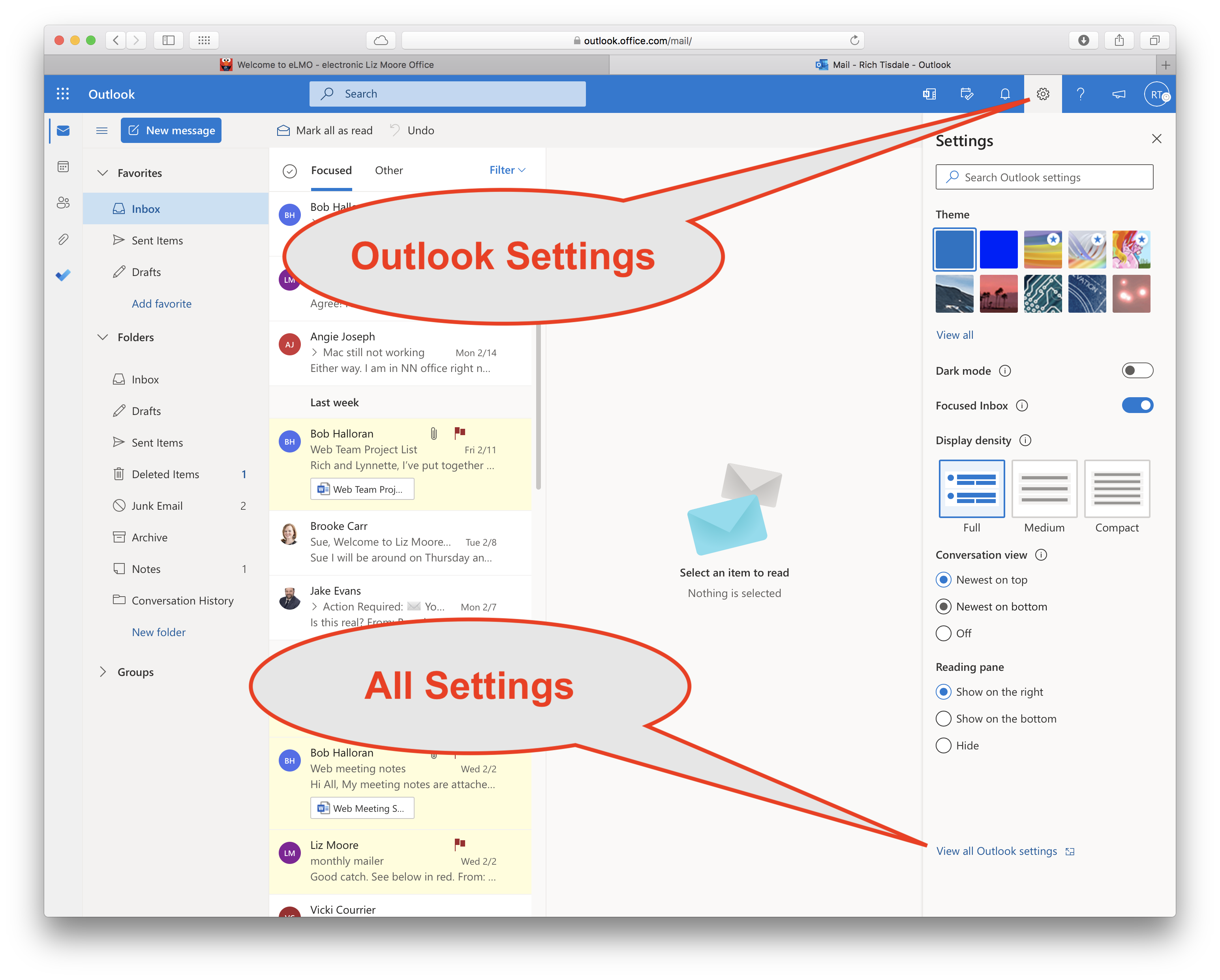
5. Click on "Junk email" to see Safe senders and domains.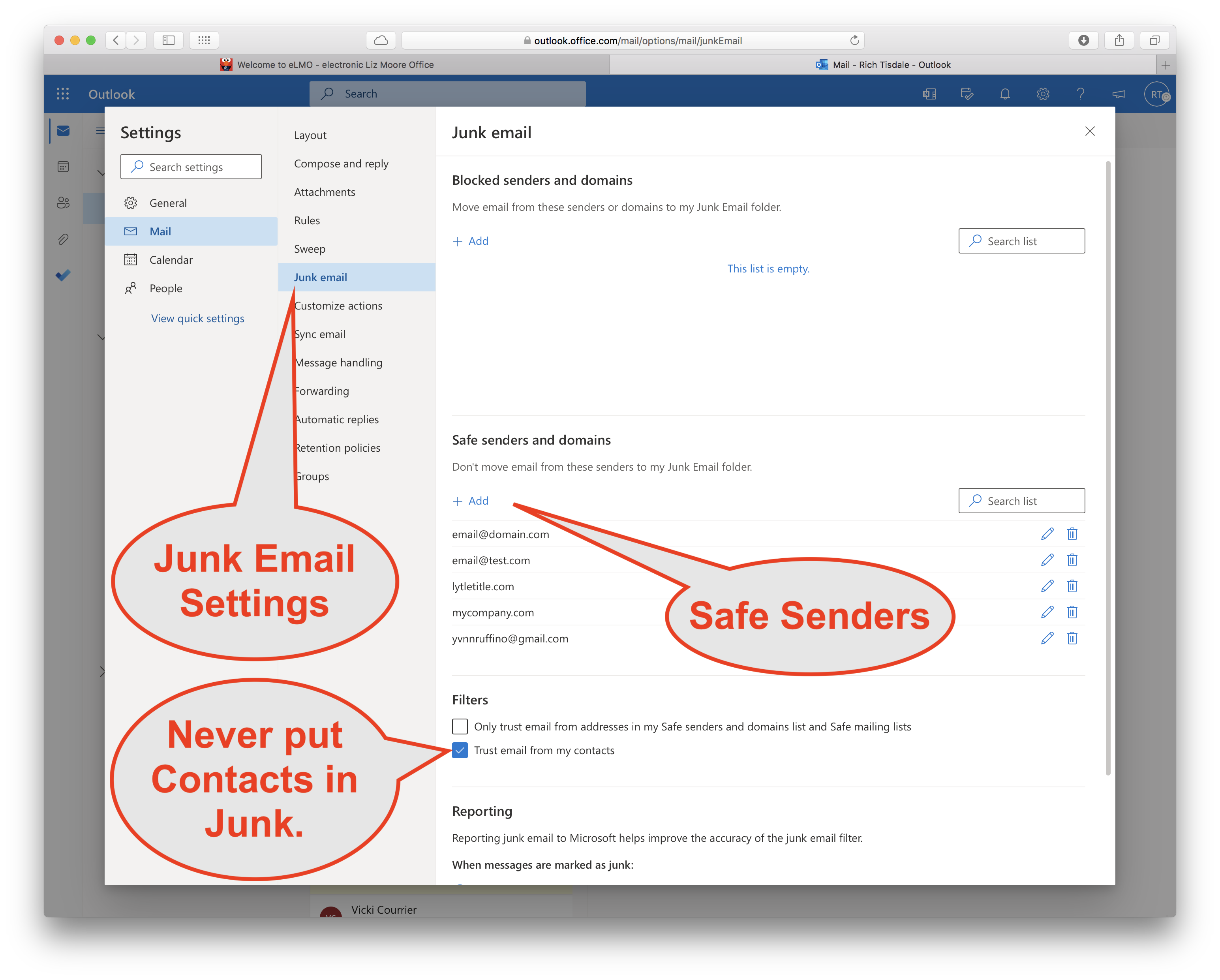
POWER TIP: You can just as easily add senders to the Blocked senders and domain list to force those annoying emails you know are SPAM into your Junk Email folder.
Comments
0 comments
Please sign in to leave a comment.