
Learn how to avoid unwanted formatting problems by copying pasting the RIGHT WAY from a Word document.
1. Copy some text from a Word document.
2. Go to eCards & Email Marketing and start a new Campaign or edit an existing one.
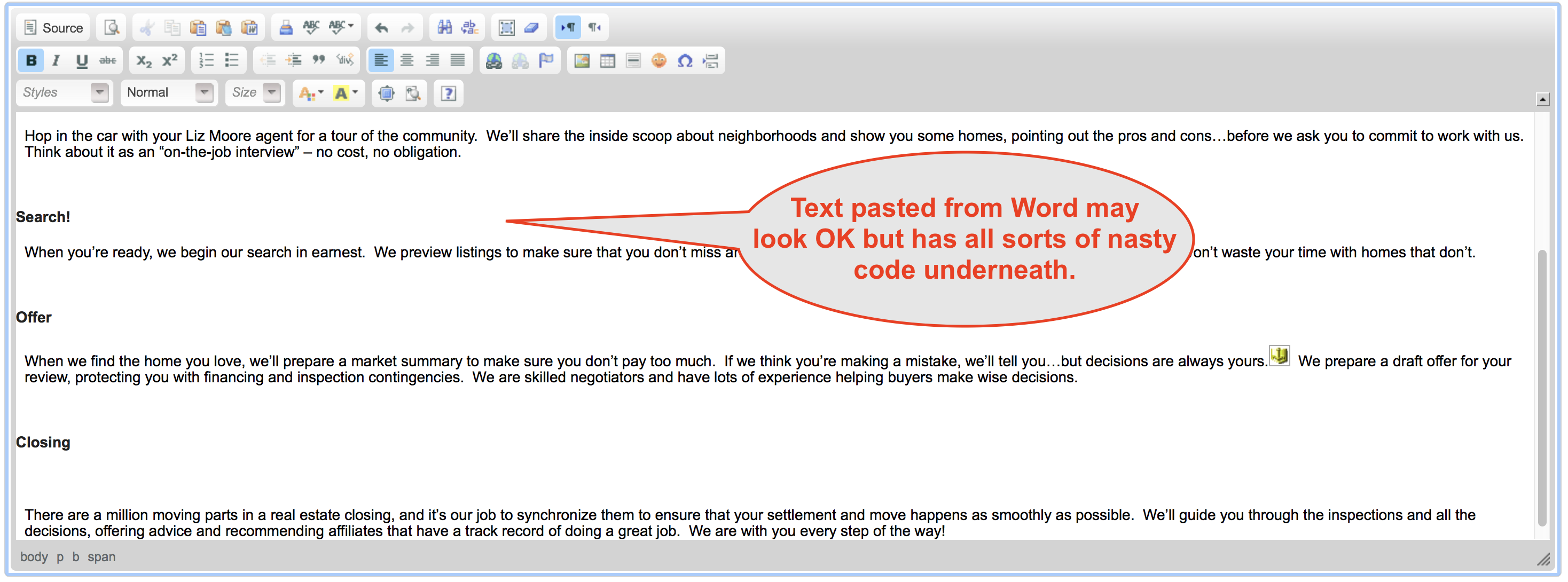
3. In the eCards Editor place the cursor where you want, and paste the copied text. You may get a warning that it was not possible to clean up the pasted data.
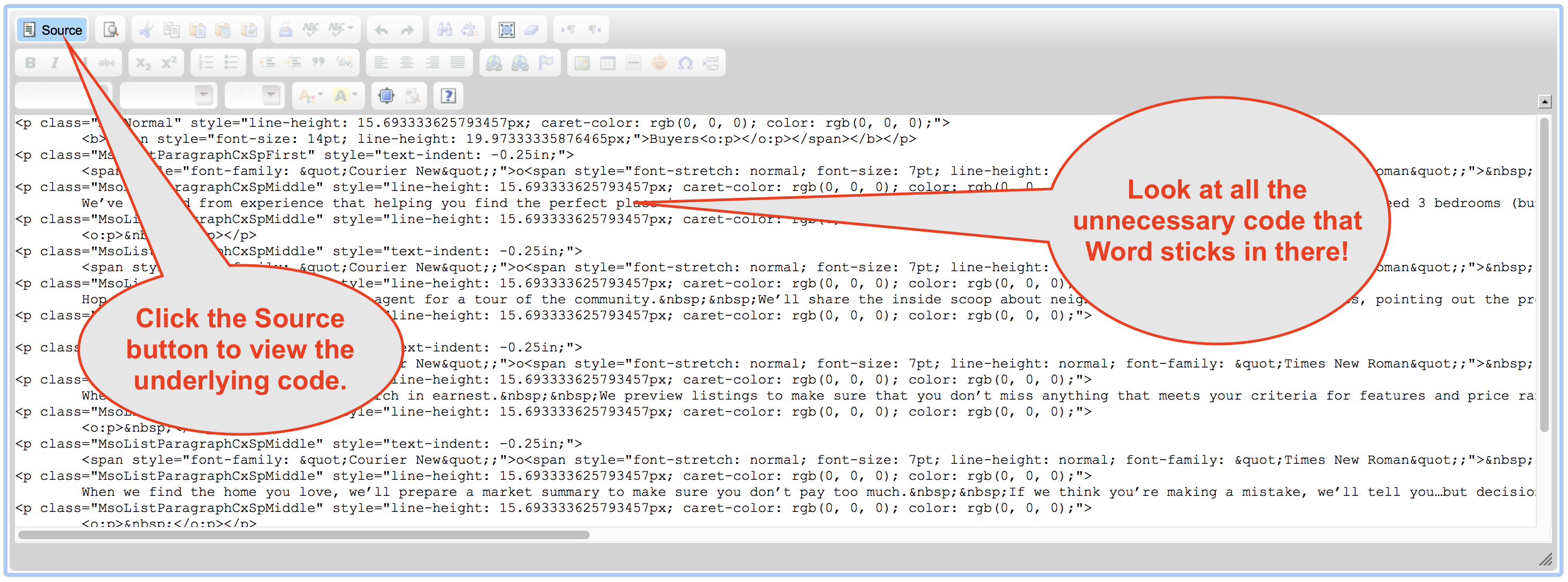
5. Click the "Source" button to see all the EXTRA code that Word stuck in there. This can cause all sorts of ugly formatting problems.
6. Delete all the pasted content from the editor and click the "Source" button again to get out of Source mode.
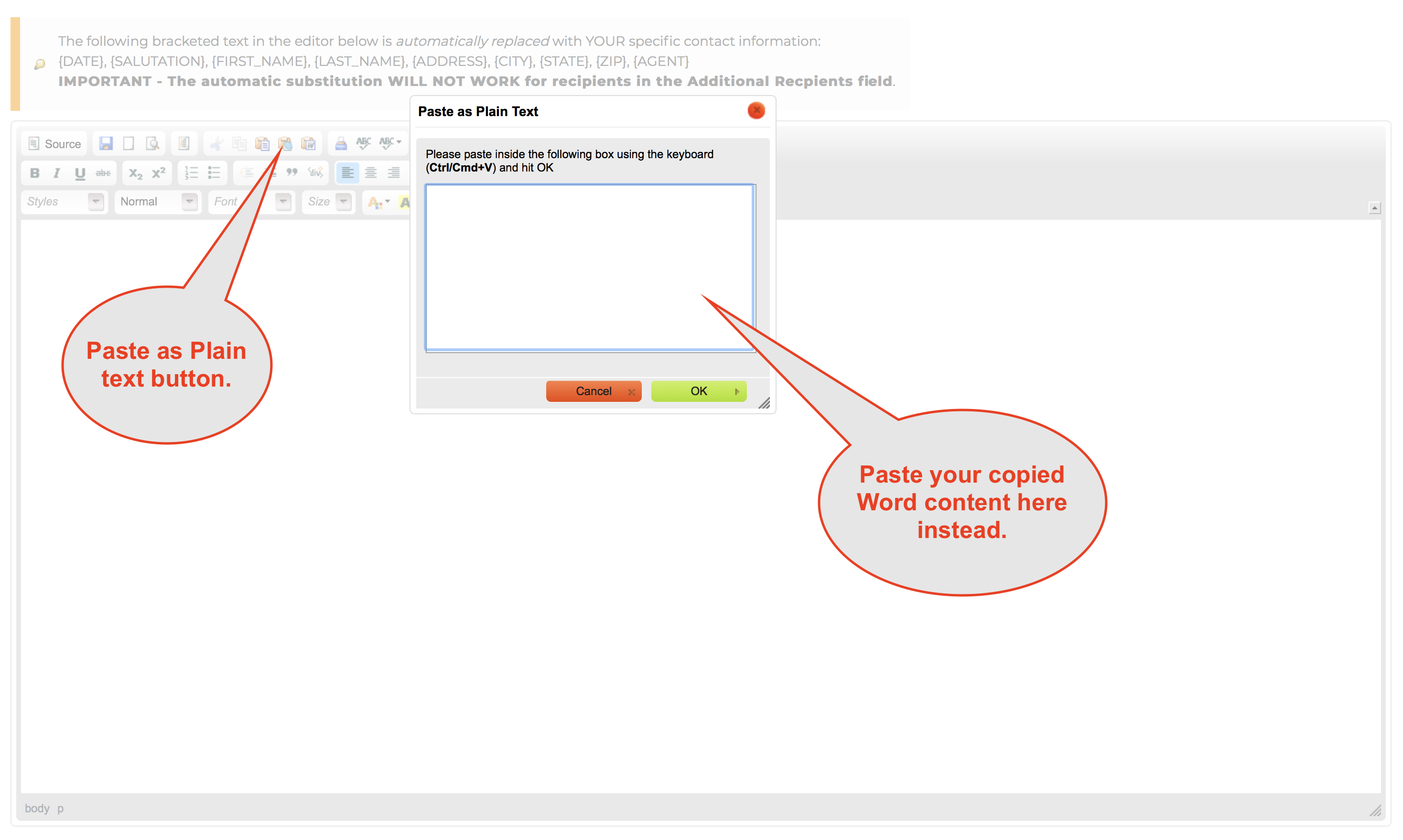
7. Click the "Paste as Plain text" button and paste the content into the box and click OK.
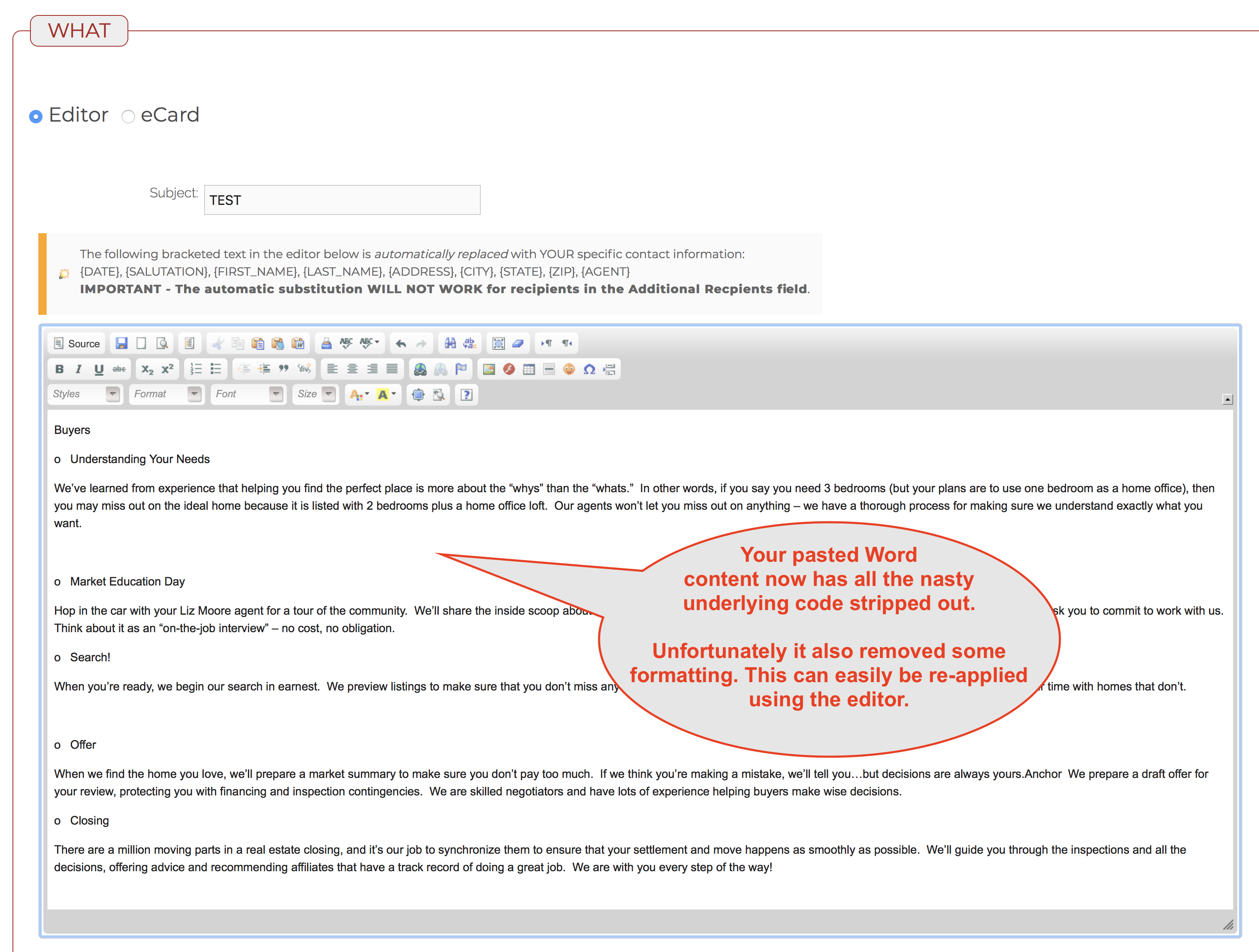
8. Now the editor has all your content with all the extraneous code stripped out (and also some of the formatting).
9. Use the editor buttons to quickly apply any needed formatting.
Comments
0 comments
Please sign in to leave a comment.