
Learn how to turn your eCard Signature image into a hyperlink that takes the recipient to your website or Agent Profile at lizmoore.com.
1. Make sure you have a Signature Image uploaded in the Images Section of your Agent Profile.
2. Go to eCards & Email Marketing
3. Create a NEW Campaign by clicking the "+Add Campaign" button.
4. Right-click on your Signature Image.
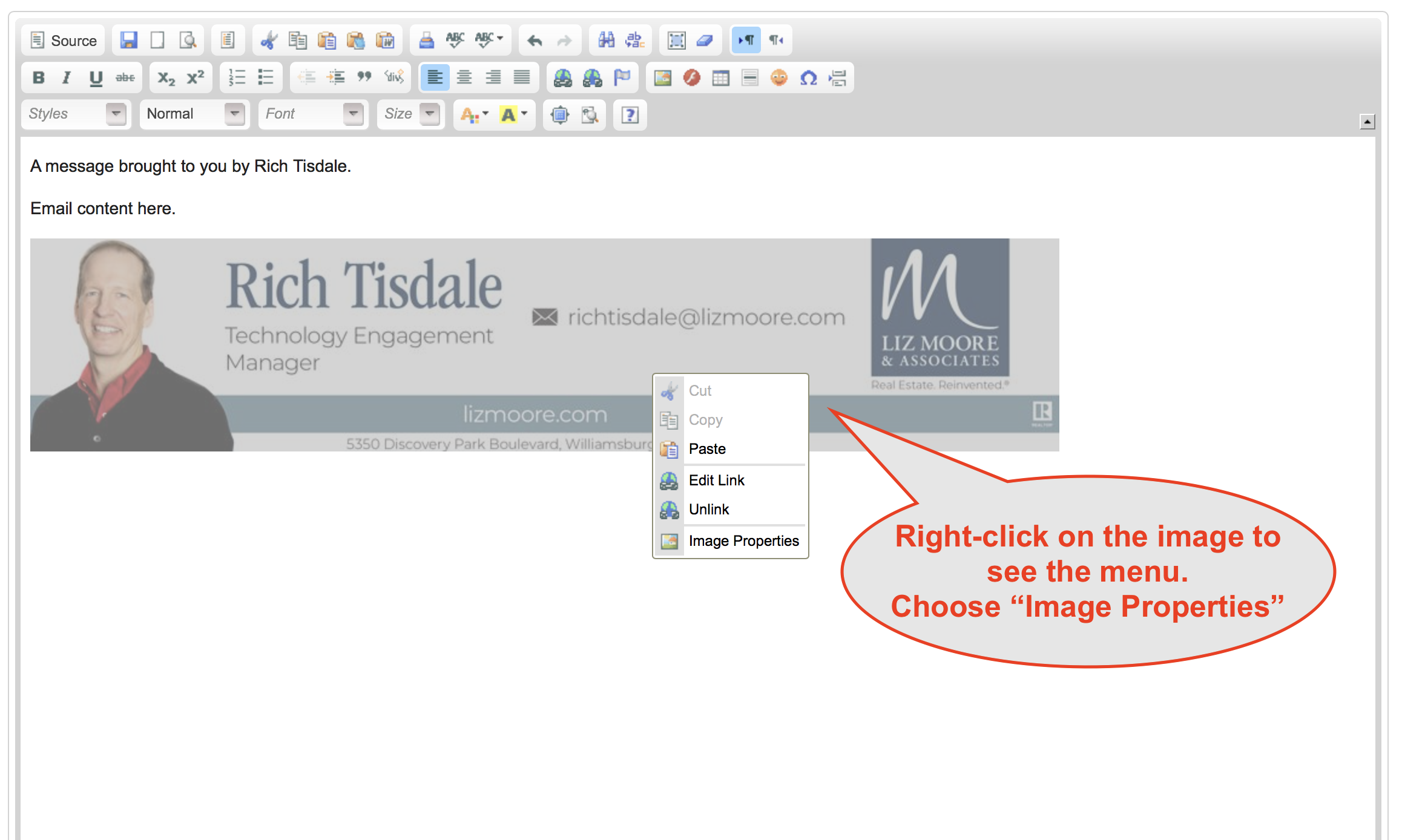
5. Choose the "Link" tab of the "Image Properties" box.
6. Type or paste the URL of your website or Agent Profile into the "URL" field.
HINT: Your Agent Profile address can be found by going to your Agent Profile at lizmoore.com/agents.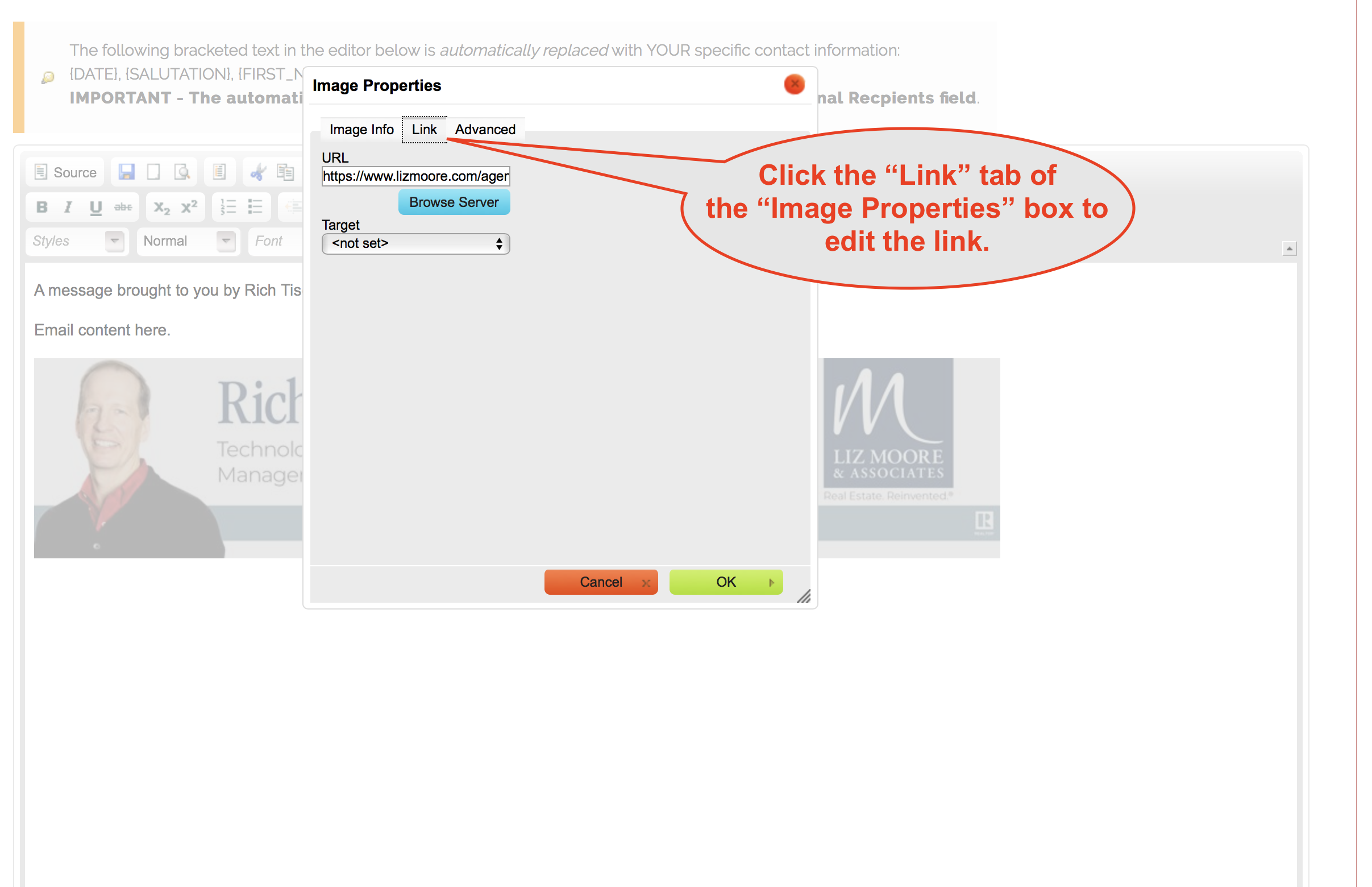
Comments
0 comments
Please sign in to leave a comment.