
Learn how to automatically personalize your eCards with information already in eLMO for your Contacts.
1. Open an eCard Campaign at eCards & Email Marketing
2. Click on any "token" to copy it to your clipboard.
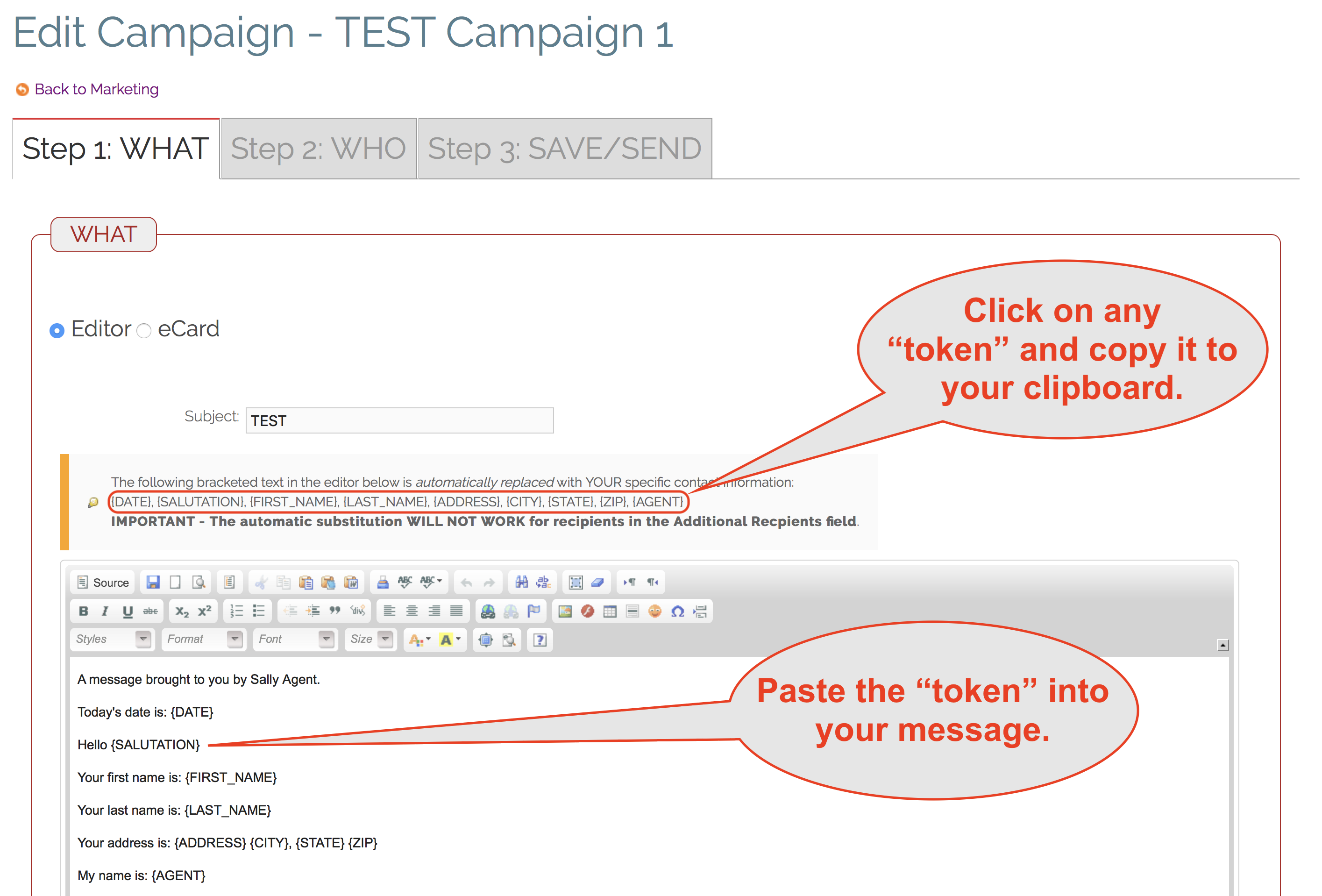
3. Paste the "token" in your message where you want it to appear.
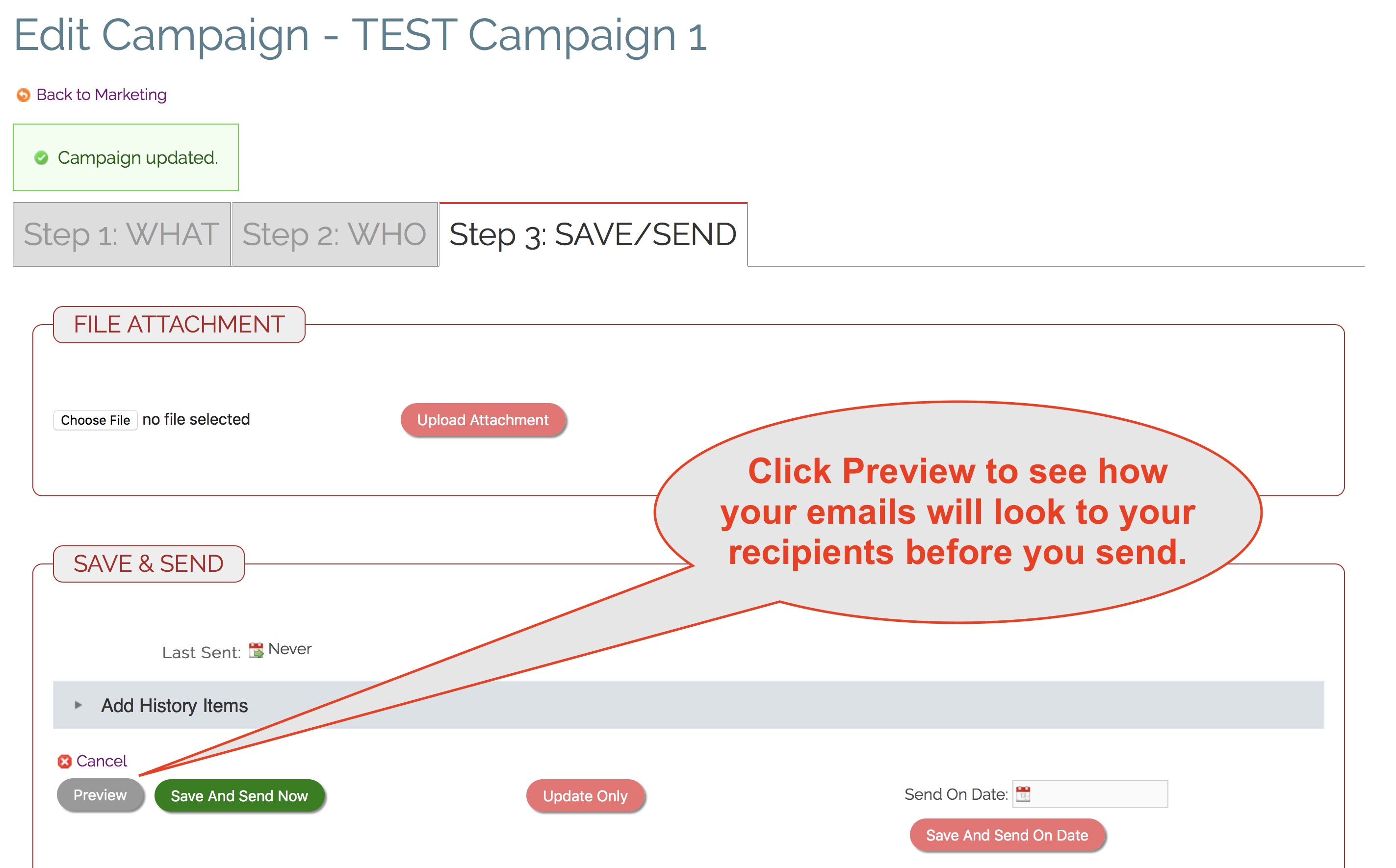
4. Go to the Step 3: SAVE/SEND Tab and click "Preview".
5. The "tokens" are automatically replaced with the correct information.
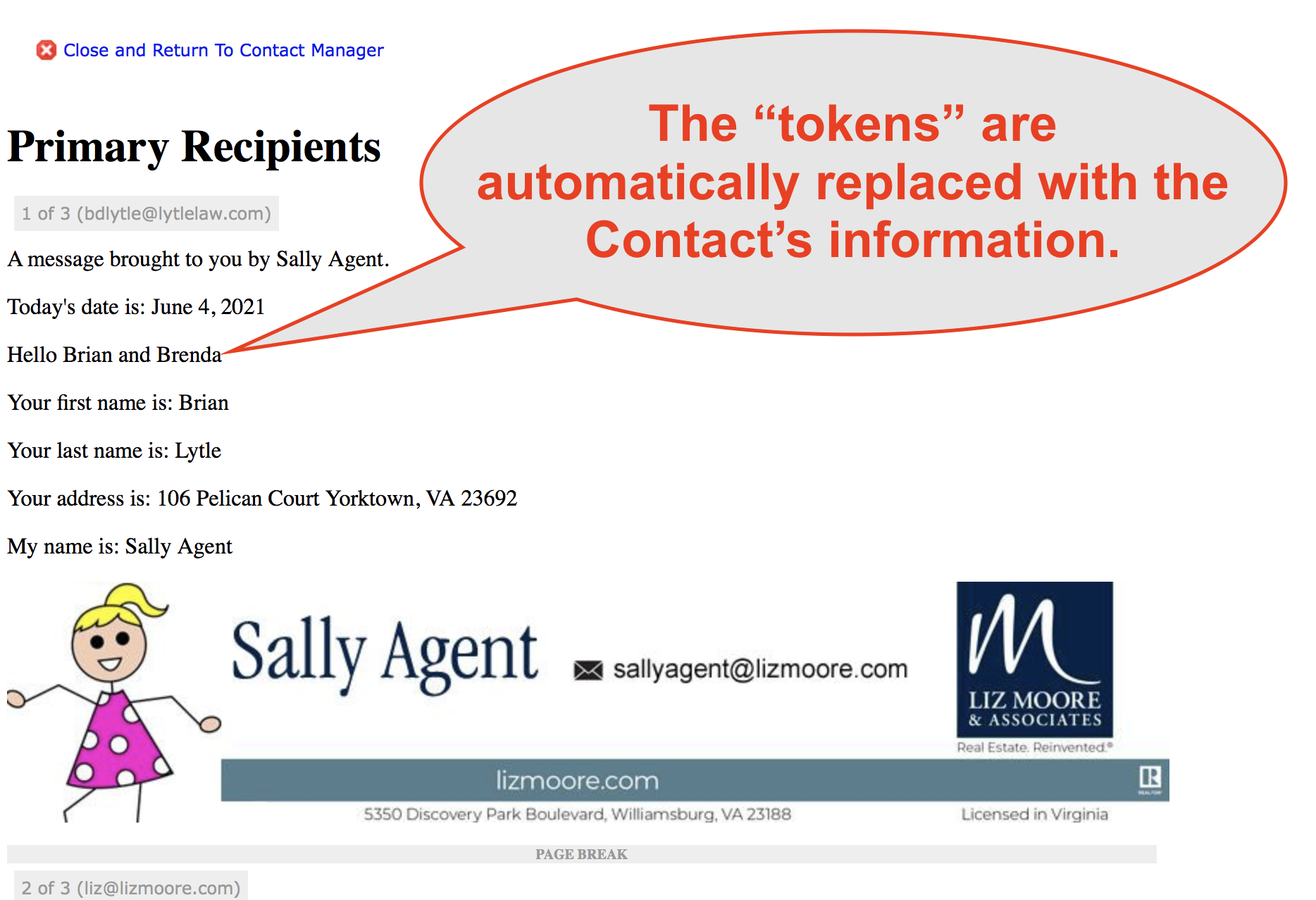
IMPORTANT: Be sure each Contact you are sending to actually has the information you are using for personalization. For instance, if a recipient has nothing in their "Salutation" field and you use it anyway, that recipient will see a blank area where the Salutation should be.
Comments
0 comments
Please sign in to leave a comment.