
Learn how to easily place your slogo in an eCard. This will also work for any image in your eLMO Profile.
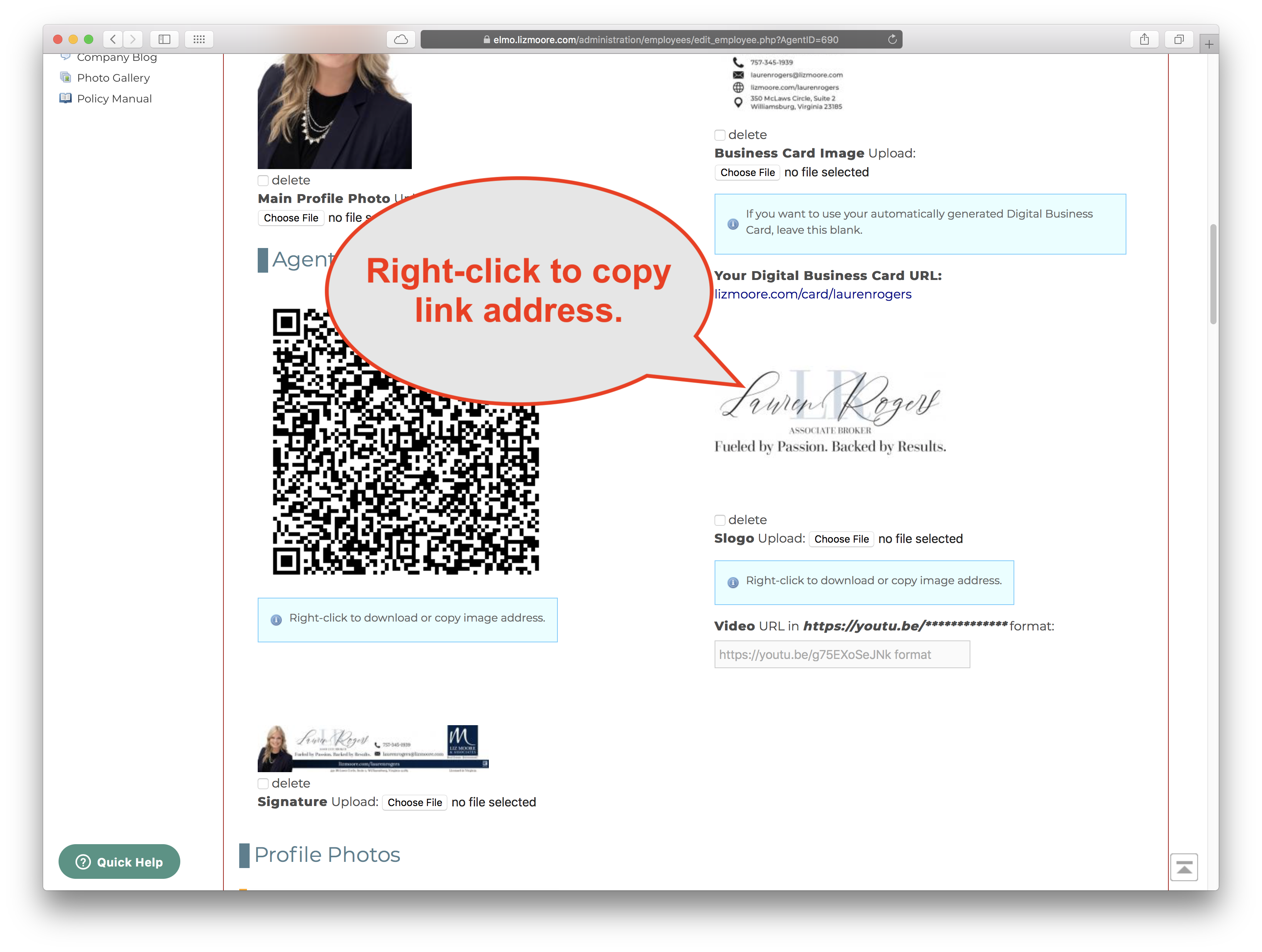
1. Go to your eLMO Profile and scroll to the IMAGES section.
2. Right-click your slogo and choose "Copy Link" or "Copy Link Address" (or something similar).
3. Go to eCards & Email Marketing. Open an existing Campaign or create a new one.
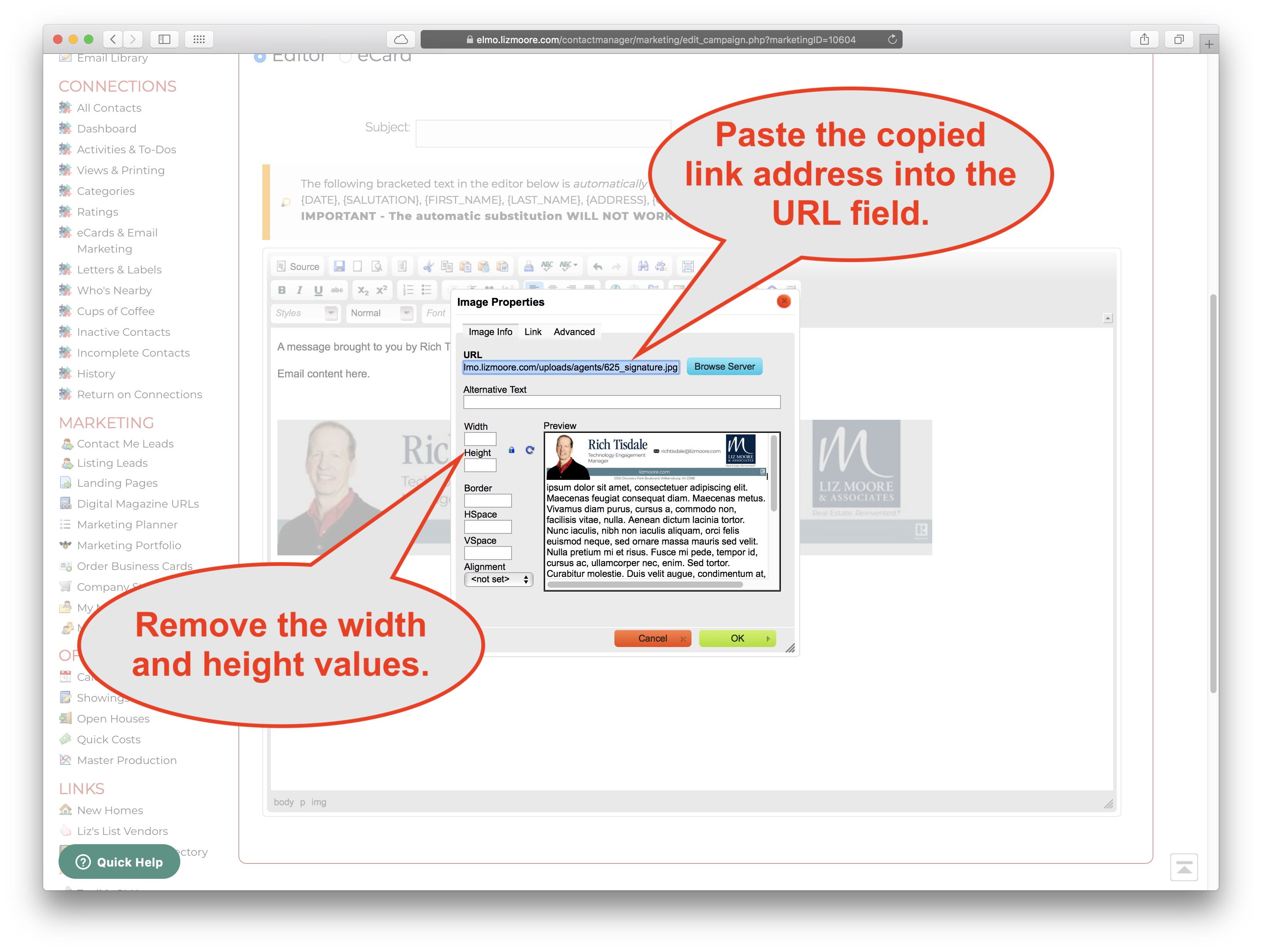
4. In the editor of the Campaign, either add an image or edit an existing image.

5. Paste the link address you just copied into the URL field of the Image Properties box.
6. Remove the width and height values to make sure your image is a flexible as possible so it will look good on different sized devices.
DONE!

Comments
0 comments
Please sign in to leave a comment.