
Learn how to quickly and easily categorize multiple contacts in eLMO Connections.
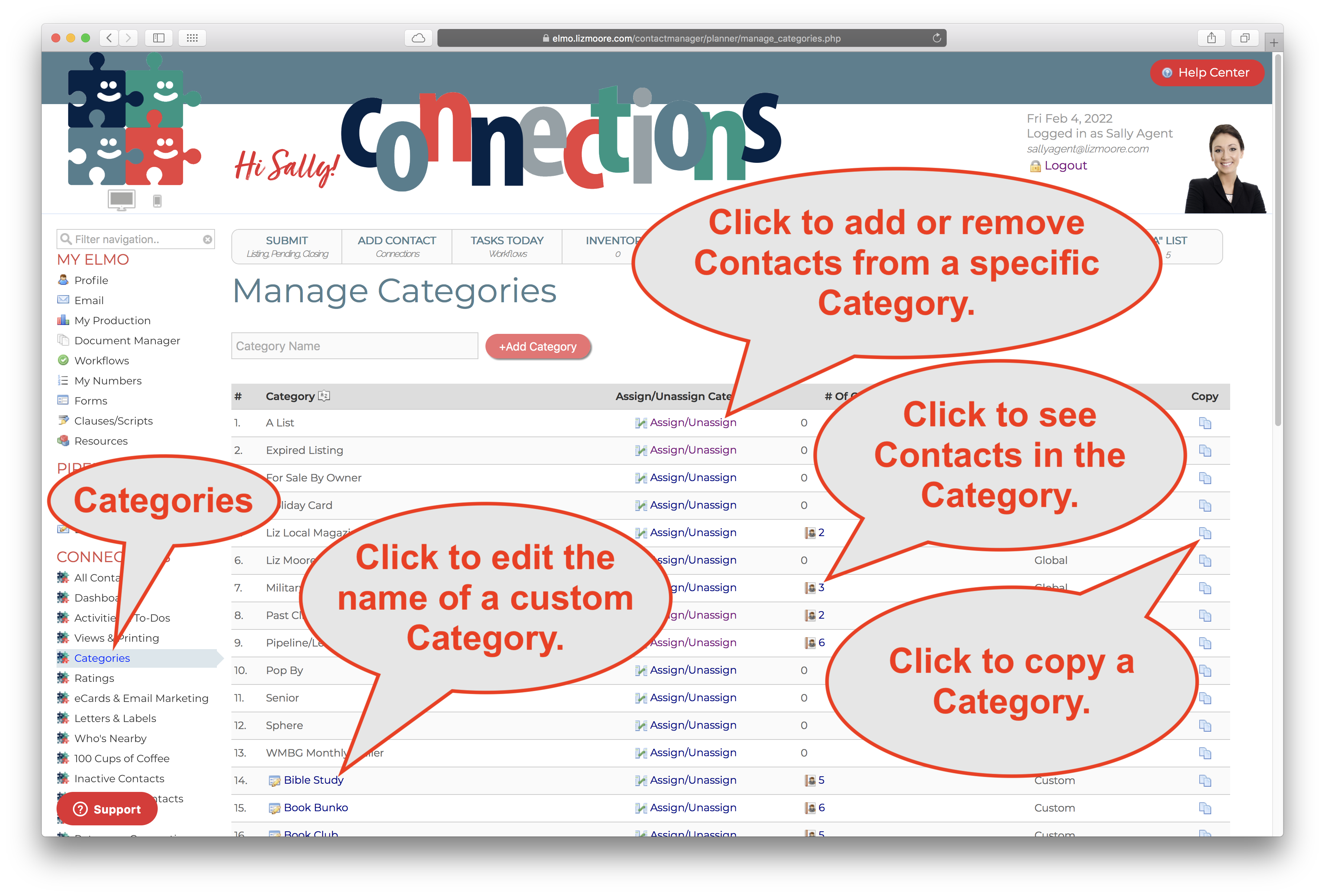
- Go to Categories in eLMO
- Click the Assign/Unassign link for a Category.
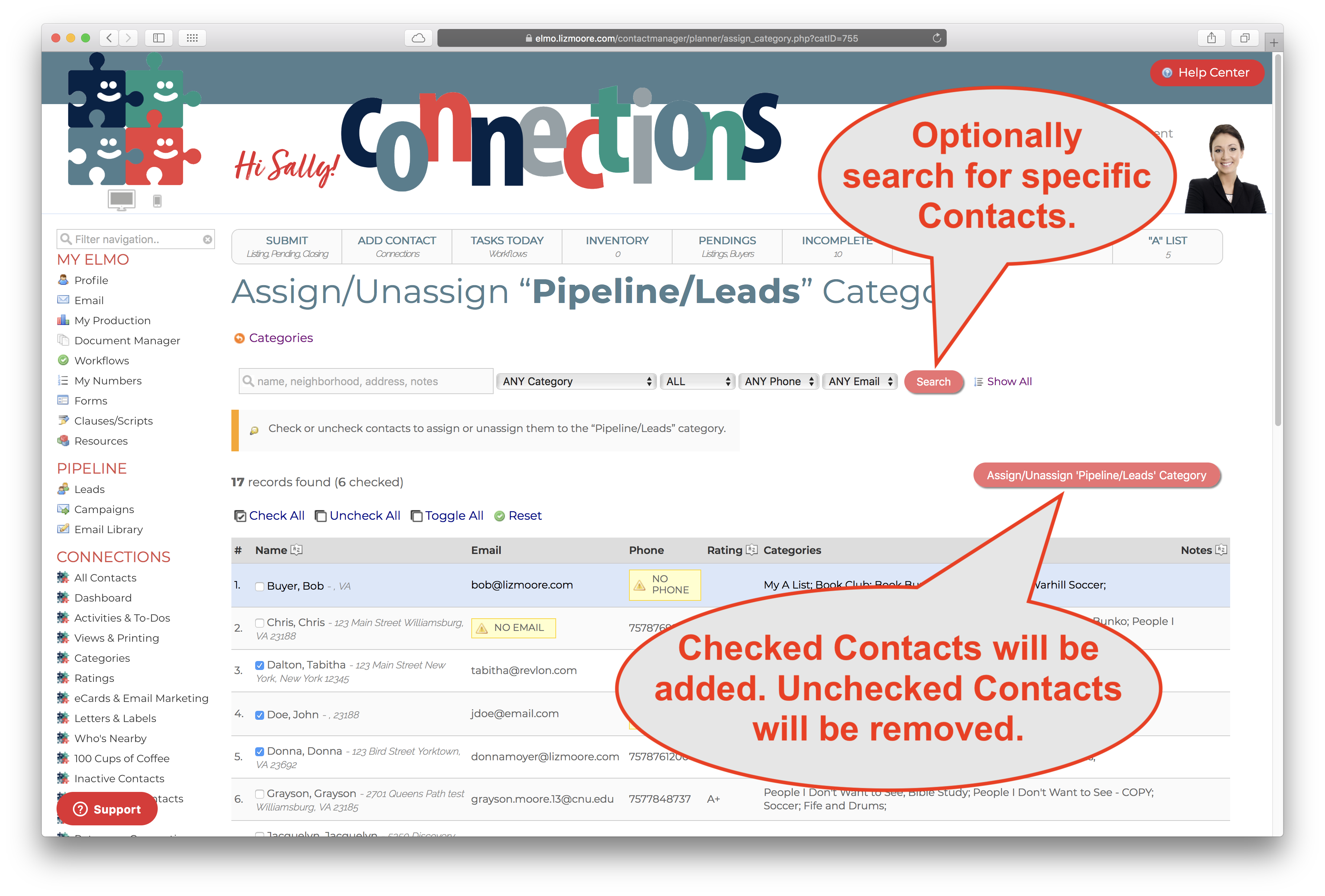
- Optionally search for specific Contacts to focus on by using the search tools at the top.
- Check or un-check the boxes to assign or unassigned your Contacts to the Category.
- Click the red Assign/Unassign button to add the checked Contacts and remove the unchecked Contacts from your Category.
Comments
0 comments
Please sign in to leave a comment.