
Learn how to assign and unassign Contacts to specific Categories in Connections based on whether your Contact has a phone number in the system.
1. Go to Categories
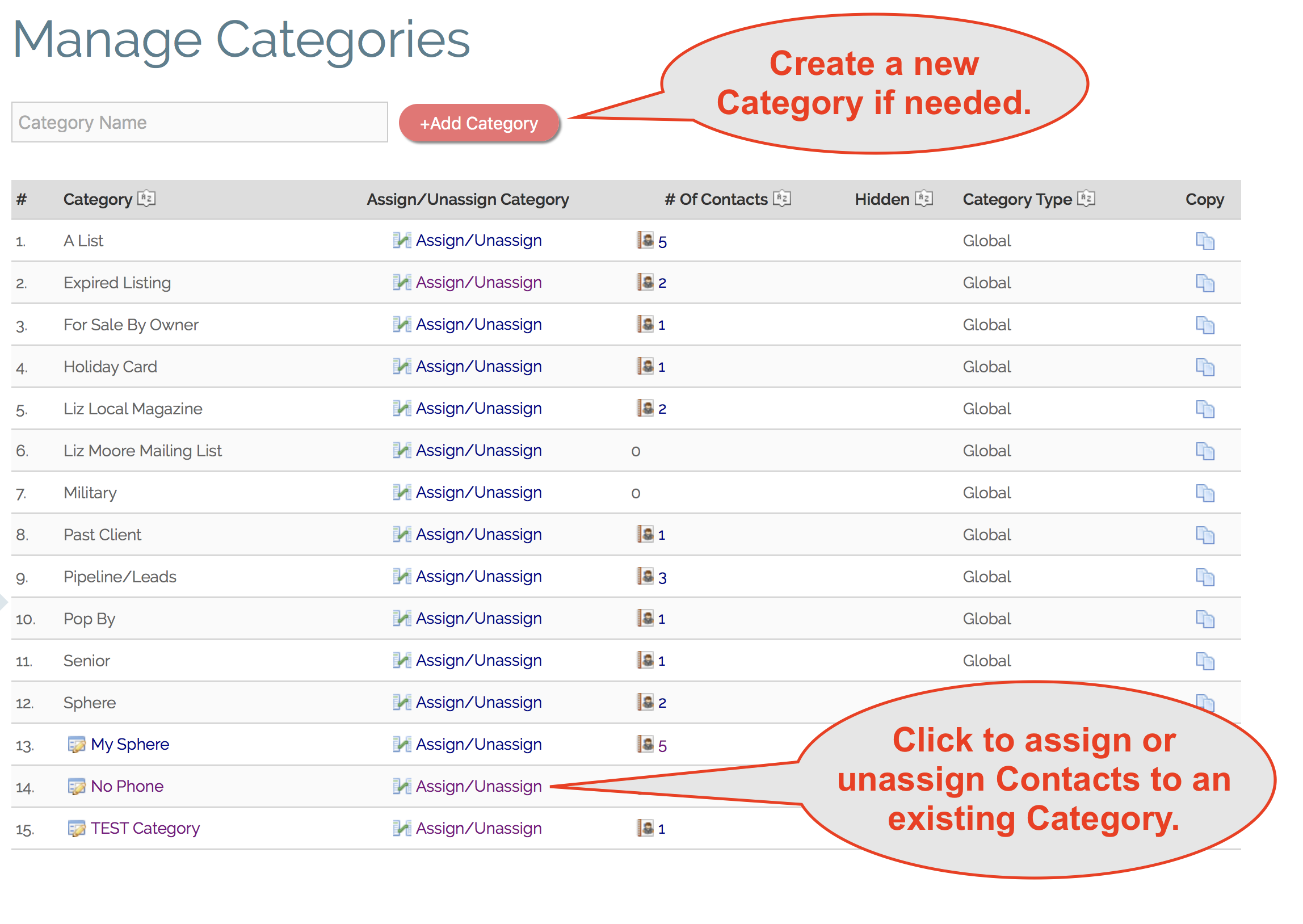
2. Create a new Category or choose an existing Category by clicking on the "Assign/Unassign" link.
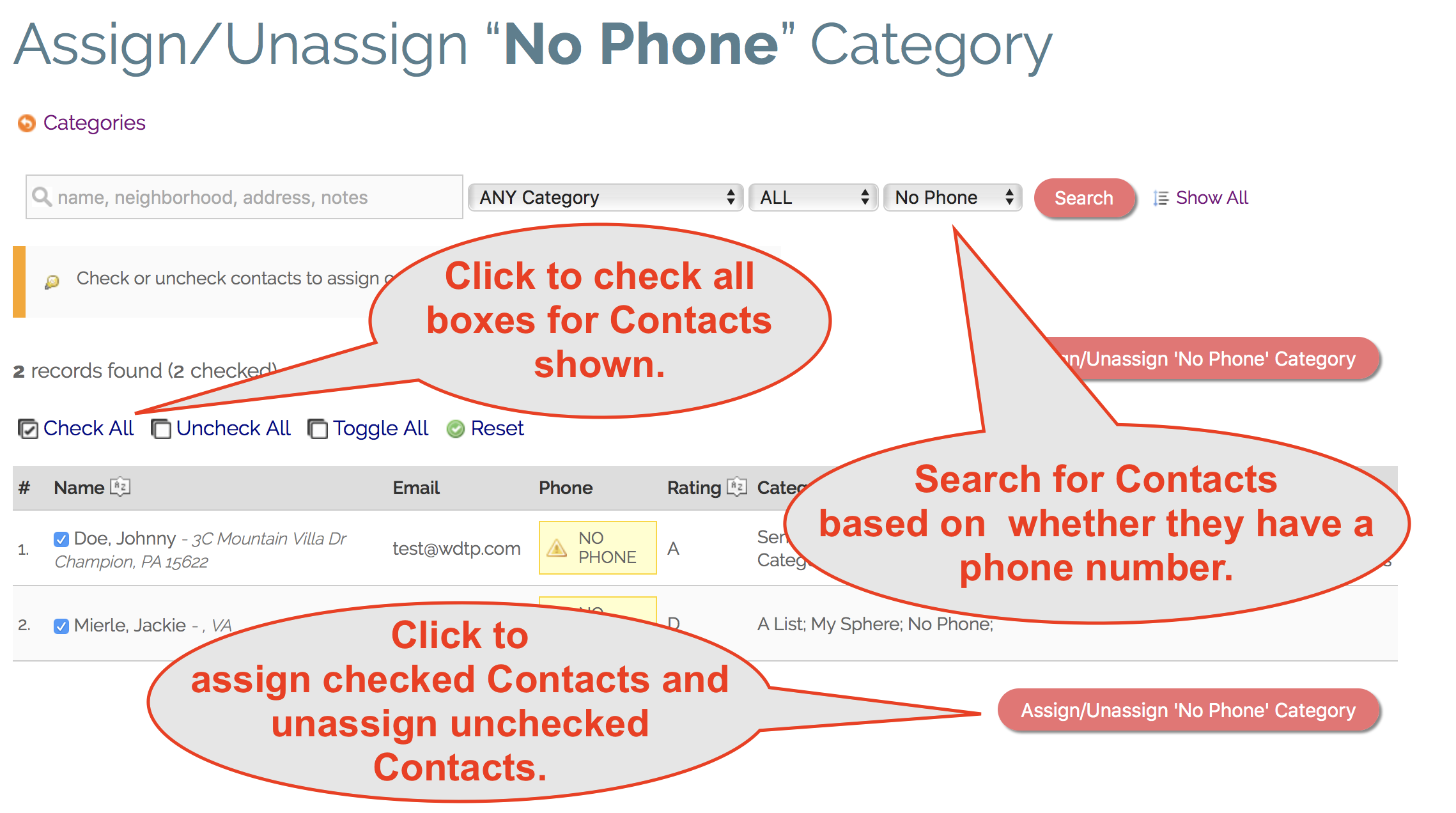
3. On the Assign/Unassign screen, search for Contacts that have "No Phone" to target Contacts with no phone number in Connections. Choose "Has Phone" to target Contacts that do have a phone number in Connections.
4. To add all the Contacts in the results just click on the "Check All" link to check all the boxes for all the Contacts in your results.
5. Click the red "Assign/Unassign" button to ad all the Contacts with checkmarks to your Category.
Comments
0 comments
Please sign in to leave a comment.