
Ever wish you could hide a group of Contacts by default just so you don't have to see them every day. You don't want to delete them. They're still important but not your current focus right now.
Learn below how to hide an entire Category (or multiple Categories) so that you don't even see them on your All Contacts screen.
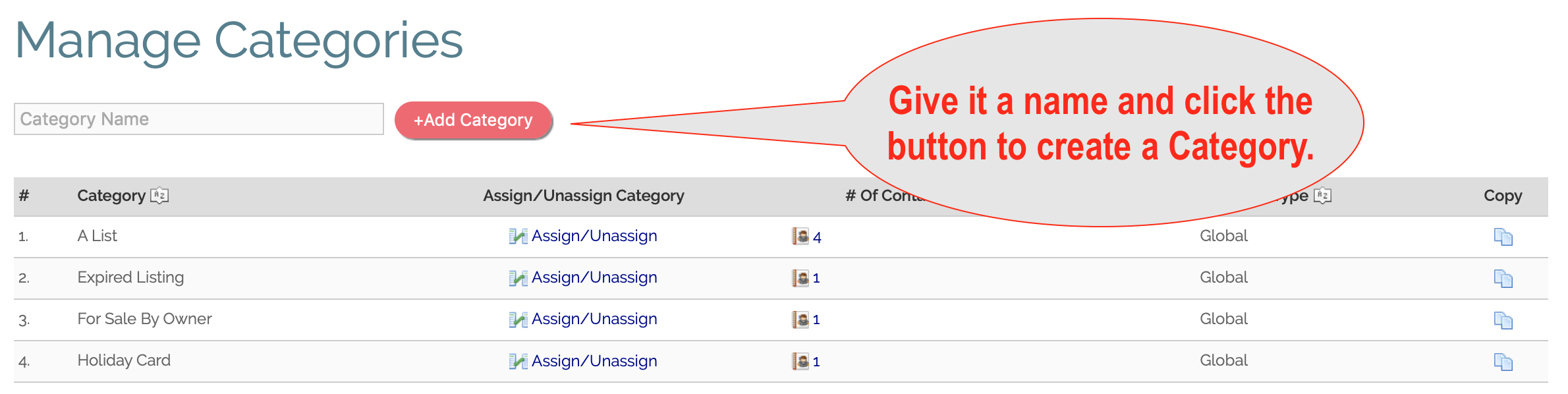
1. Go to Categories and create at least one custom Category you want to hide.
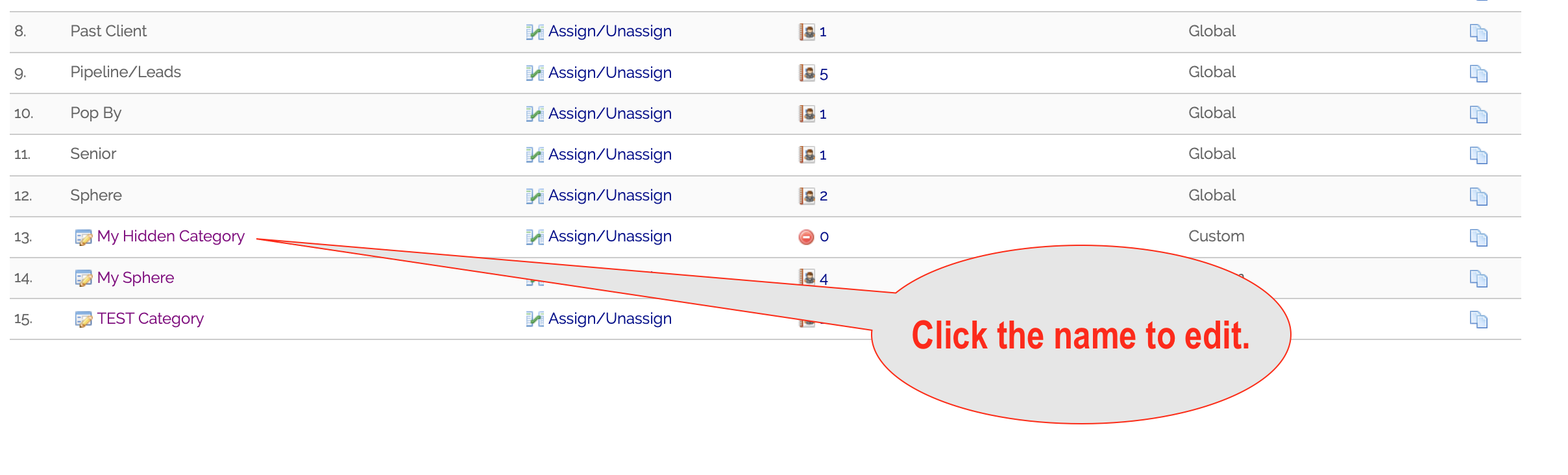
2. Click the name of the Category to edit.
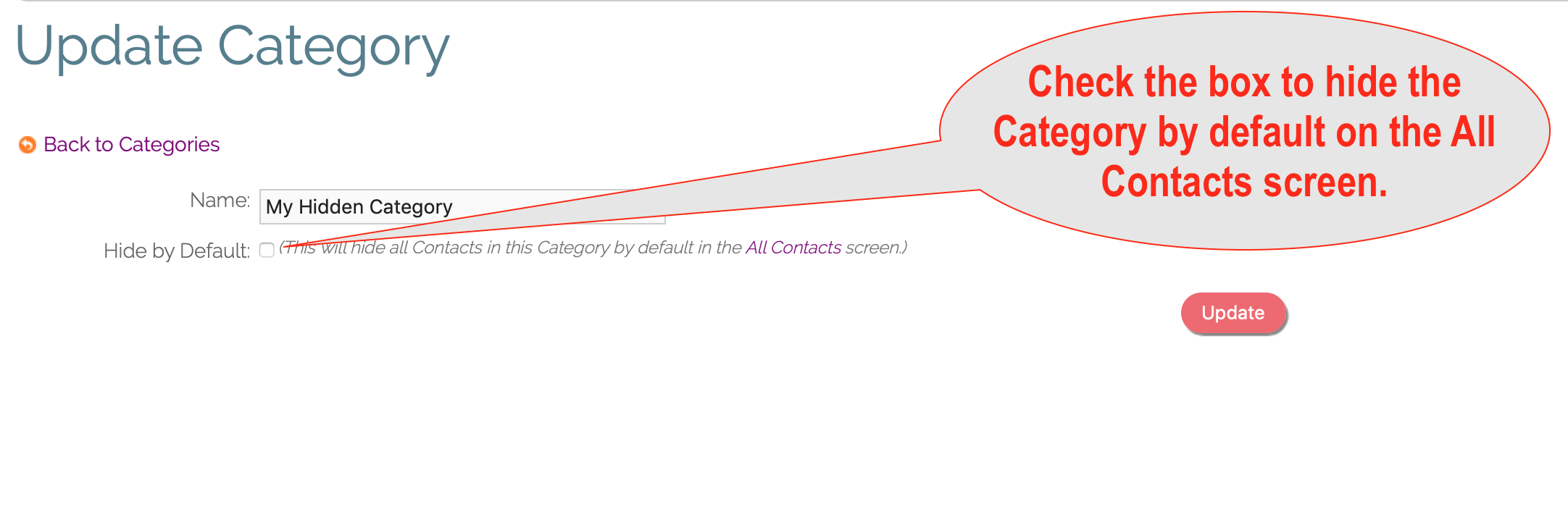
3. Check the "Hide by Default" checkbox.
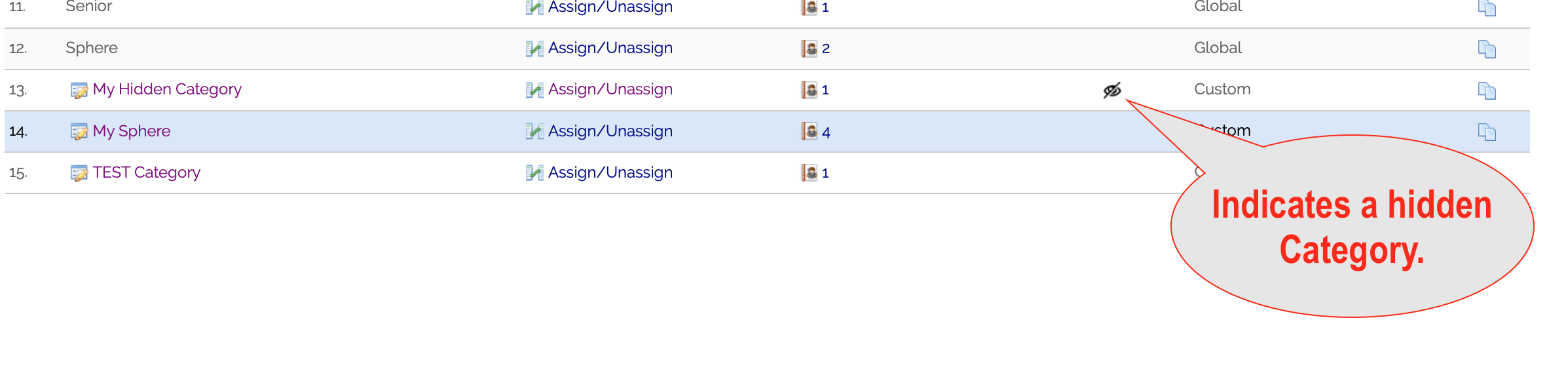
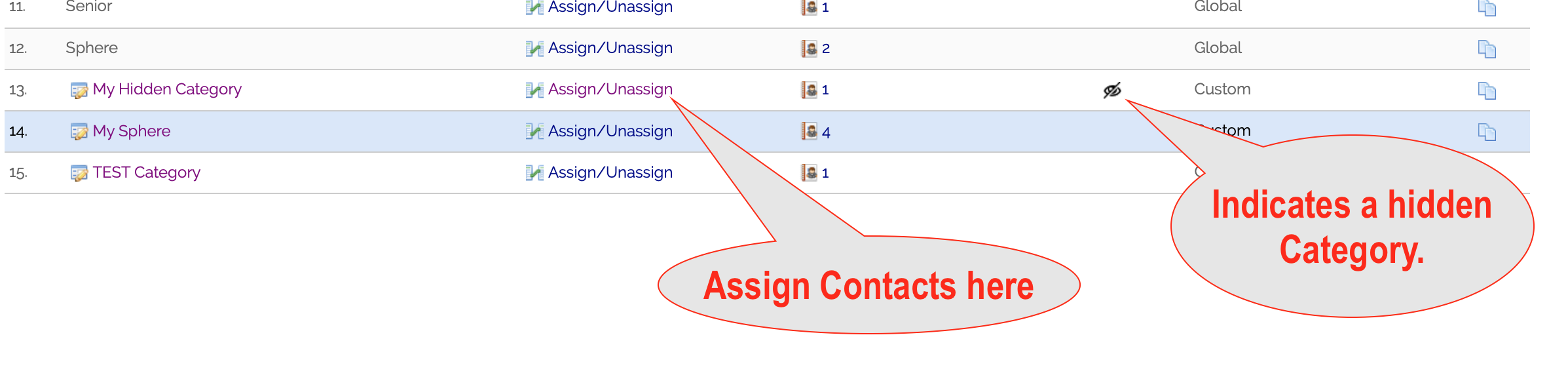
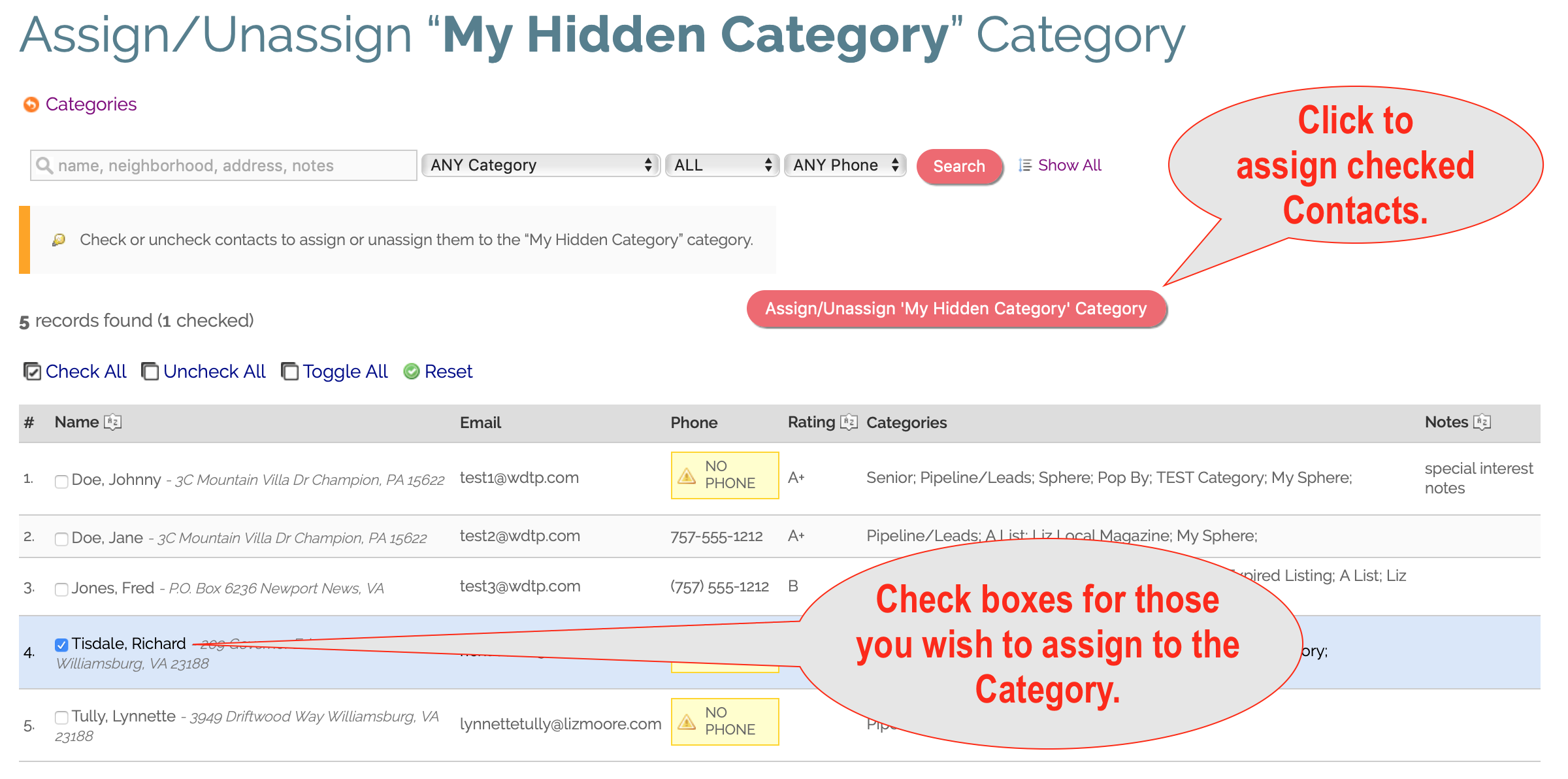
4. Assign Contacts to your hidden Category
5. Contacts in hidden Category no longer show in All Contacts screen.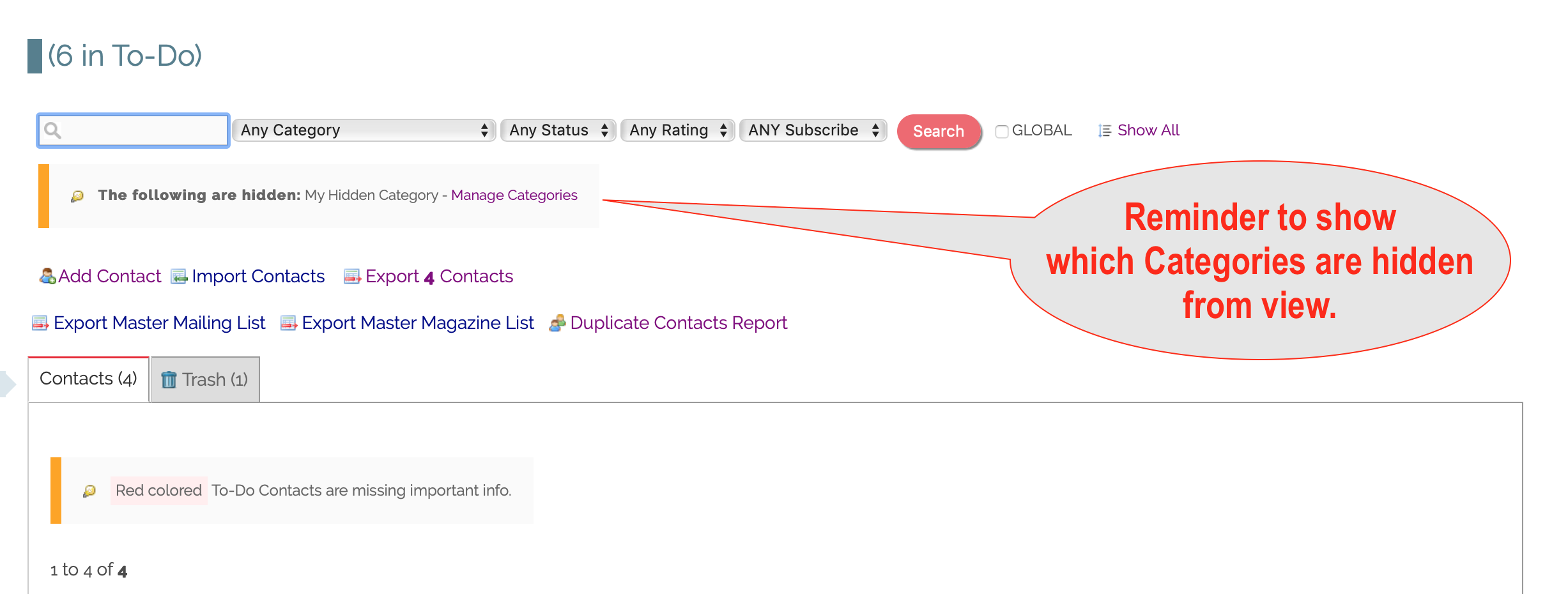
Comments
0 comments
Please sign in to leave a comment.