
Ever had a Connections Contact un-subscribe from the Liz Moore Mailing List accidentally?
Or maybe you would like to invite a Contact to give it another try?
Well now you can Re-subscribe a Contact to the Liz Moore Mailing List!!!
Re-Subscribe a Contact
1. Login to eLMO
2. Navigate to Connections > All Contacts
3. Edit the Contact you wish to re-subscribe
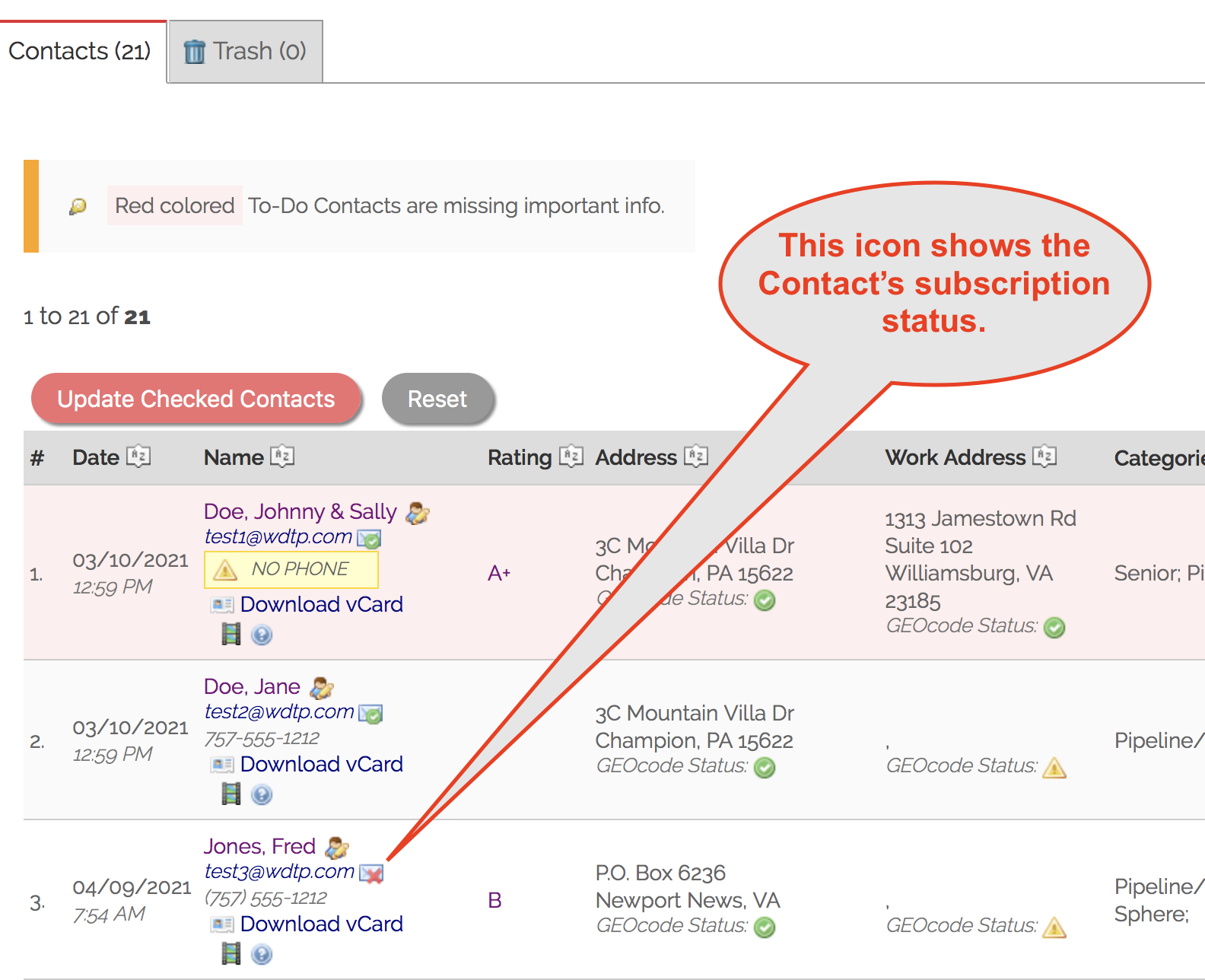
4. Scroll to the CONTACT INFO section of the Edit Contact tab
POWER TIP: Click the  icon to jump directly to the Contact's CONTACT INFO.
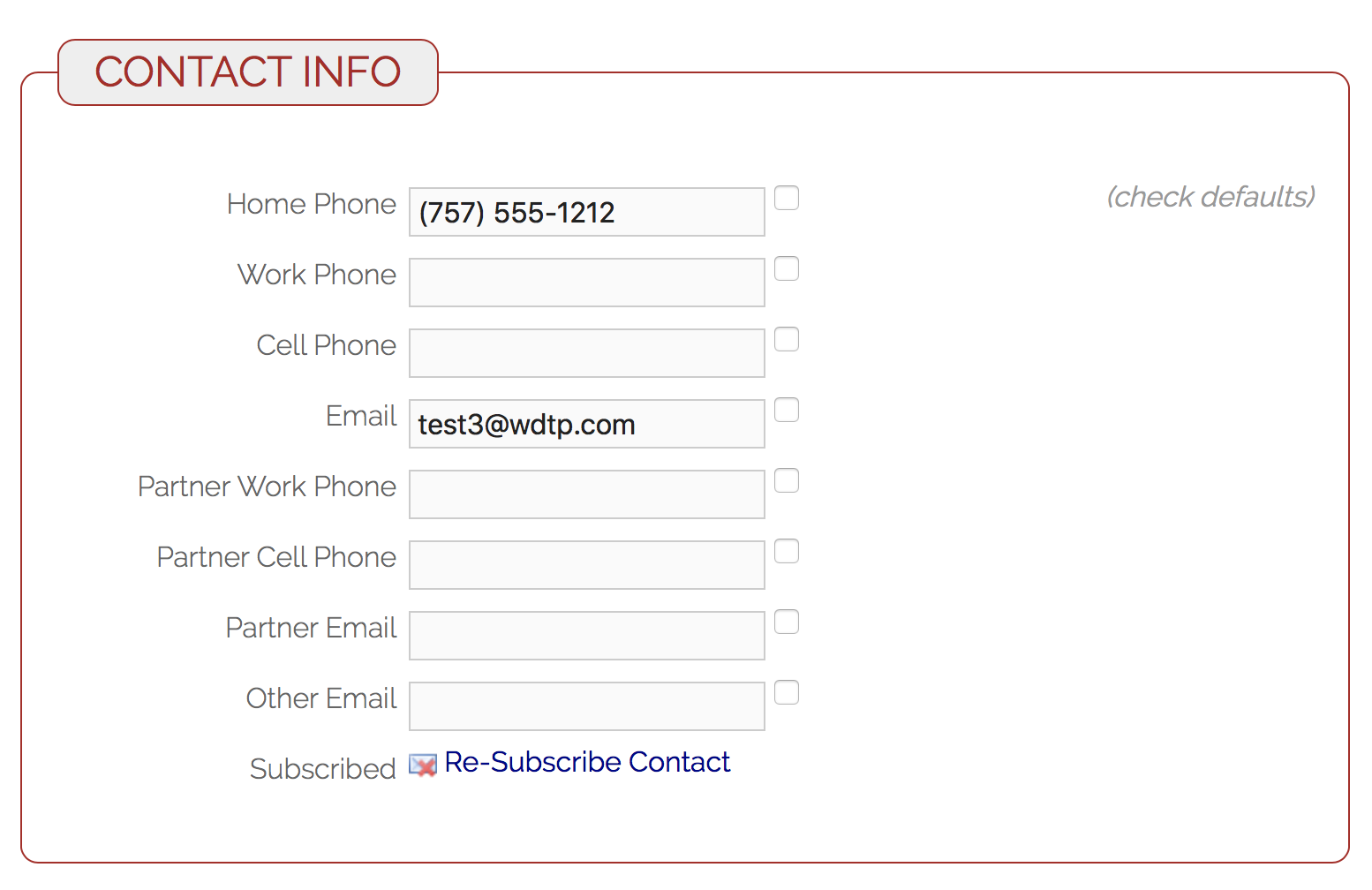
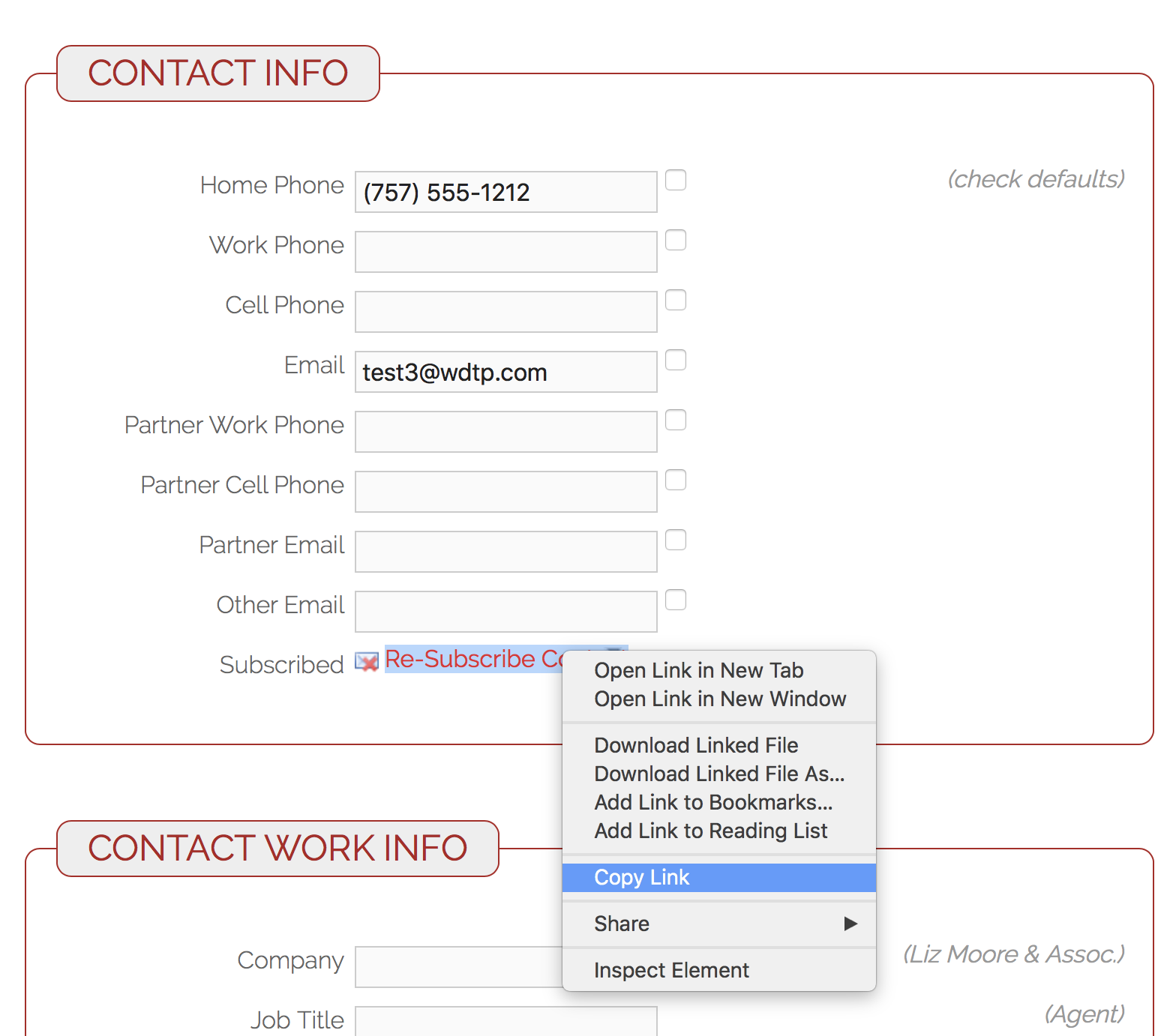
5. Right-click to copy link and email it directly to your Contact.
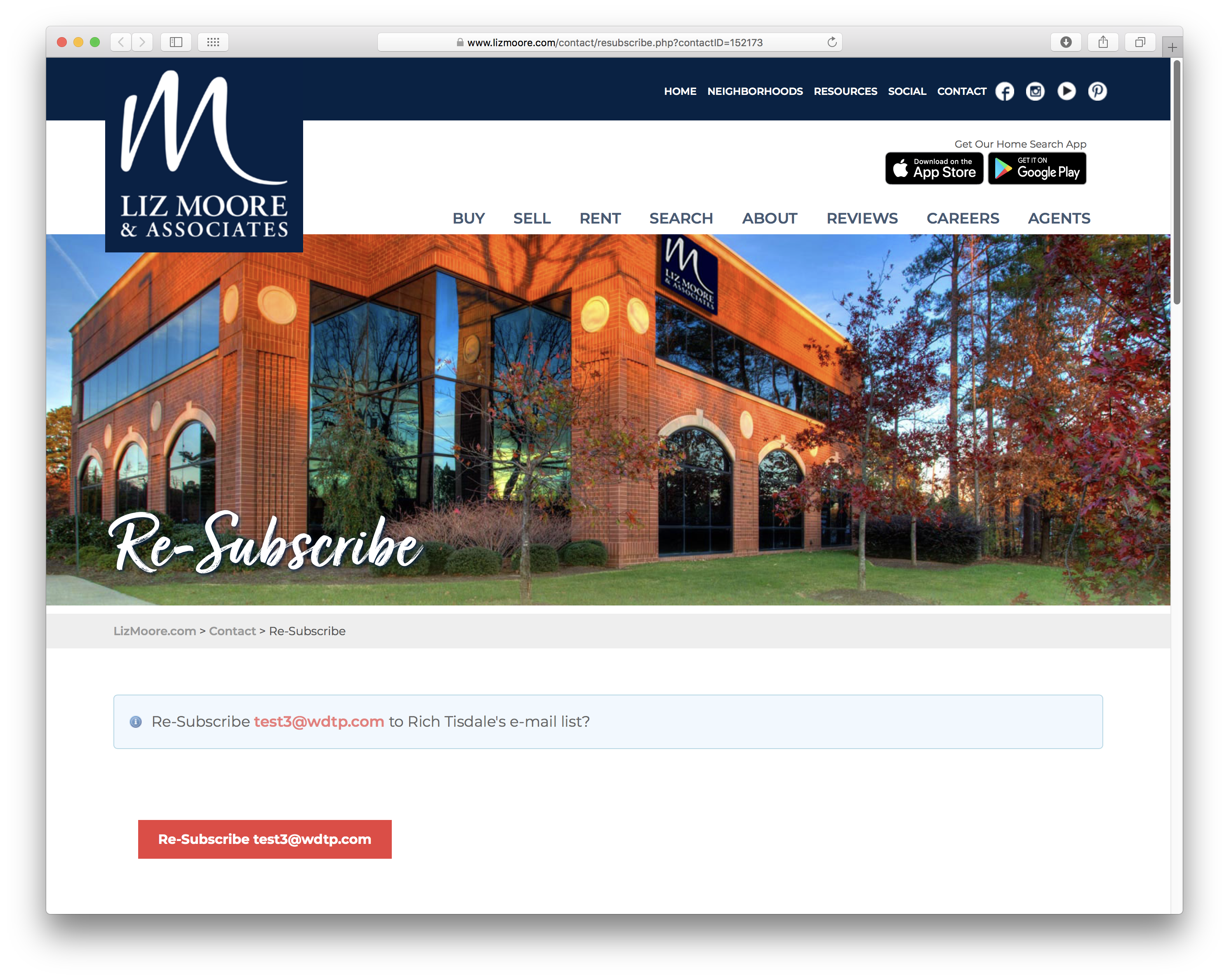
6. Your Contact will click the link to go directly to the 'Re-Subscribe page.
Comments
0 comments
Please sign in to leave a comment.