
There are two types of reviews that display on your Agent Profile at lizmoore.com.
1. Reviews that live at a third-party website like Zillow, Trulia, Facebook, Yelp, and Google.
2. Reviews you enter directly from Clients.
Add Third-Party Reviews
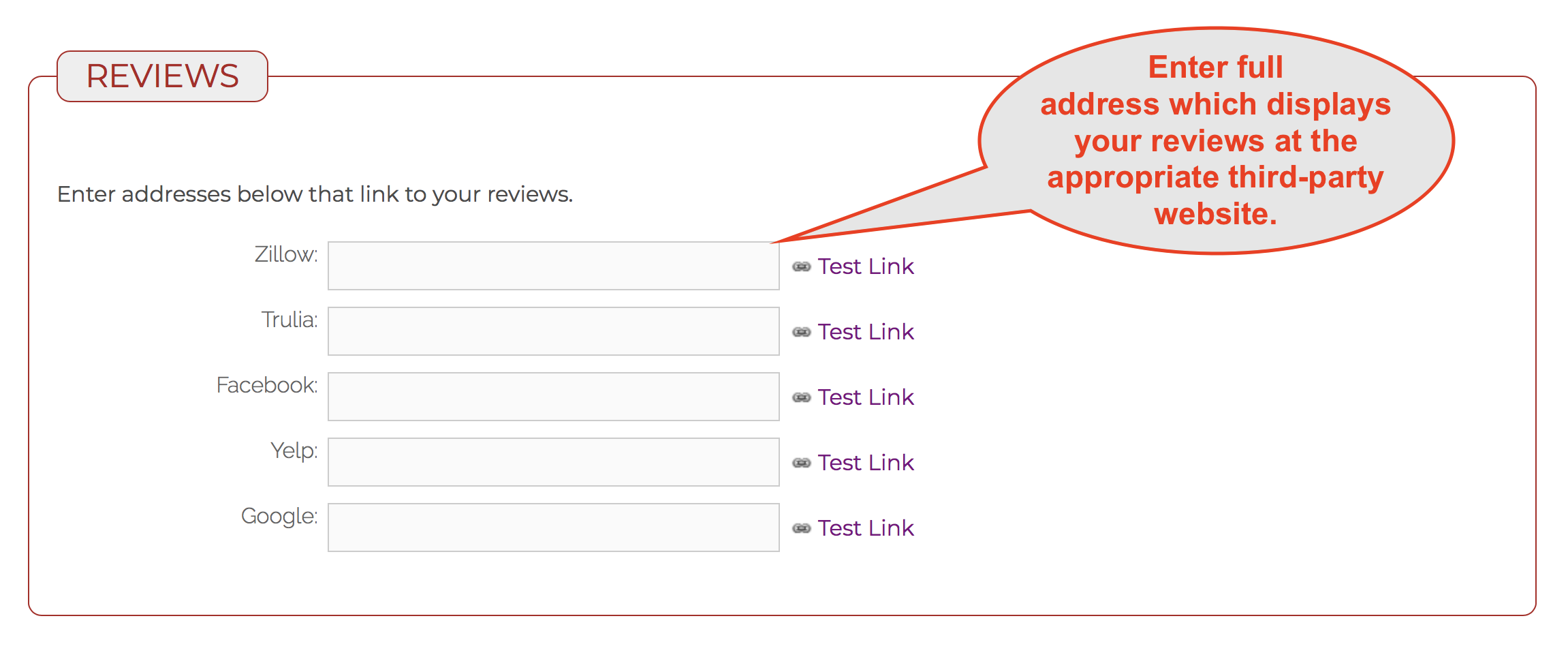
- Go to your eLMO Profile and scroll down to REVIEWS.
- Copy and paste or type the full address of the third-party website that displays your reviews.
- Click the "Update" button at the bottom of the page.
- Go back to REVIEWS to test the link and make sure it works correctly.
Add Client Reviews Directly
1. Go to eLMO > My Reviews.
2. Click "+Add".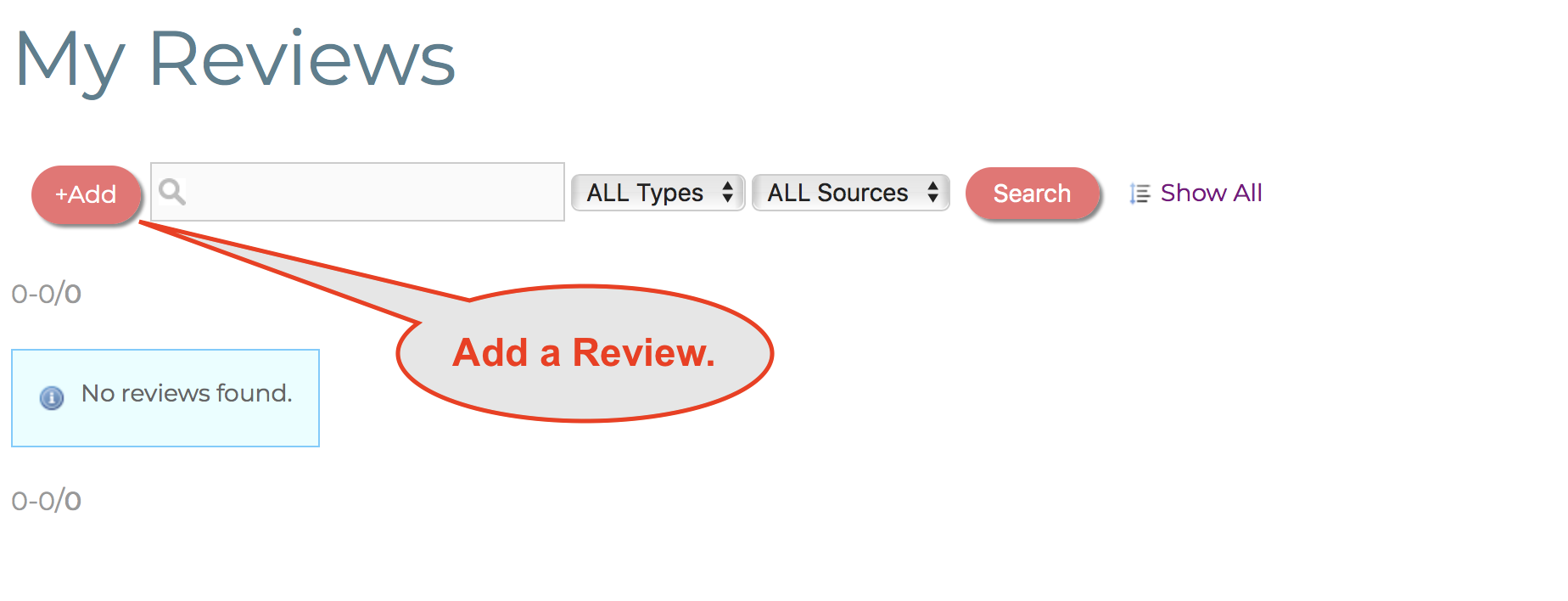
3. Give the review a date, source (if applicable), rating (if applicable) and headline.
4. Click "Add & Continue".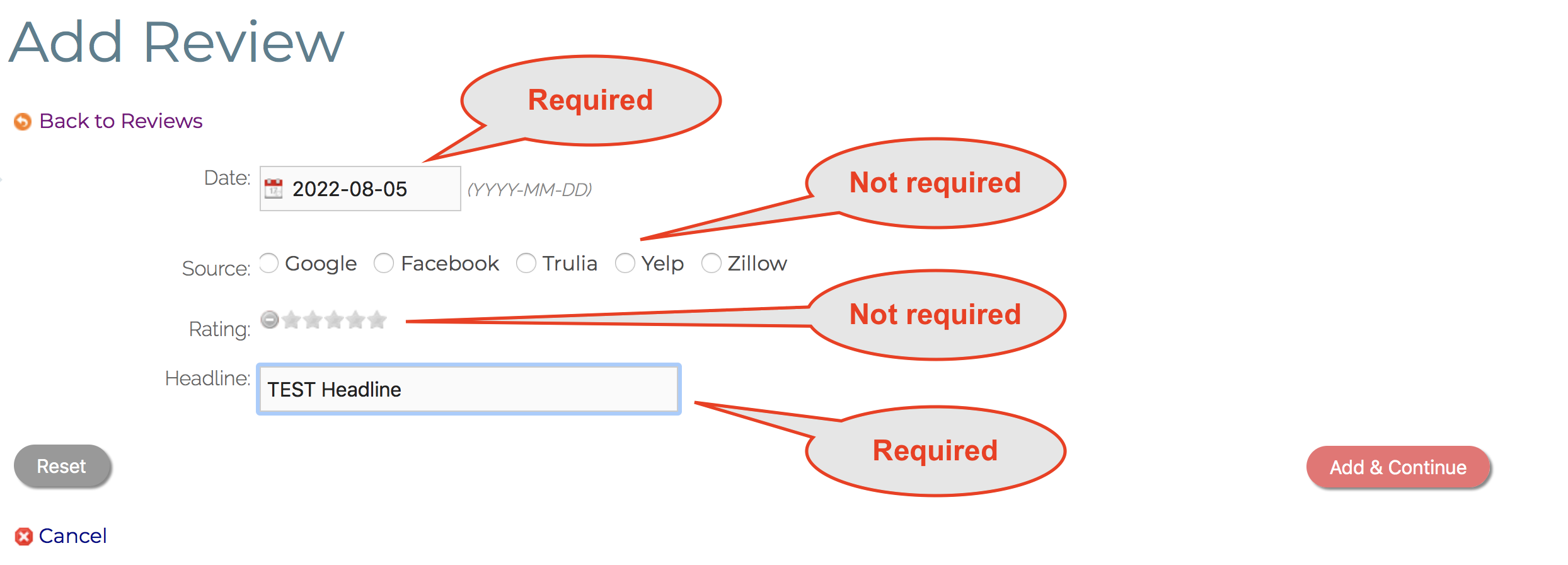
5. On the next screen enter the full quote into the "Story" field.
6. Optionally fill any other details into the form.
7. Click "Update".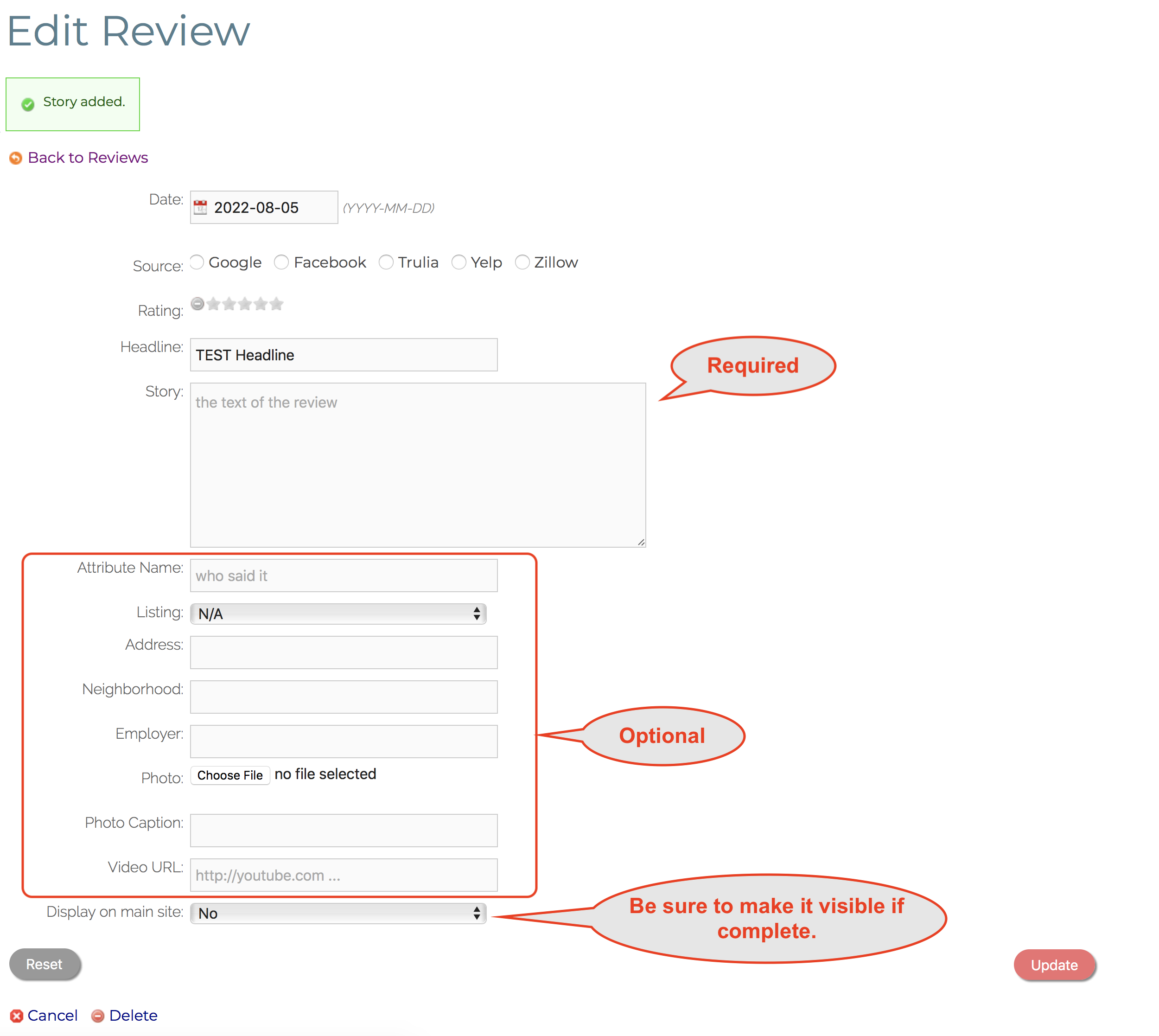
Comments
0 comments
Please sign in to leave a comment.