
Login to eLMO.
Click on Connections and then the contacts tab.
Search for the appropriate contact and click on the contact’s name to open the record.
Click Edict Contact.
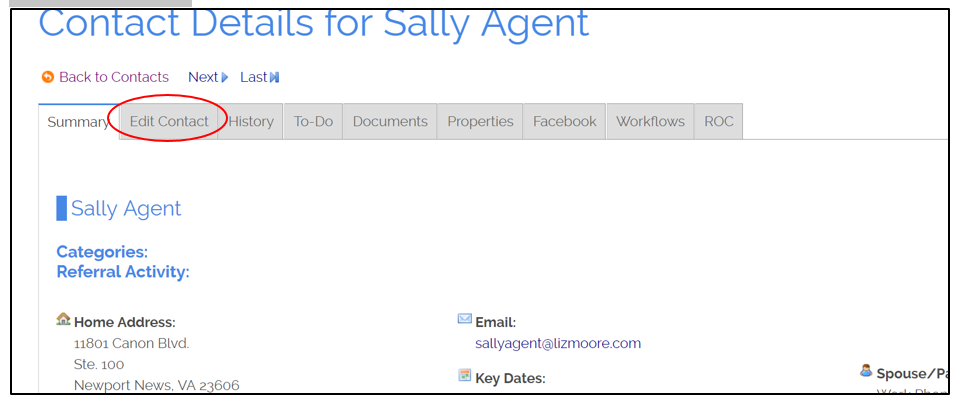
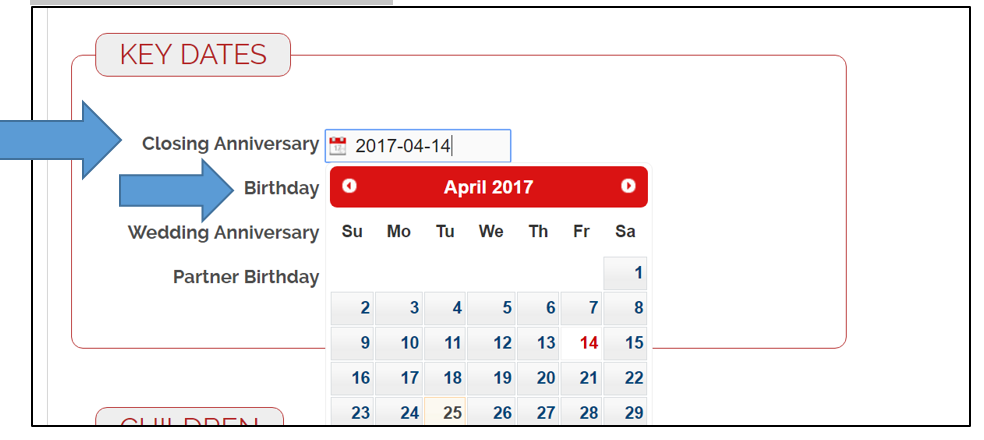
Scroll down to the Key Dates box (almost to the bottom) and click in the Closing Anniversary field to select the date from the calendar. Then, click Update Contact.
You can do the same to add a birthday.
Comments
0 comments
Please sign in to leave a comment.