
Learn how to assign specific tasks within a workflow to another individual.
The most important thing is that a Workflow must be shared with any users you want to assign Tasks to within the shared Workflow.
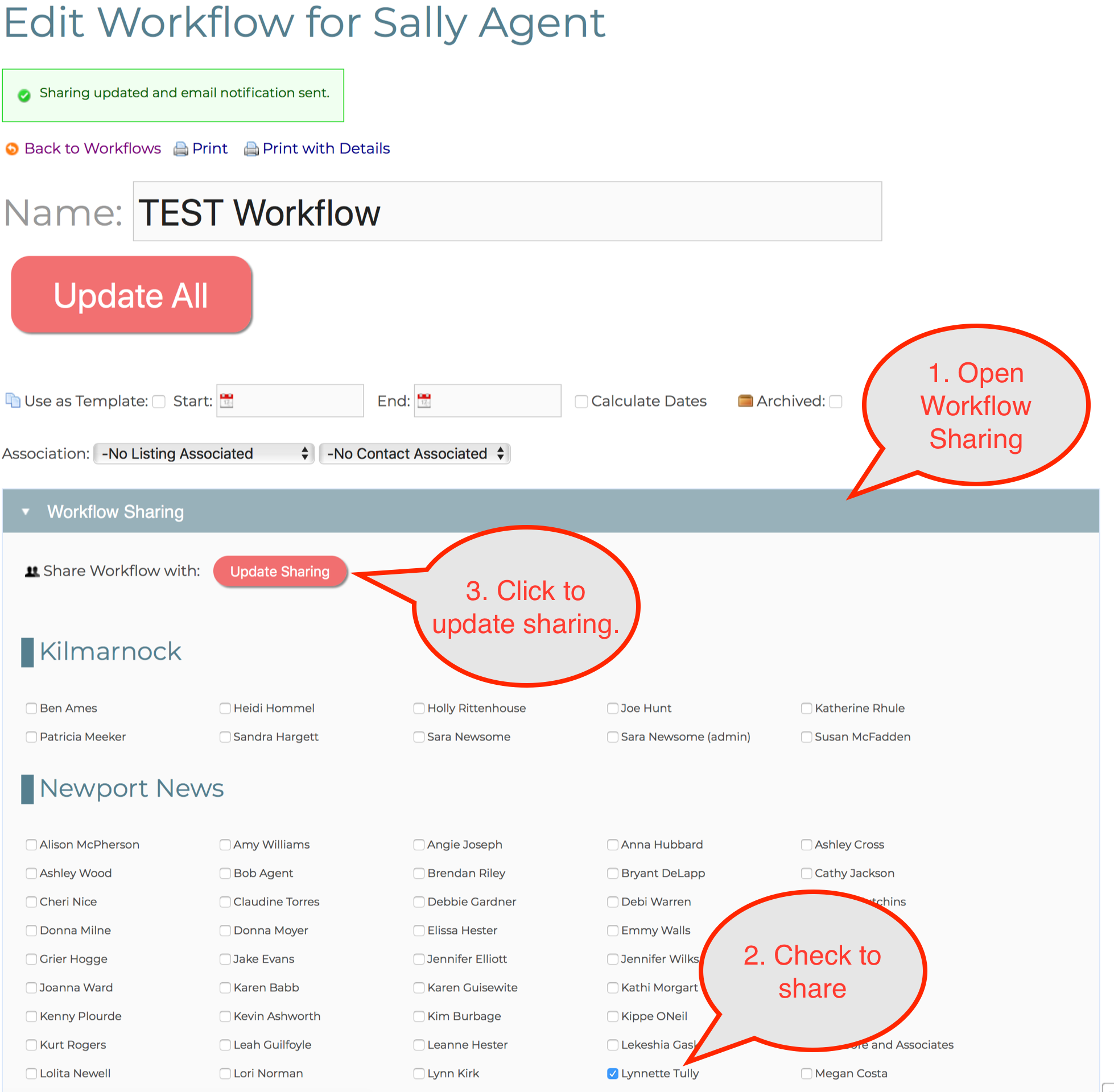
- Go to Workflows and click to edit the Workflow you are interested in sharing.
- Click Workflow Sharing to open the panel.
- Check the boxes of one or more employees you want to share the Workflow with.
- Click the "Update Sharing" button to share the Workflow with the checked people.
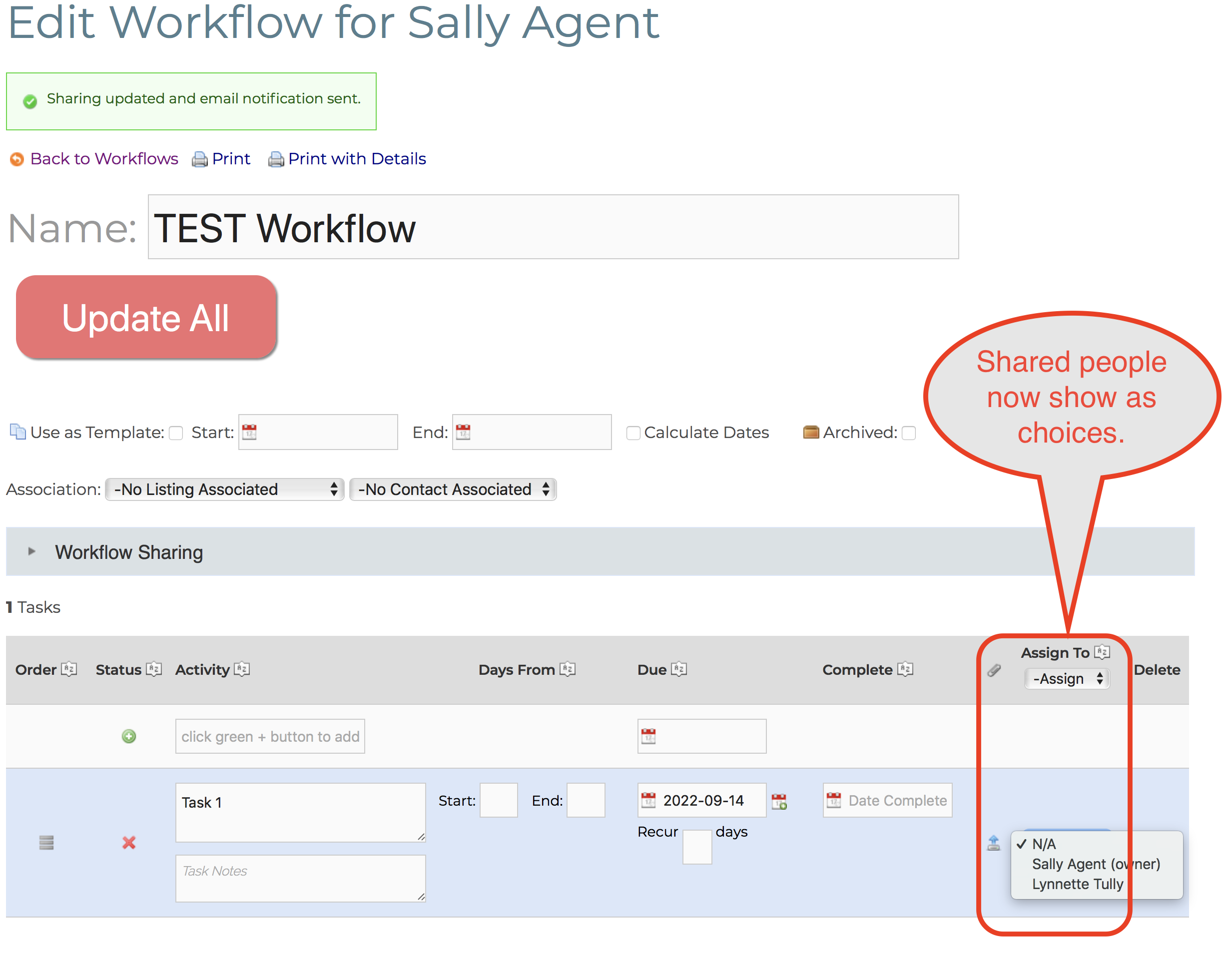
- Now go to any Task within the shared Workflow and you should see the shared people as choices under the "Assign To" column.
- Once you share a Task with a user, that users sees the Task within their Workflow Tasks tab.
Comments
0 comments
Please sign in to leave a comment.