
Learn how to automatically calculate Task due dates within a Workflow.
Workflows can have a Start Date and an End Date. These dates can be used to automatically calculate due dates for the Task within the Workflow.
Many Workflow Templates have already been set up for you to do this quickly and easily.
1. Go to Workflows and click on the Workflows Tab.
2. Click "+Add Workflow"
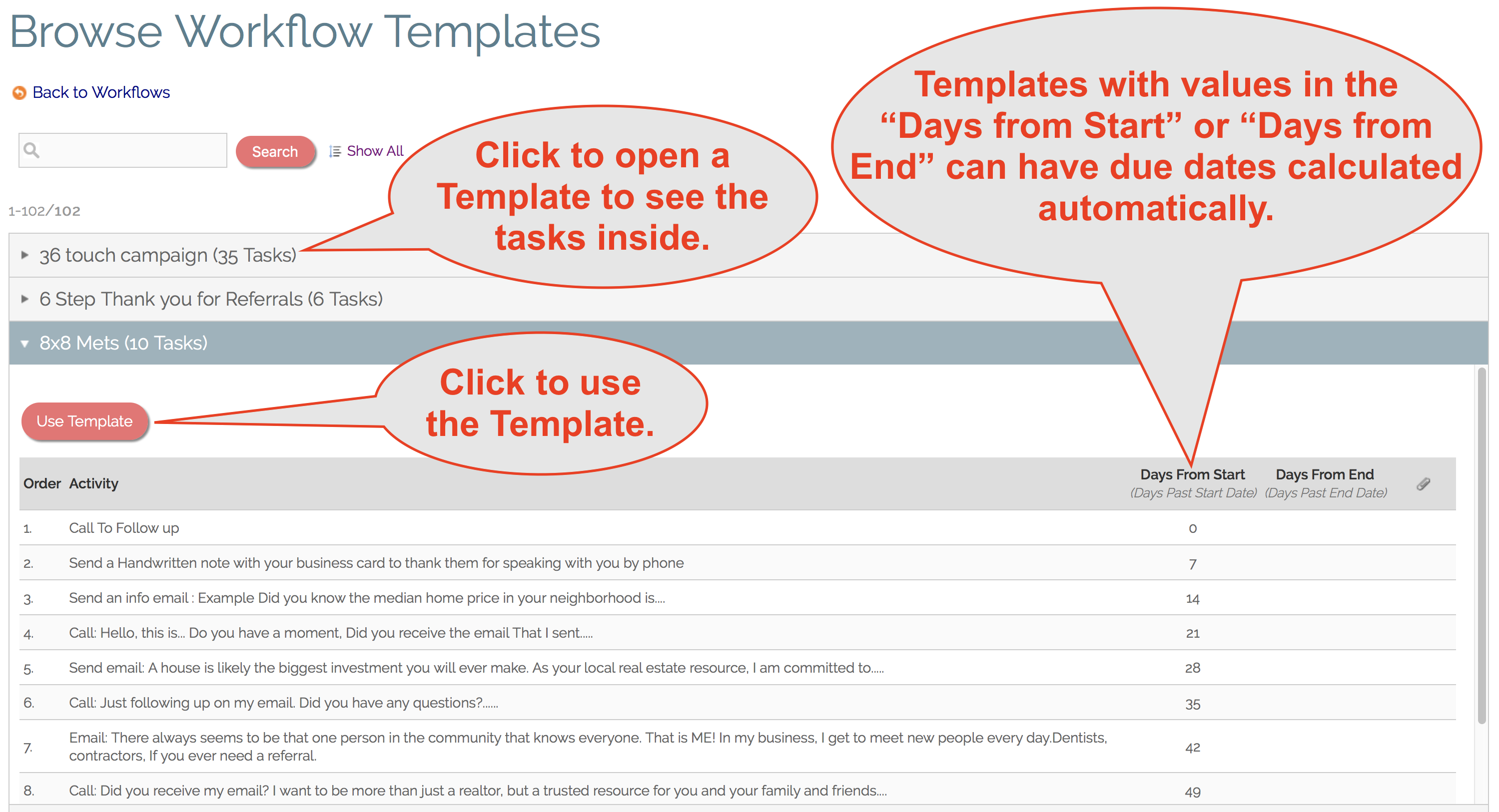
3. Click Browse Templates and choose a Workflow Template that has values in the "Days from Start" or "Days from End" and click "Use Template".
4. Give your Workflow a name and click "Add".
5. Give your new Workflow a Start Date and/or End Date.
6. Click "Calculate Dates" and optionally choose to "Skip Weekends" if you only want to count workdays.
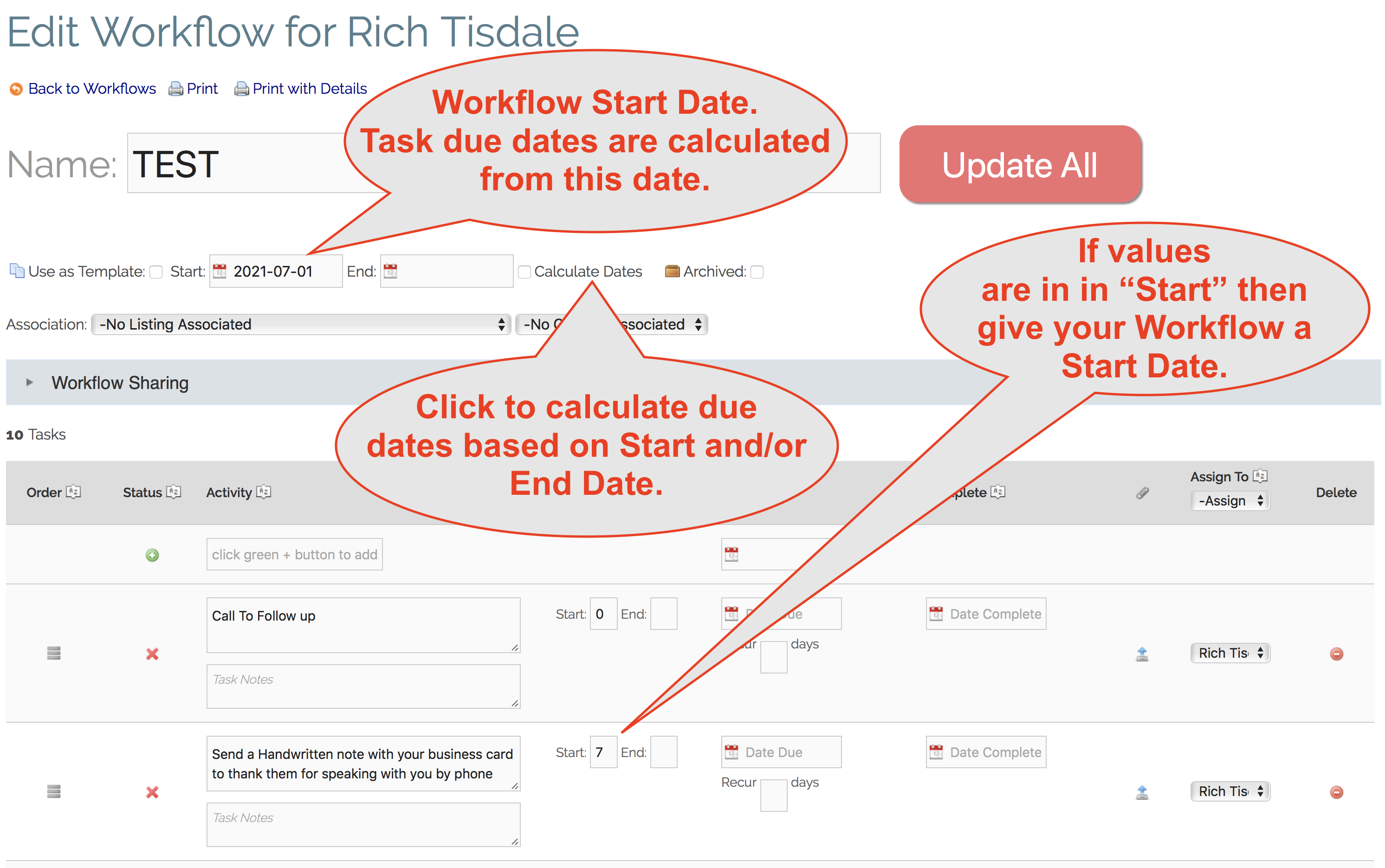
7. Click "Update All" to calculate due dates automatically.
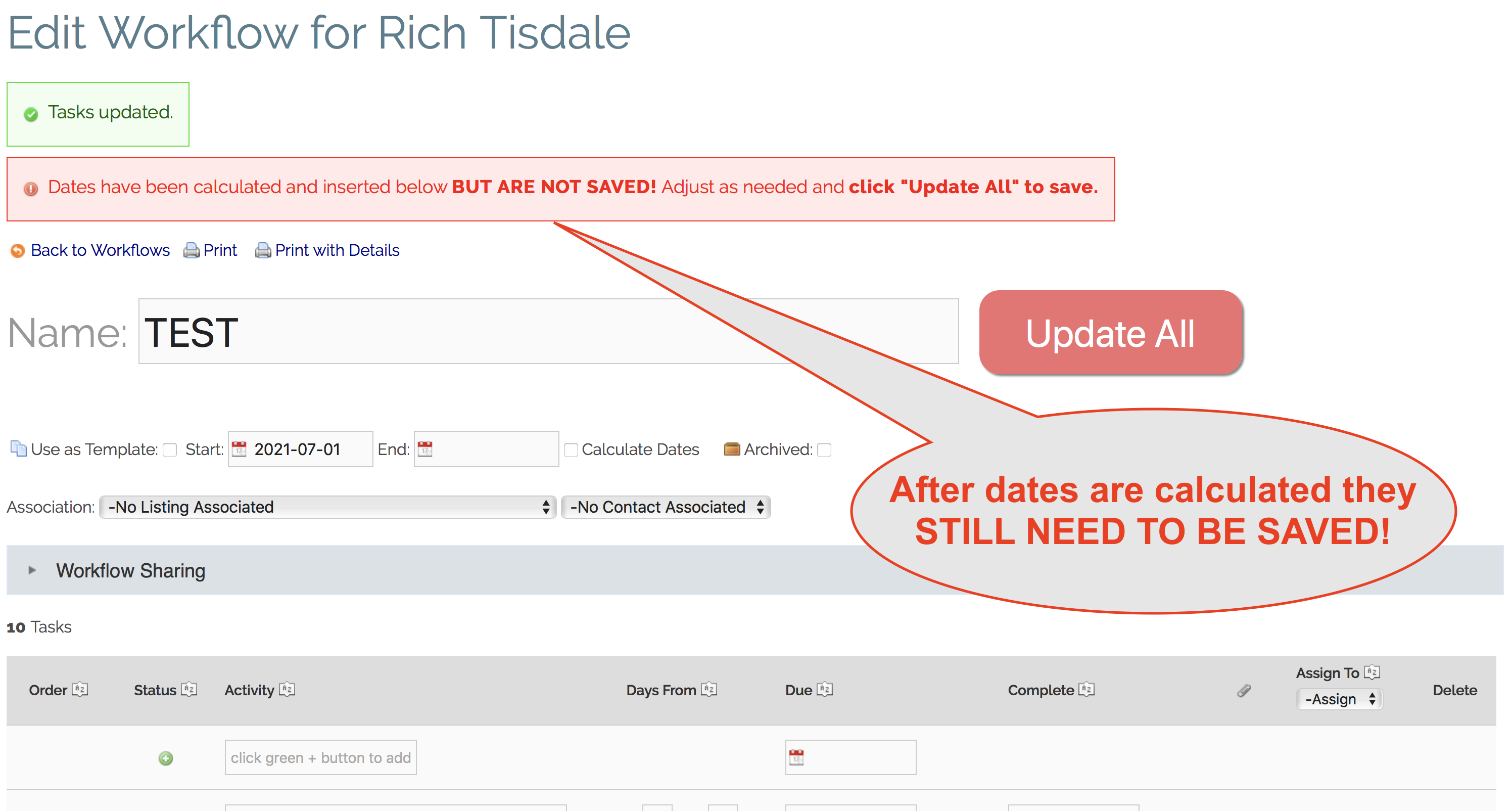
8. IMPORTANT - Review the dates to make they are good for you and click "Update All" AGAIN to save those dates.
Comments
0 comments
Please sign in to leave a comment.