
Learn how to make any Task a Recurring Task to automatically generate a new task when the original task is marked complete.
- Go to Workflows
- Locate a Task that you wish to recur automatically. Or create a new Task by entering the activity and due date in the bottom row of the Tasks tab and clicking the green "+" circle.
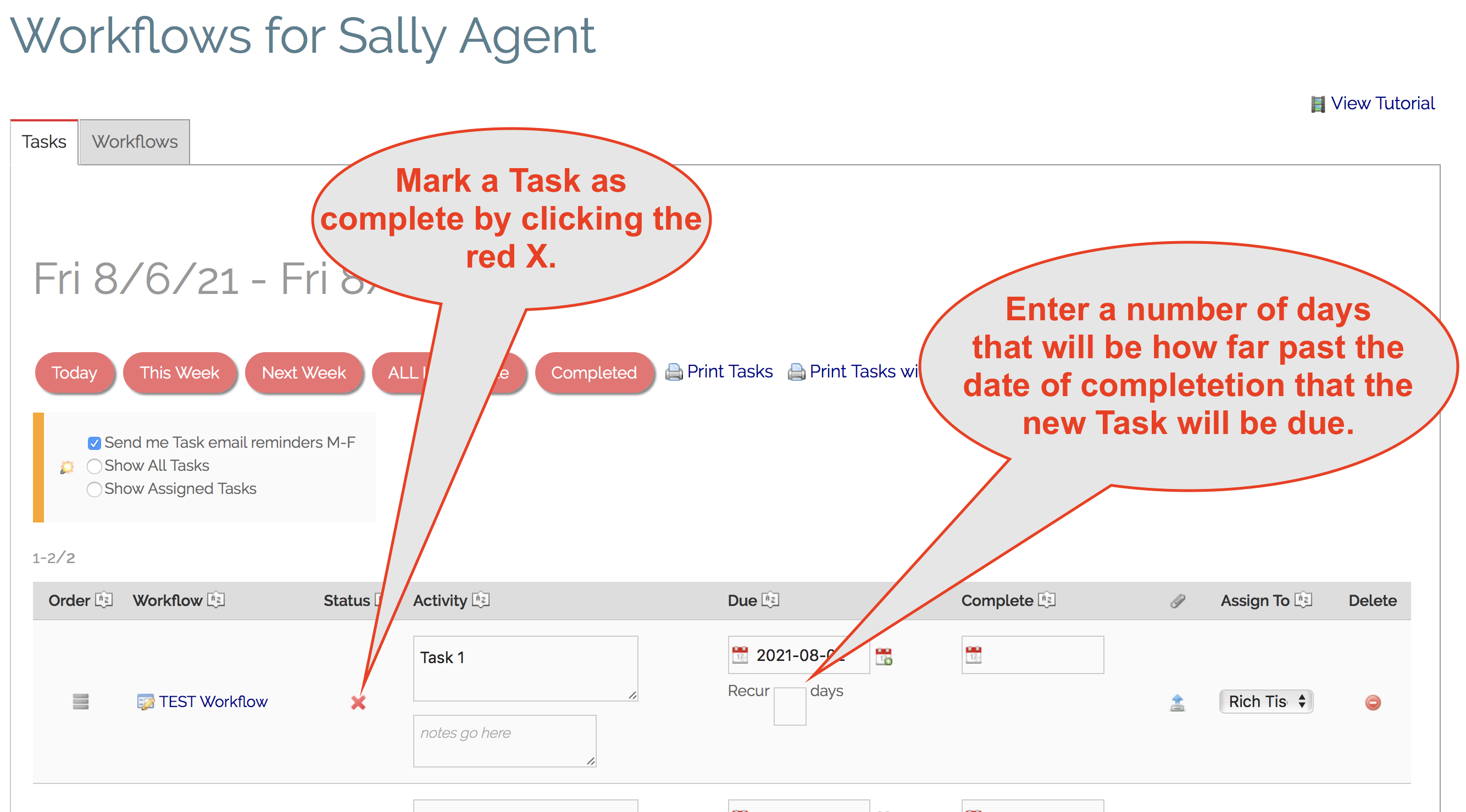
- Enter a number of days in the "Recur days" box. This is the number of days after you mark the Task as complete that the new Task should be due. Your Task is now a Recurring Task!
- Mark your recurring Task as complete by clicking the red X.
- Your Task is now complete and a new Task is automatically generated with a Date Due the same number of days past the current date! (Based on the number you entered in the "Recur days" box.)
- The newly generated Task will be identical to it's parent Task. It will be inside the same Workflow (if applicable) and assigned to the same Agent (if applicable).
Comments
0 comments
Please sign in to leave a comment.