
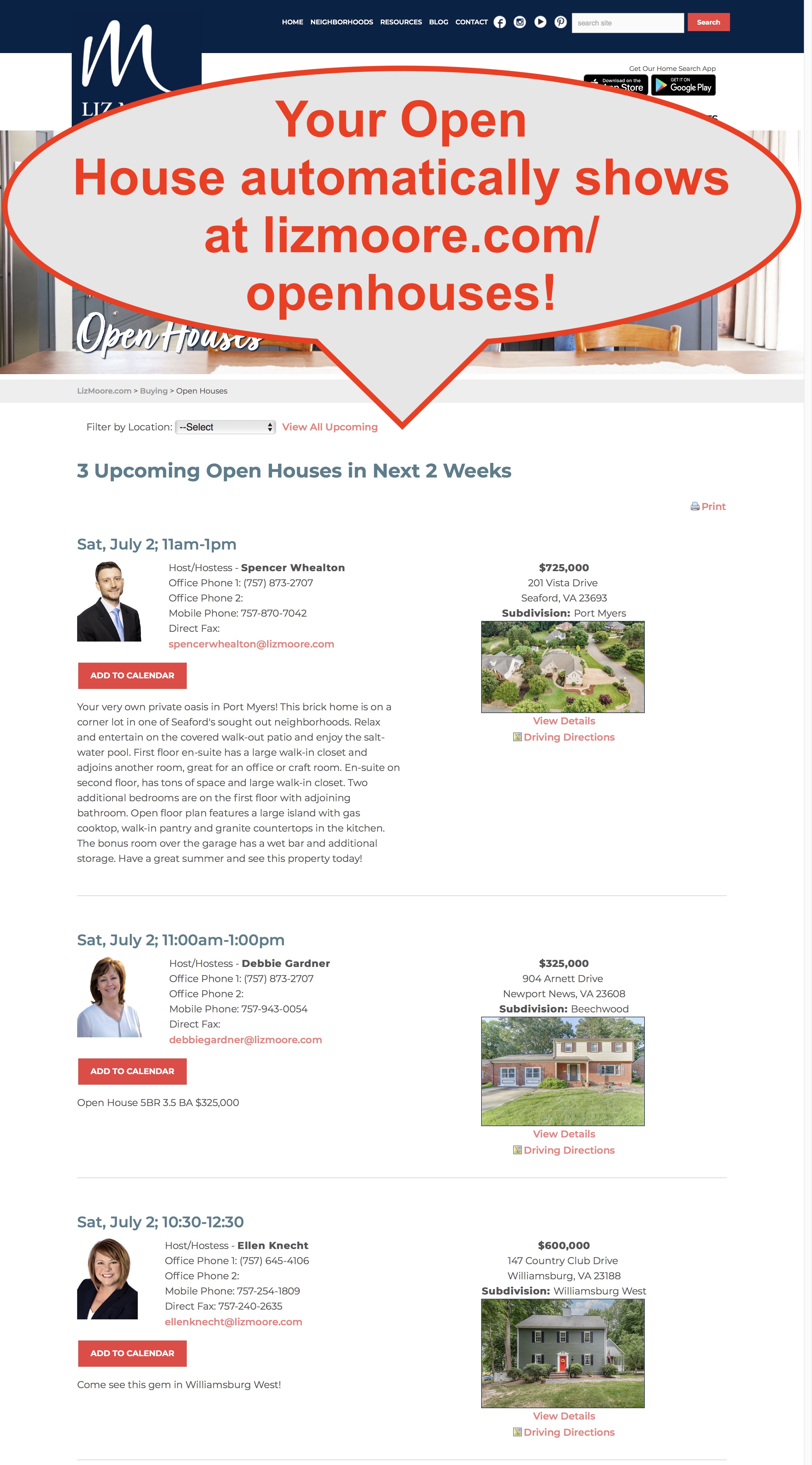
Easily add your listing Open Houses in eLMO so they appear at lizmoore.com/openhouses.
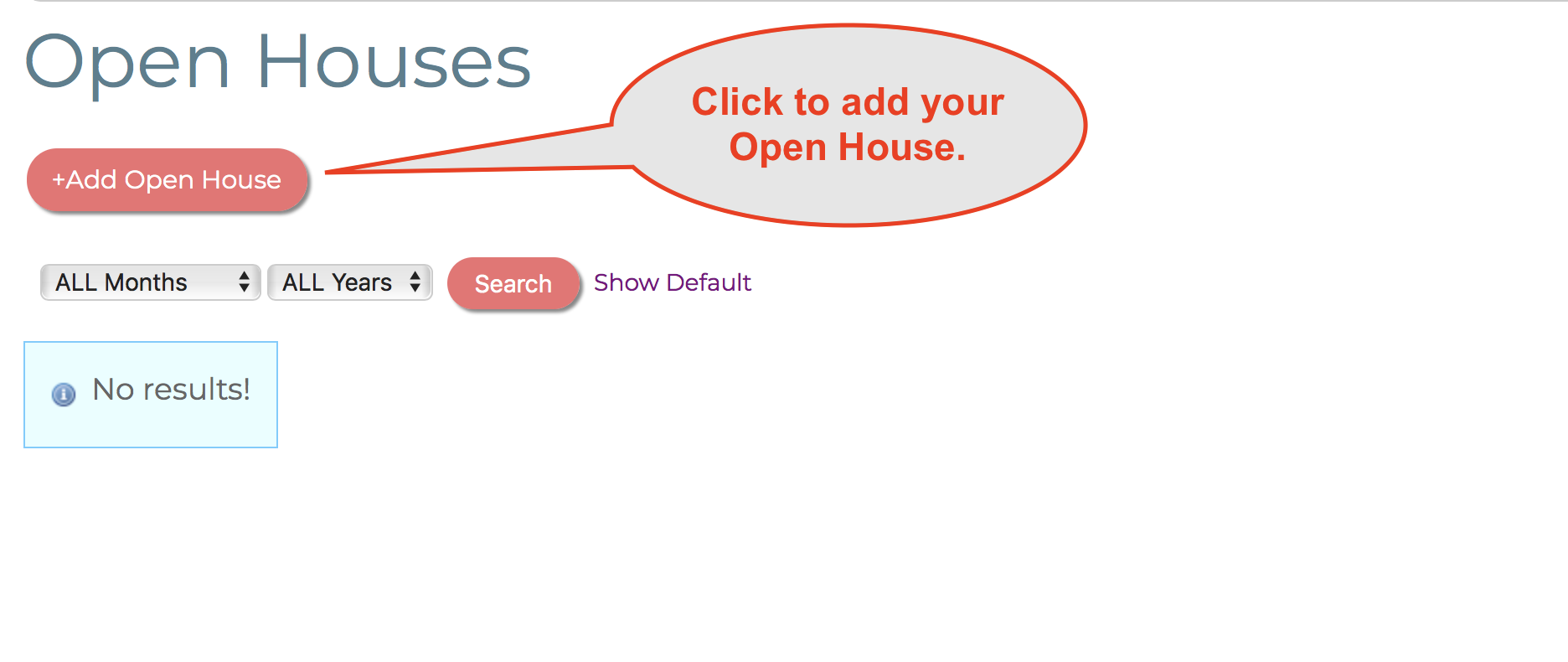
- Go to Open Houses in eLMO (it's on the left under OFFICE).
- Click the "Add Open House" button.
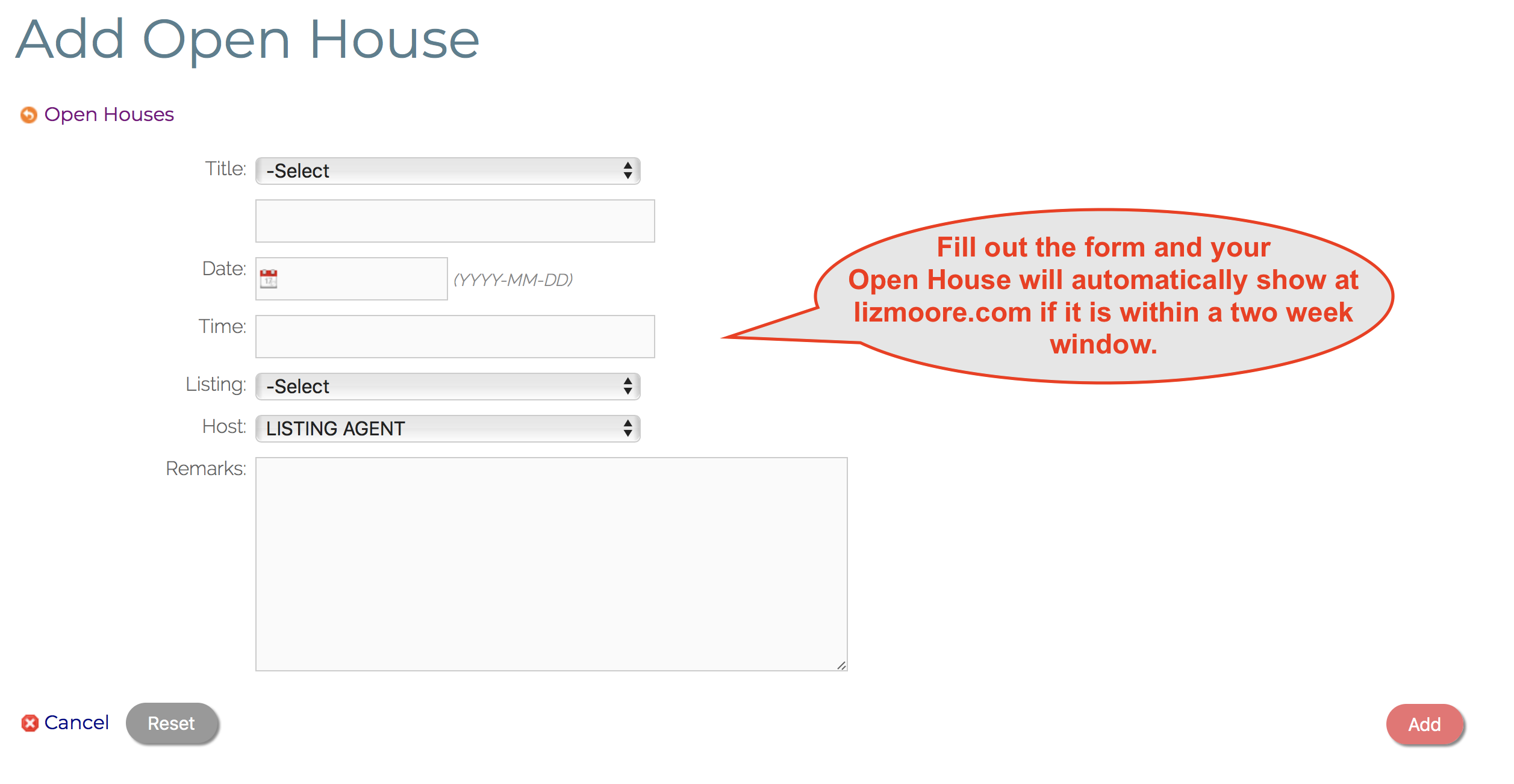
- Choose "Open House" for the title.
- Choose a date.
- Choose a time.
- Choose your Listing form the select menu.
- Choose the Host.
- Type any remarks you want to to display at lizmoore.com/openhouses.
That's it! Your Open House will automatically display if it is the current date or no more than two weeks into the future.
Comments
0 comments
Please sign in to leave a comment.