
Junk Mail is a fact of life being on the Internet. While LMA has automatic SPAM filtering for all users, it is never perfect and some Junk Mail will still manage to reach you.
Learn how to easily mark email messages as Junk and report them to Microsoft to improve your automatic Junk Mail filtering.
1. Login to your Liz Moore email at http://lizmoore.com/mail.
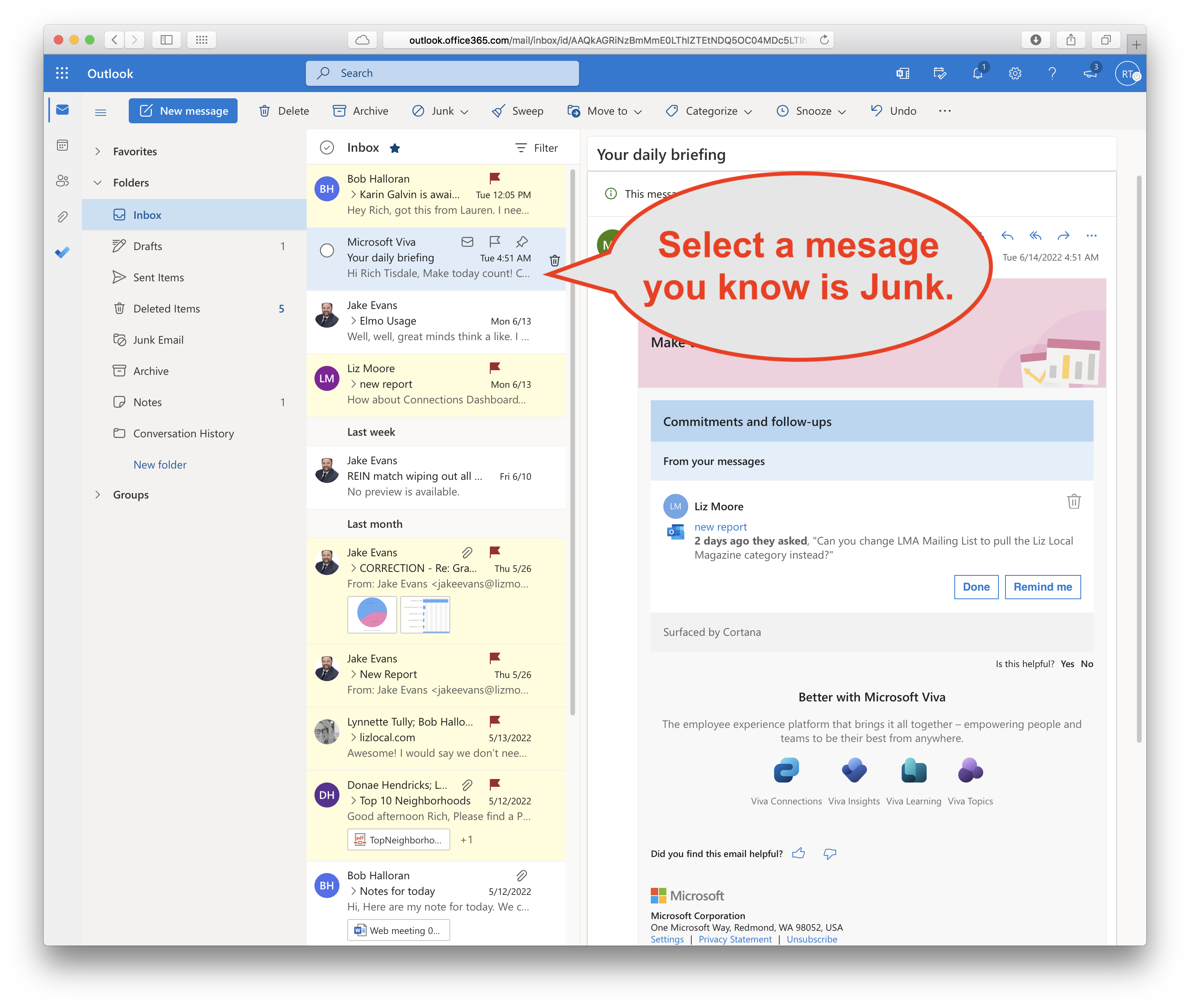
2. Select a message you know is Junk (SPAM).
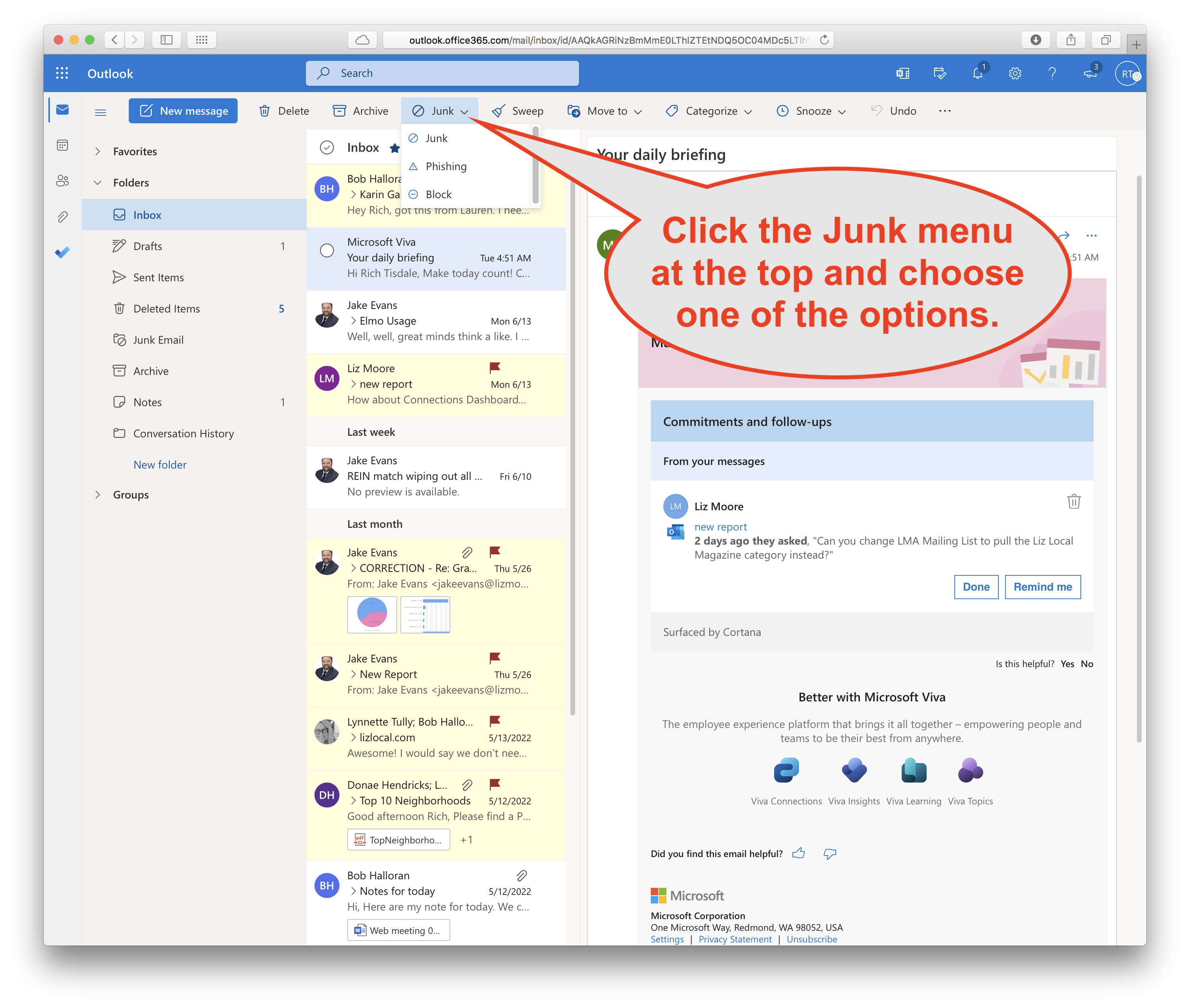
3. Click the Junk menu at the top and choose one of the options. If you are unsure, just choose "Junk".
If you know the junk mail is a Phishing Email then select "Phishing". To learn what phishing is go to https://www.phishing.org/what-is-phishing.
If you have received repeated Junk Mail from the same sender you can choose "Block" which will block that sender from sending you email in the future. This is tricky though because spammers can fake the sending email address and change it often.
4. Optionally choose to "Report as junk" as it will improve the automatic filtering of SPAM in the future. 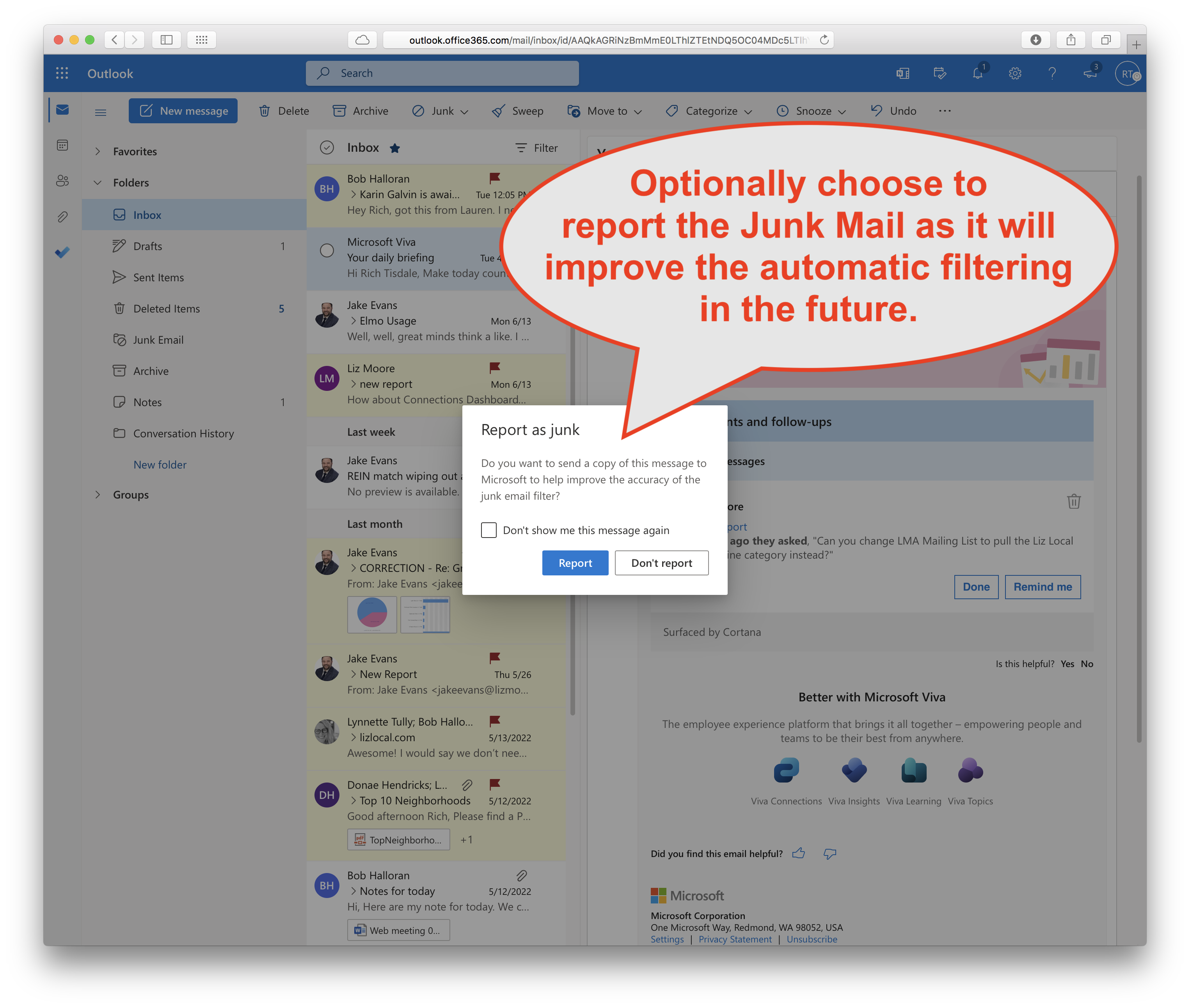
Comments
0 comments
Please sign in to leave a comment.