
Learn how to upload and download a zipped archive of all the photos associated with your listing transaction.
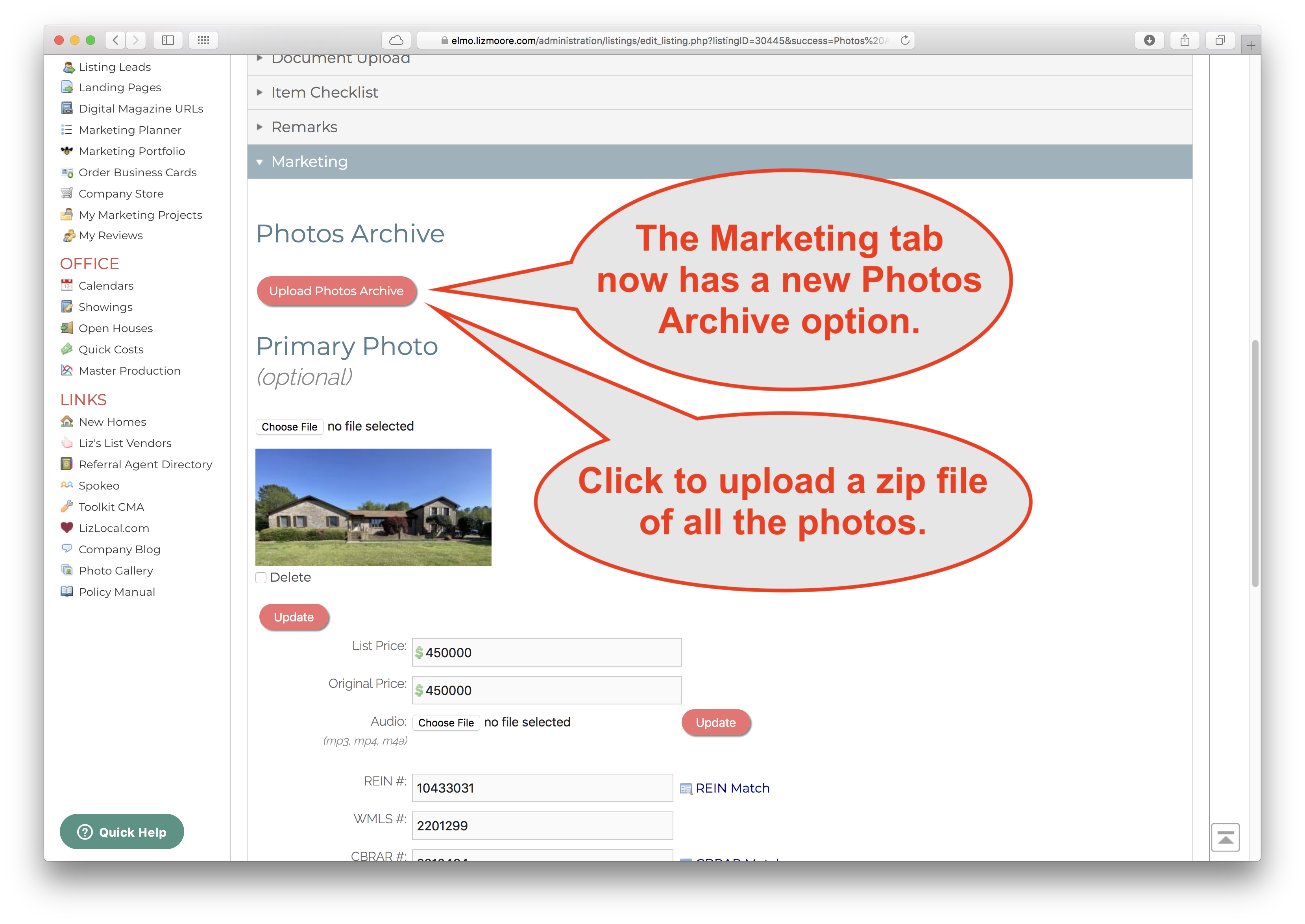
- Go to My Production and navigate to an active listing.
- Go to the Marketing Panel of the Listings tab for the transaction.
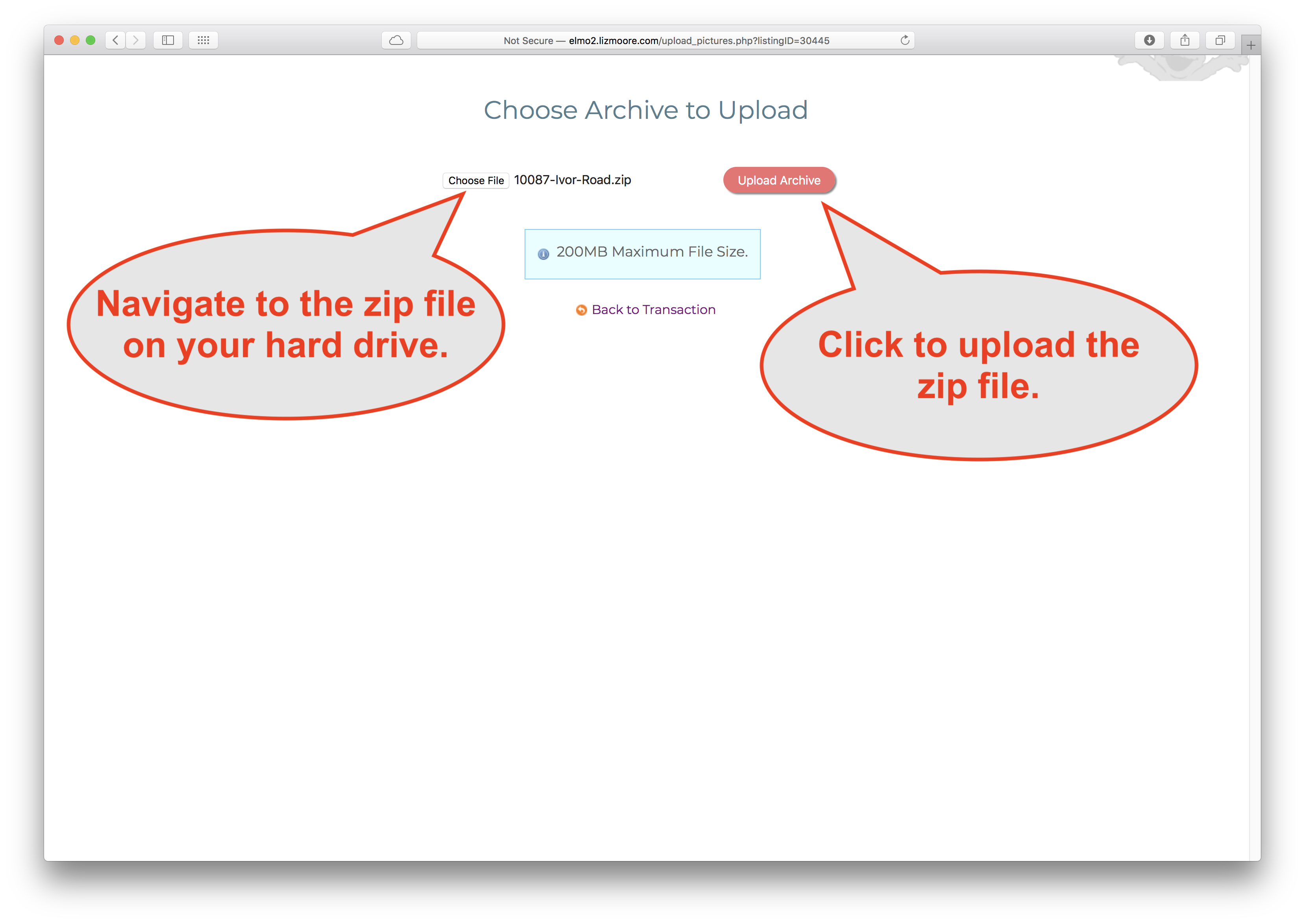
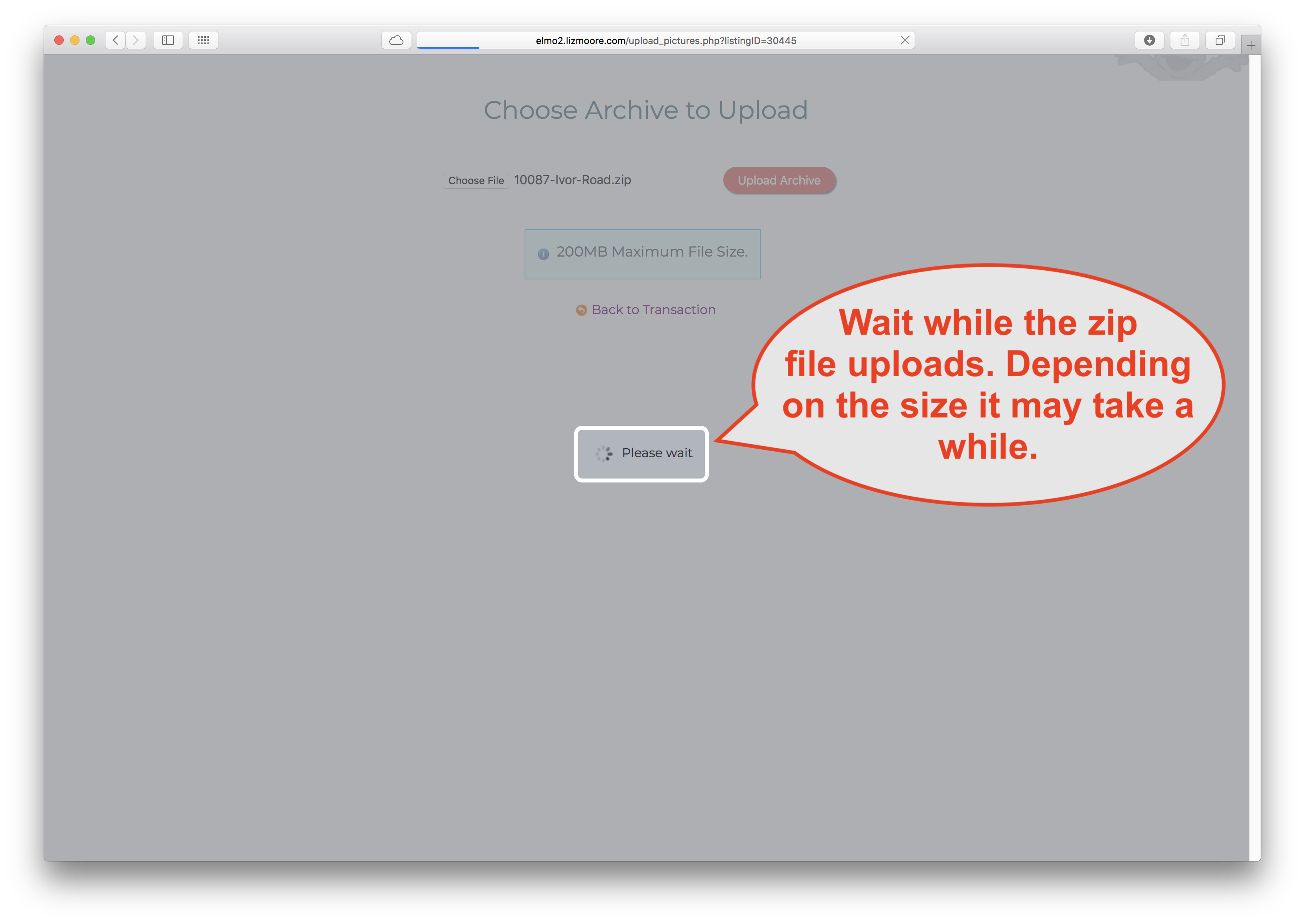
- Upload a zipped archive of all the photos for that listing.
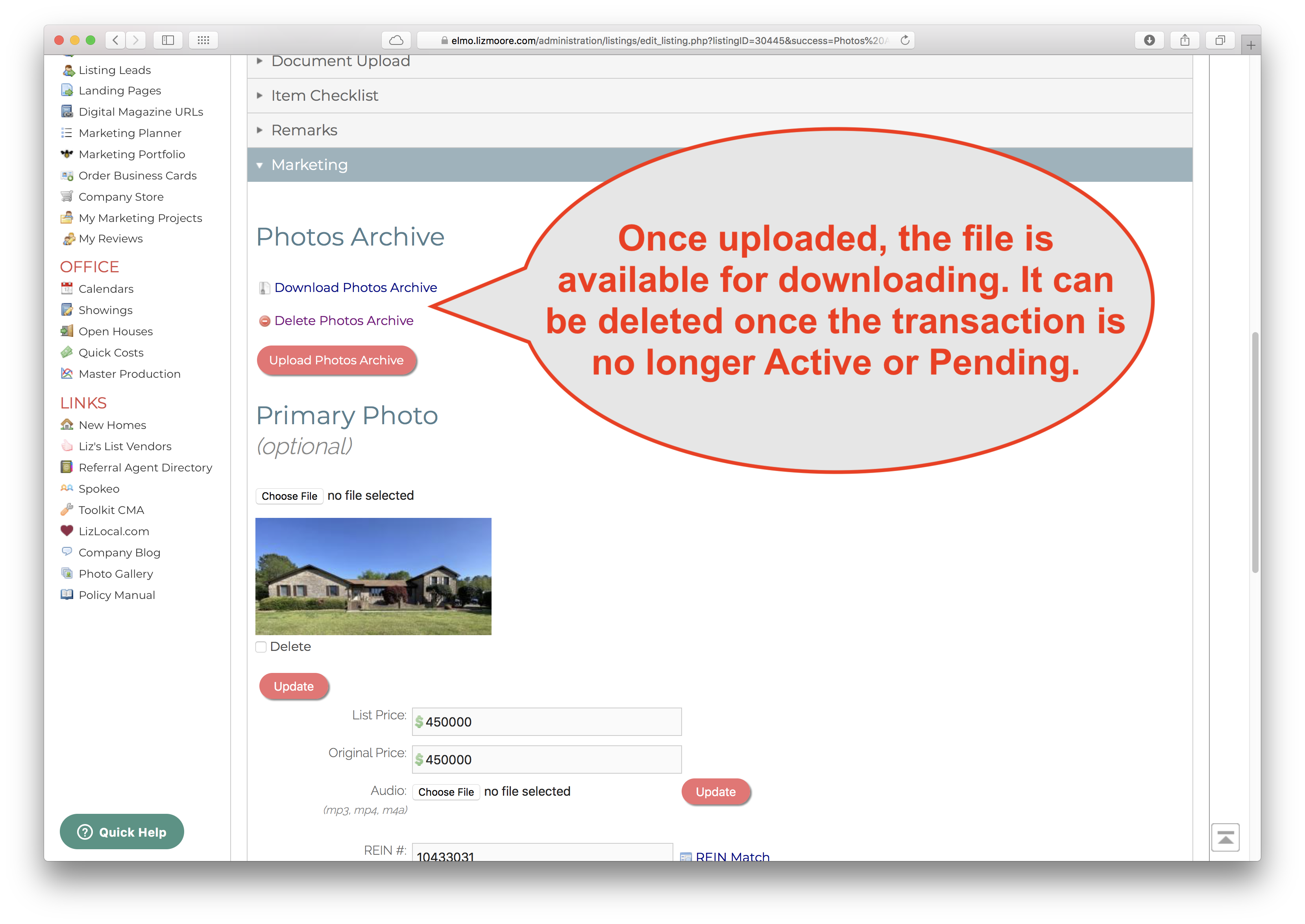
- Delete the archive once the listing is no longer Active or Pending.
Comments
0 comments
Please sign in to leave a comment.