
Reset your eLMO Password.
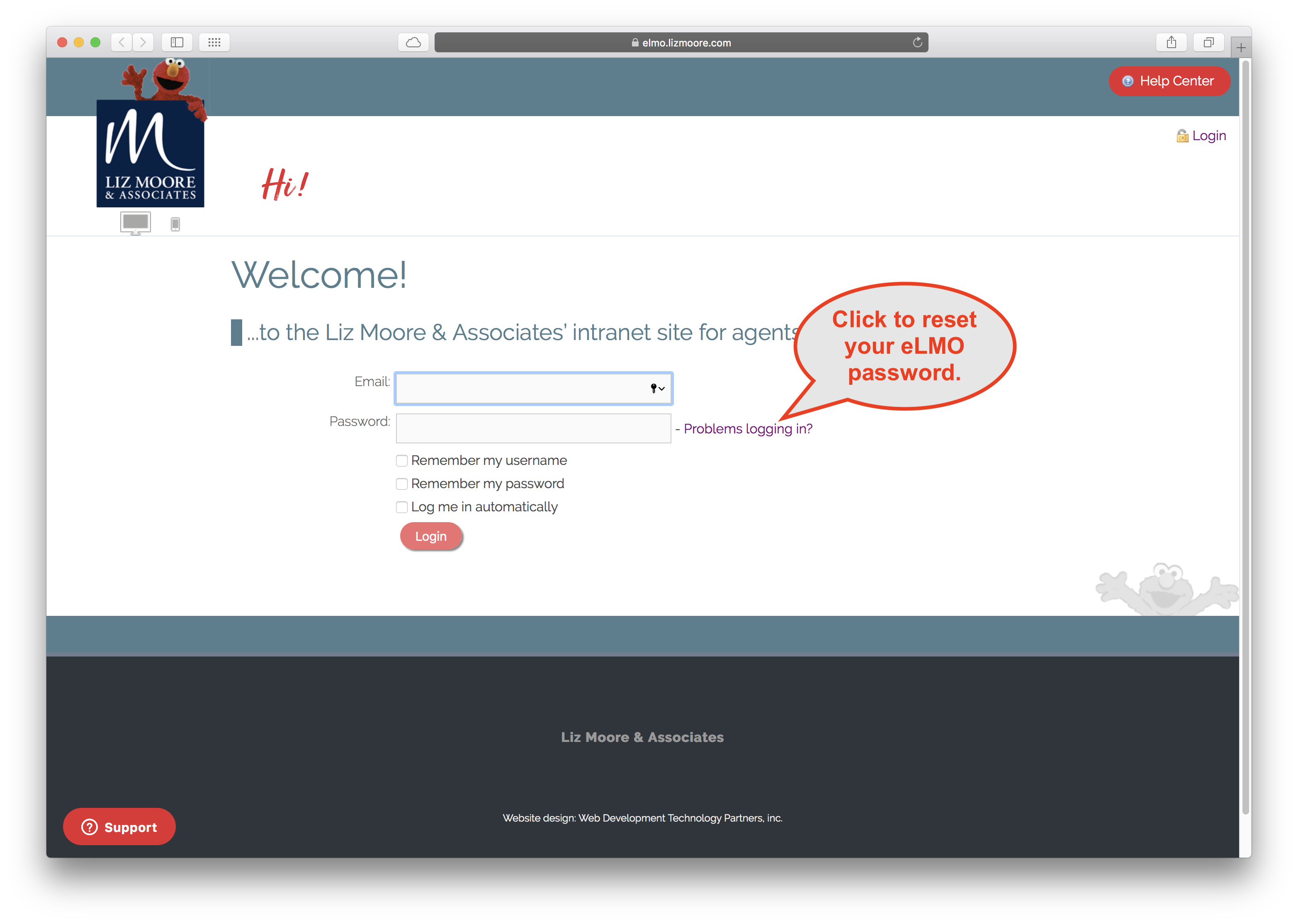
1. From the login screen, click the "Problems logging in" link.
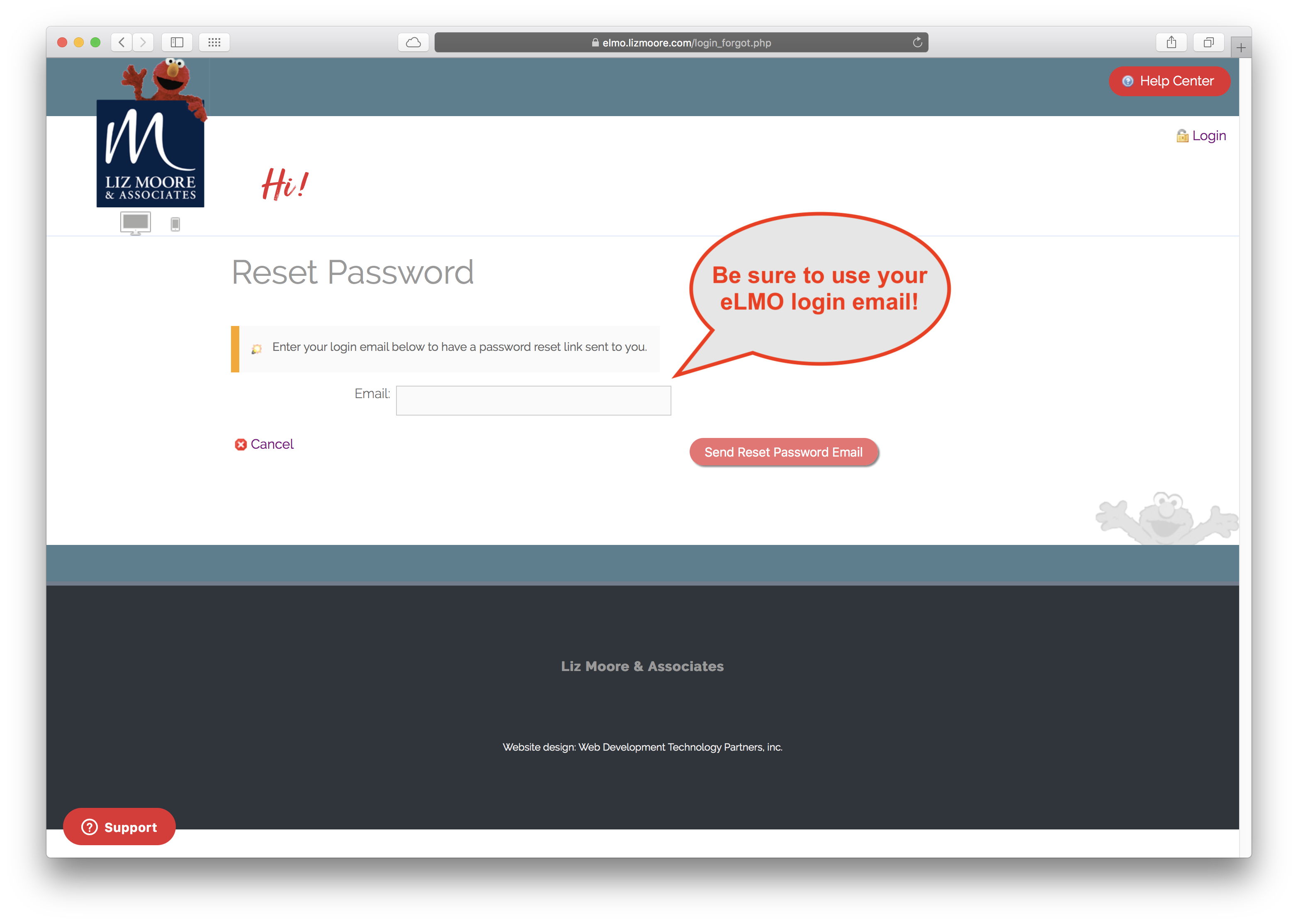
2. Enter your eLMO login email address.
3. Click the "Send Reset Password Email" button.
4. The password reset email should arrive within a few minutes to your eLMO login email address.
The password reset email with have:
- Subject line of "eLMO Password Reset".
- Coming from elmo@lizmoore.com.
If you do not see the email within 15 minutes, try searching Outlook for the above subject line or sending email.
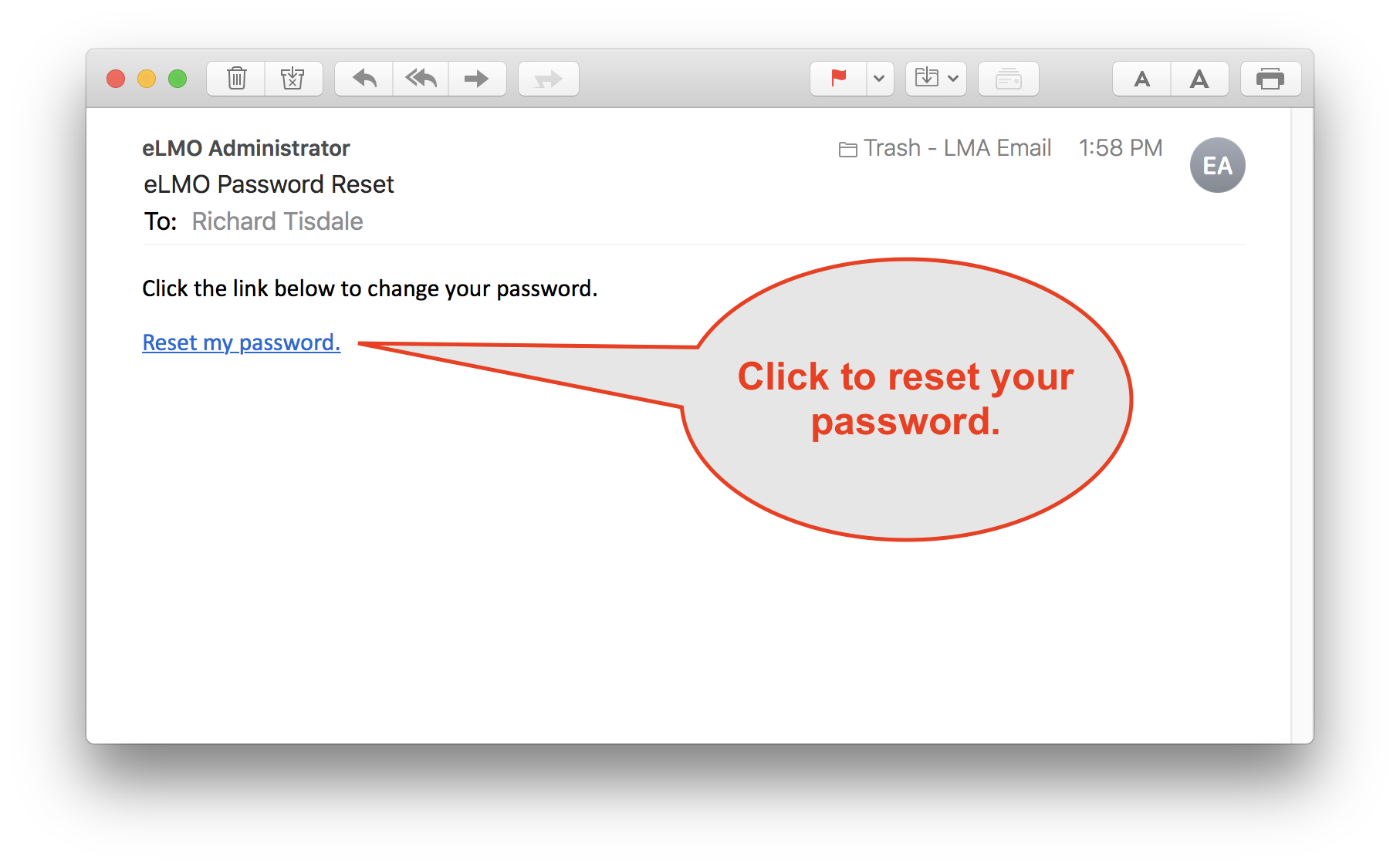
5. Click the link in the eLMO Password Reset email.
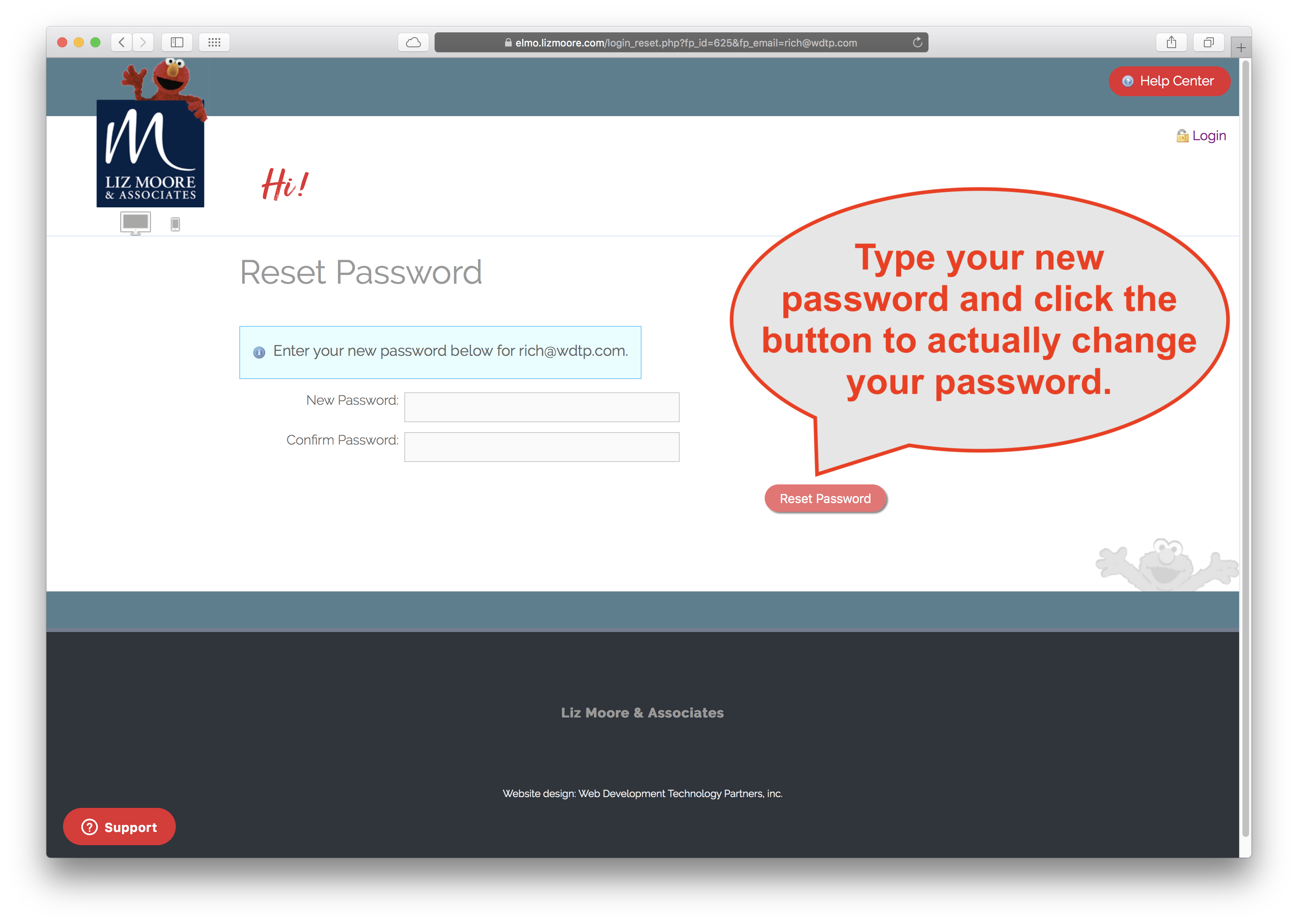
6. In the resulting screen enter your new password.
Comments
0 comments
Please sign in to leave a comment.