
eLMO goes into your “to do’s” in Connections, and grabs the 3 contacts that it has been the longest since you’ve touched them, and pushes them out to you in an email link as a reminder.
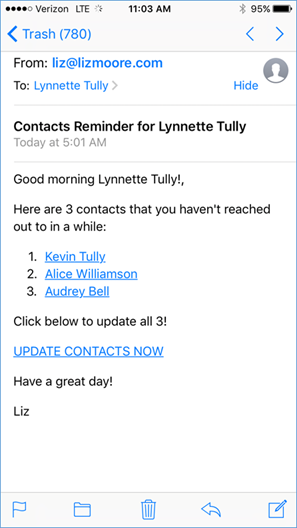
It includes their contact info in live links. Once you’ve made the connection, you can – very simply – log the contact right on your phone or tablet!
Click on their name from within the email (or you can click update contacts now to get all three opened in Connections), then click on the red x.
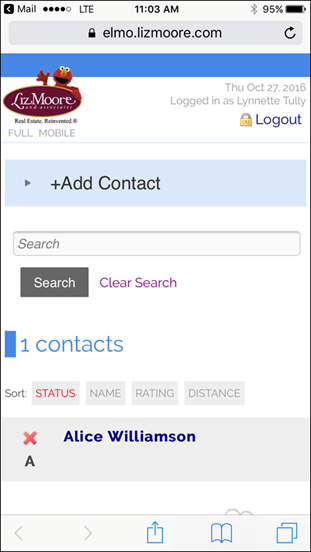
Then select the action you took (you can also record comments)
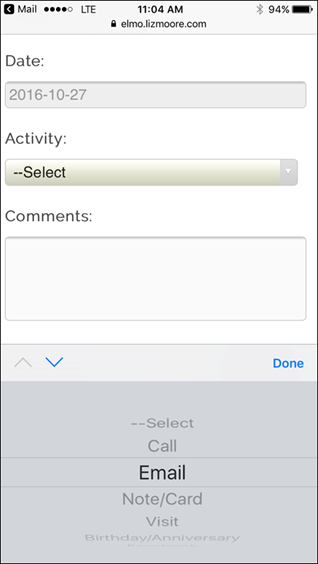
Click add activity.
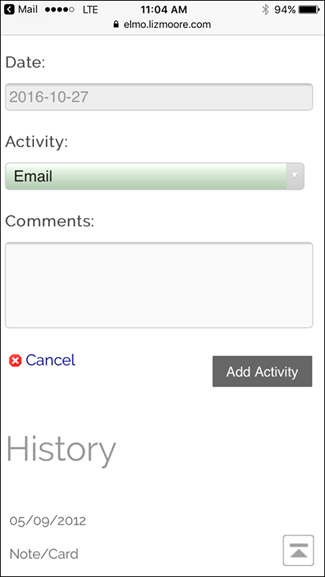
That history will record and the contact will have a green check.
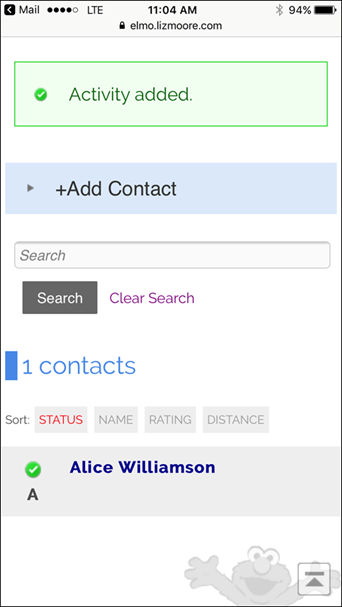
Then you can go back to mail and click on your next contact (or back to those three opened in Connections). If you take no action, eLMO will email you the same three contacts the next day. J If you don’t want to contact that particular person that day, you can select “bypass” as your logged activity.
Comments
0 comments
Please sign in to leave a comment.