
Login to eLMO.
Click on Connections and then the contacts tab.
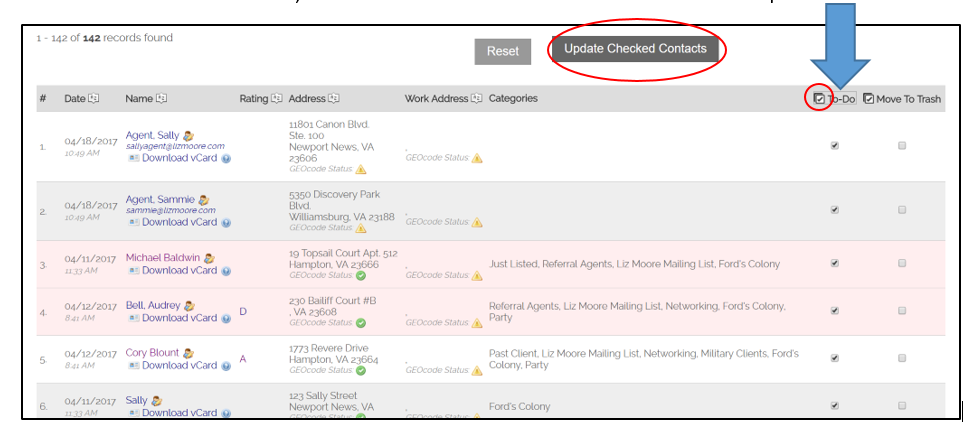
A list of all of your contacts will generate. To add contacts to to-dos, click the box in the to-do column next to the contact’s name, and then click Update.

To add all contacts at one time, double click the check box next to “To-Do” at the top of the column. That will check the to-do box next to every contact. Then, click Update.
Comments
0 comments
Please sign in to leave a comment.