
Login to eLMO.
Click on Connections and then the contacts tab.
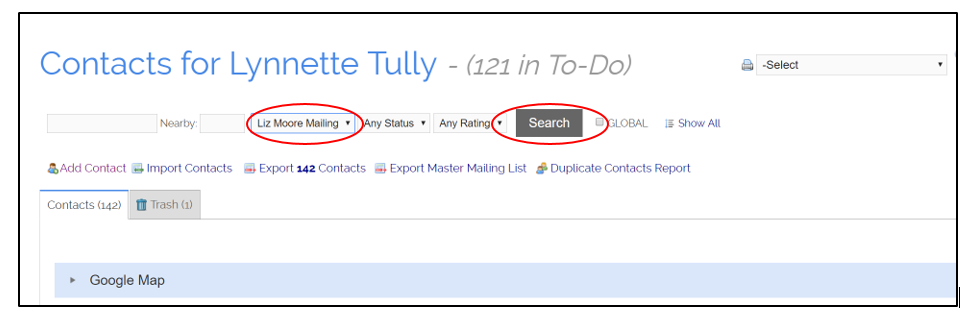
To log history for an entire category at one time, select the category from the category dropdown and then click search.
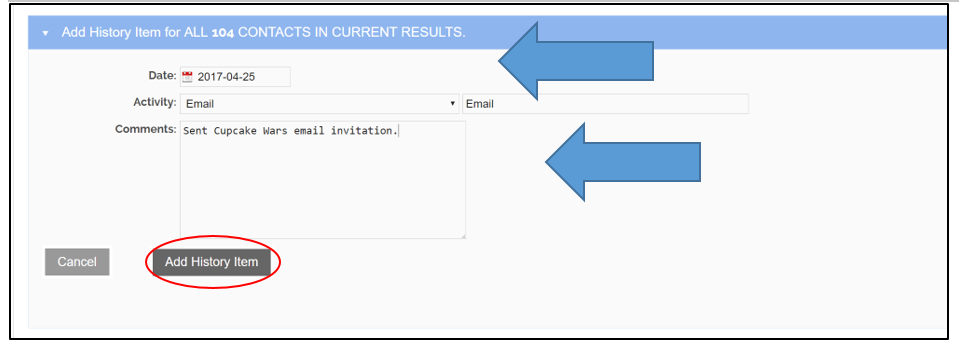
Once the contacts for that category have been displayed, click on the blue “Add History” bar, enter your history info, and click Add History Item.
Comments
0 comments
Please sign in to leave a comment.