
Granting Marketing Access to your Facebook Ads Account
In order to grant marketing access to your Facebook business page and ad account (without giving your username and password), you will need to follow the below steps.
*Note – you have to grant access to your page, and to your ad account for this to work.
This only needs to be done once. After all access has been granted, marketing can place ads on your behalf from now on.
First Step: Access to Your Business Page
Marketing will need to be granted access to your page in order to place Facebook ads on your behalf. When you place your first Facebook ad order, Lynnette will request access through the Liz Moore and Associates Business Manager. You will need to login to Facebook and accept that request.
In order to accept the request, login to your Facebook business page and click on Settings (top right)

Click on Page Roles on the right side. You will see a pending request from Liz Moore and Associates.
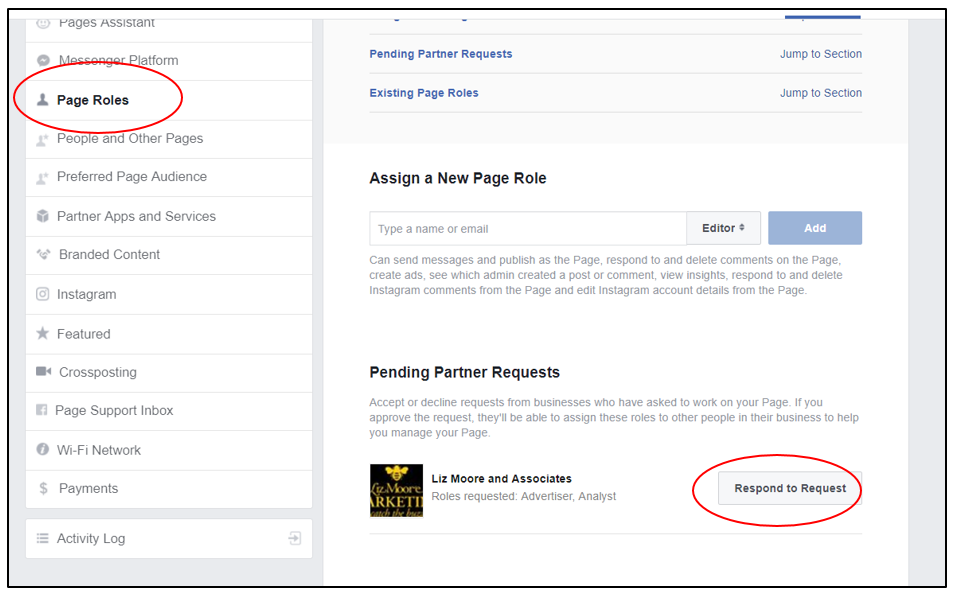
Click Give Liz Moore and Associates Access.
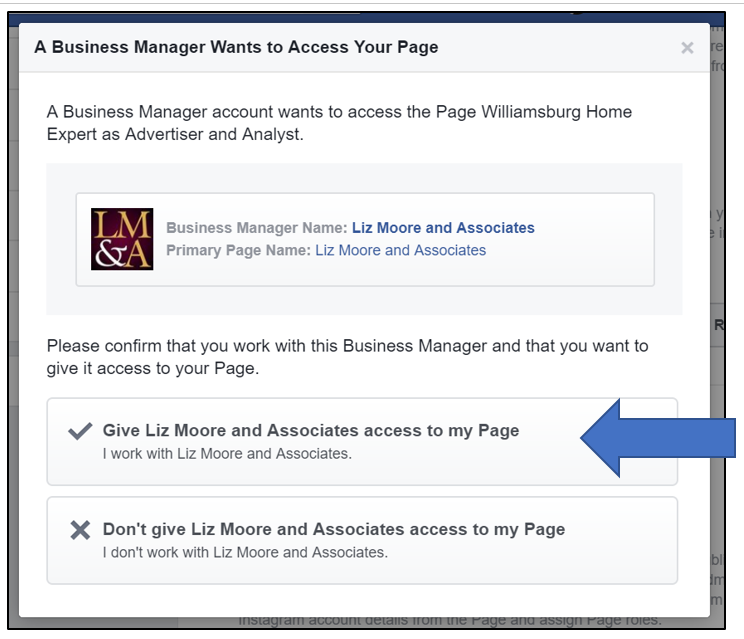
Click Approve Request. You will be asked to enter your password again. Enter your password and click submit.
Second Step: Access to Your Ad Account
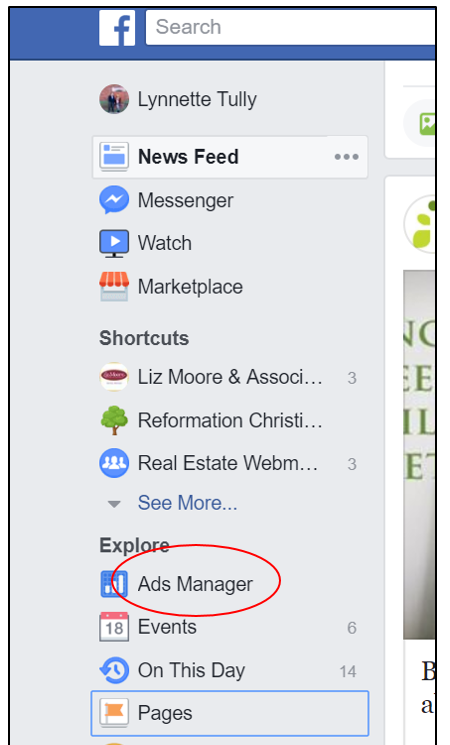
The first thing you need to do when giving access to your ad account is locate your ad account number. Open Facebook, and click on Ads Manager on the left side. Your list of options under “Explore” may be in a different order. Scroll down until you see Ads Manager.
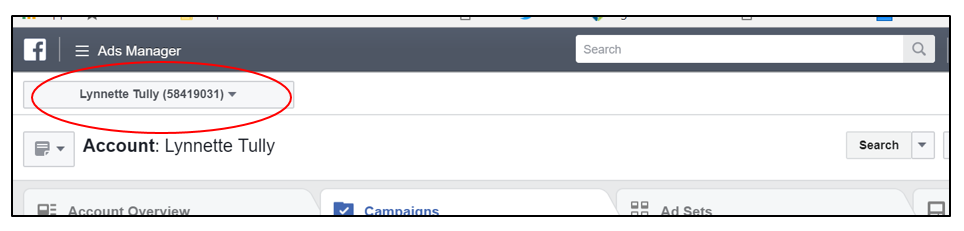
The number next to your name in the top right is your ad account ID. Write that number down. You will need it in future steps!
If you don’t already have a credit card on file for your Facebook ad account, you will need to add one. The company will place the $20 credit on your AR for your Just Listed ad, but your credit card will be charged for the ad.
To add a credit card, click on Ads Manager.
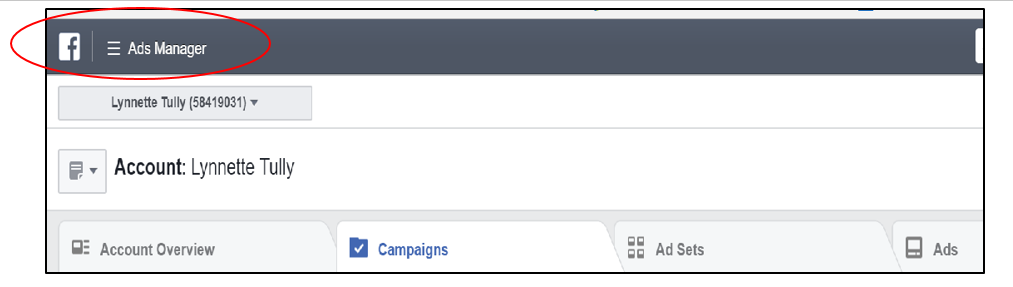
Click on All Tools, and then Billing & Payments Methods.
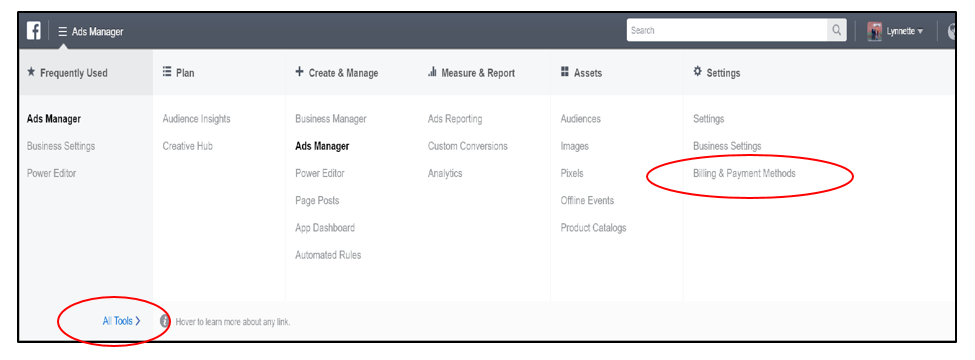
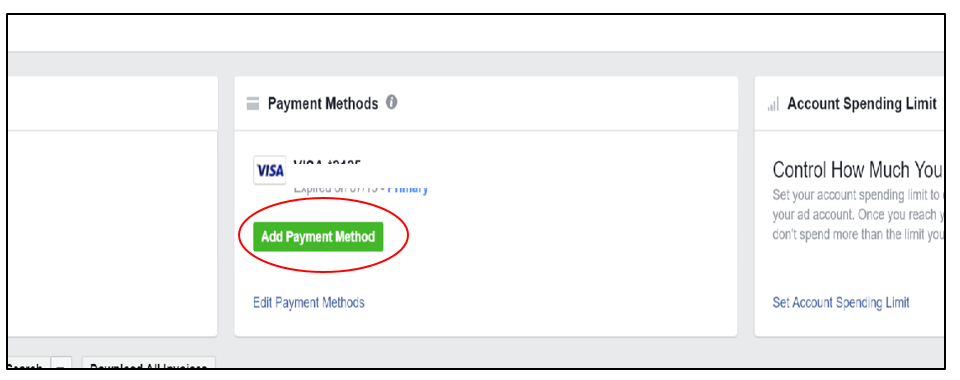
Click Add Payment Method and enter your credit card info.
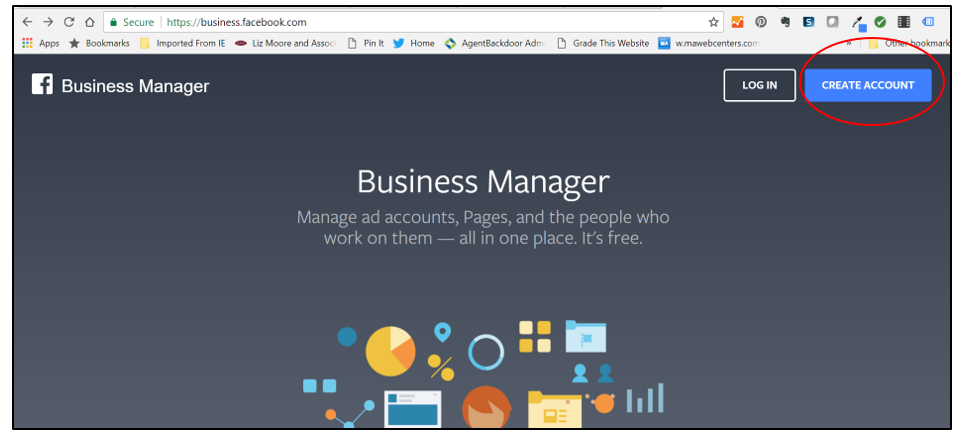
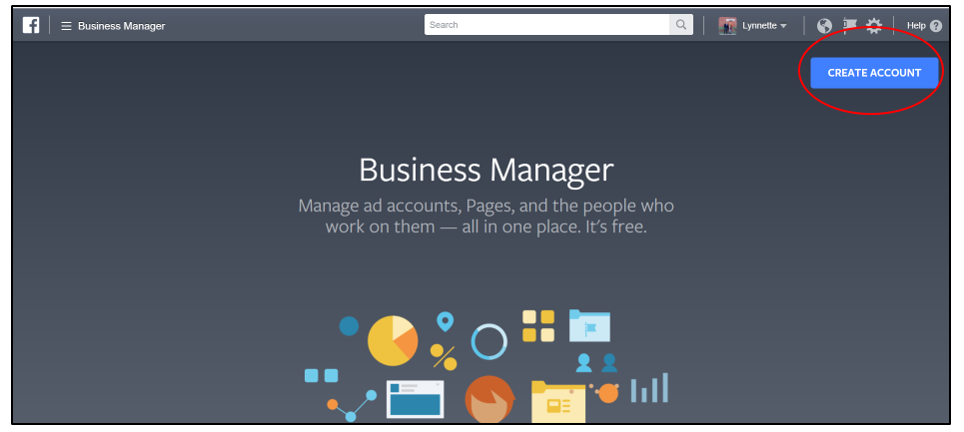
Next, login to your Facebook Business Manager Account. If you don’t already have a Business Manager account, you will need to create that first. You can do that by going to www.business.facebook.com. Click Create Account.
Next, login to your Facebook account.
Now that you are logged in, you need to click Create Account again.
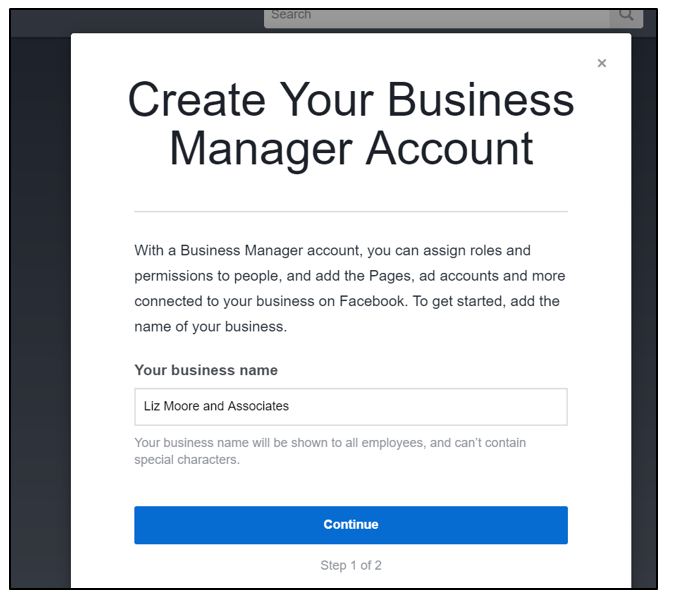
Fill in the name of your business page (this is *your* business, not Liz Moore and Associates) and click Continue
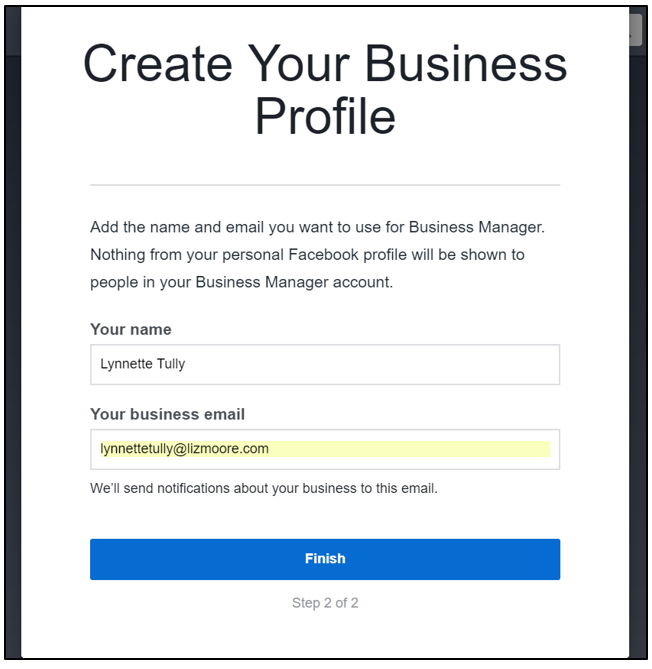
Add your name and email address, then click Finish.
Now that your Business Manager account is set up, you need to grant ad access.
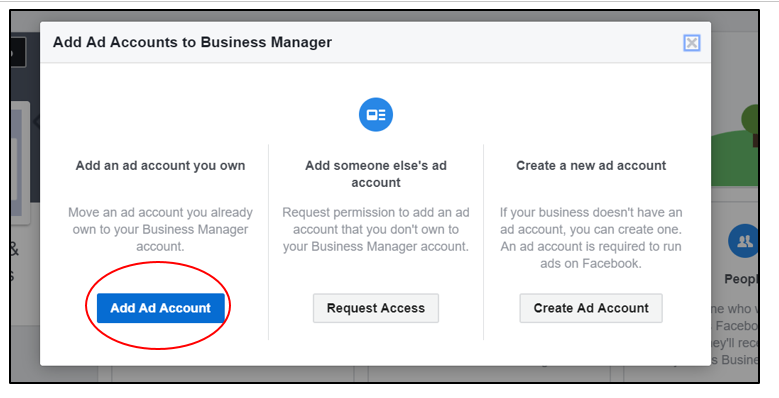
Click Add Ad Account in the center of the page.
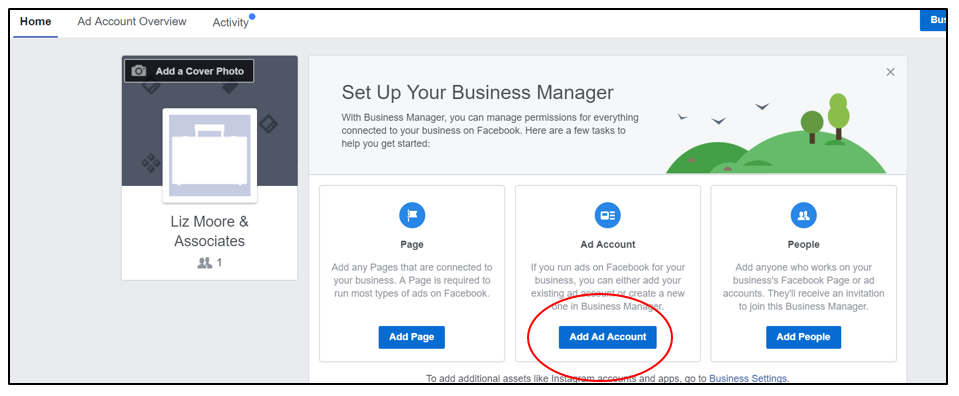
Click Add Ad Account
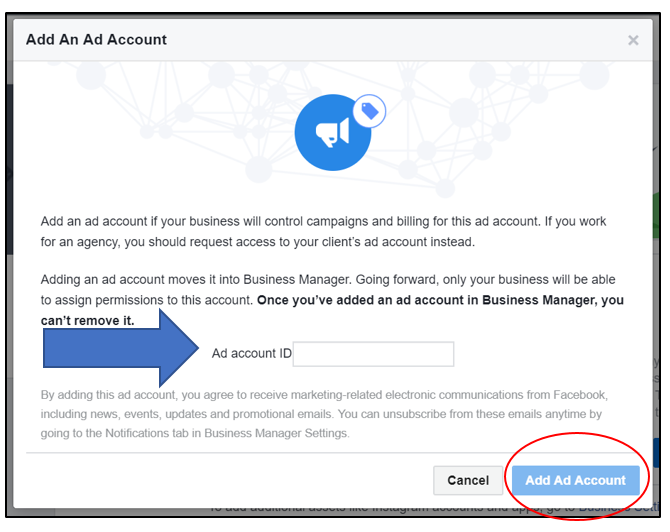
Enter your account ID in the box and click Add Ad Account. Your account ID is the number you write down in step 1.
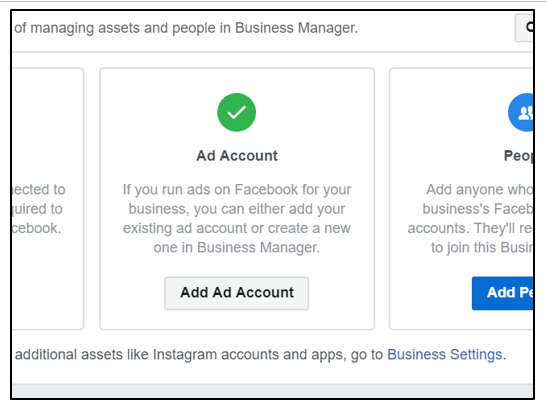
Once you ad account has been added, you’ll see a green check.
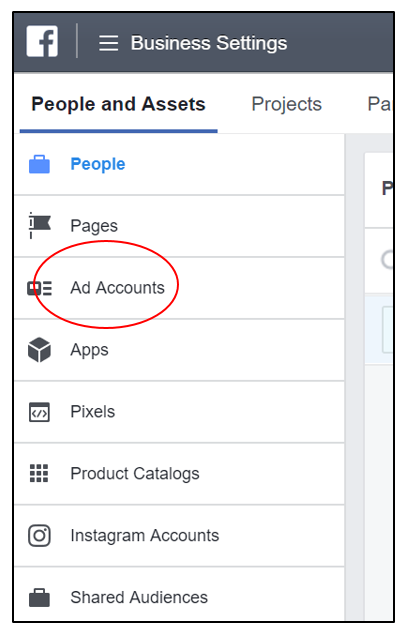
Click on Business Settings in the top right corner of the page.

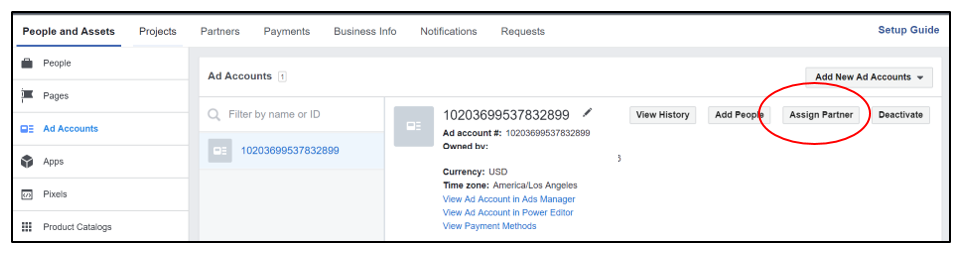
Click on Ad Accounts
Click on Assign Partner
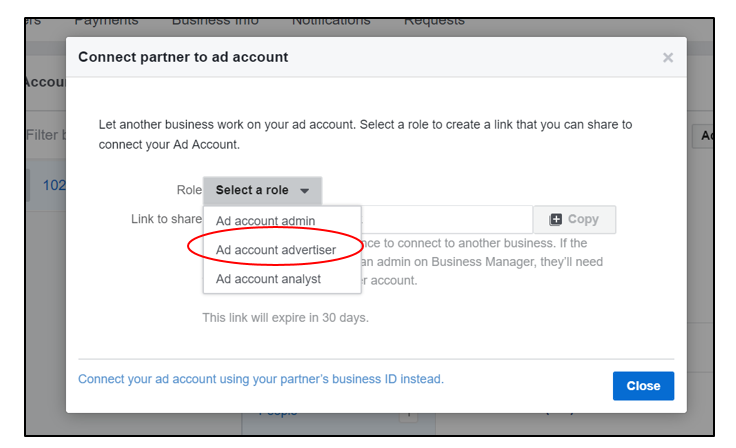
Select Ad account advertiser
The system will generate a link. Copy that link and paste it into an email going to lynnettetully@lizmoore.com.
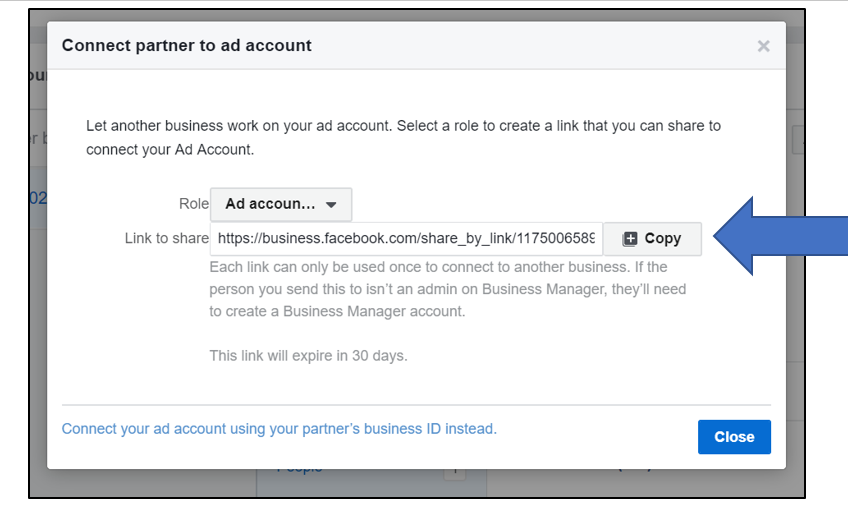
Once Lynnette receives that link, access will be granted. You are now good to go!!
Comments
0 comments
Please sign in to leave a comment.